

PrestaShop AI OneClick Translate – Libre Translate is a powerful, open-source localization module designed to help merchants effortlessly translate their entire store content using the privacy-respecting LibreTranslate engine. Ideal for companies seeking to avoid proprietary APIs and ongoing costs.
- Compatible with PrestaShop 1.7.x and 8.x
- Uses REST API to connect with LibreTranslate
- Supports both public and private LibreTranslate instances
- Translation logs and error handling for transparency
- Modular architecture for easy updates and scalability
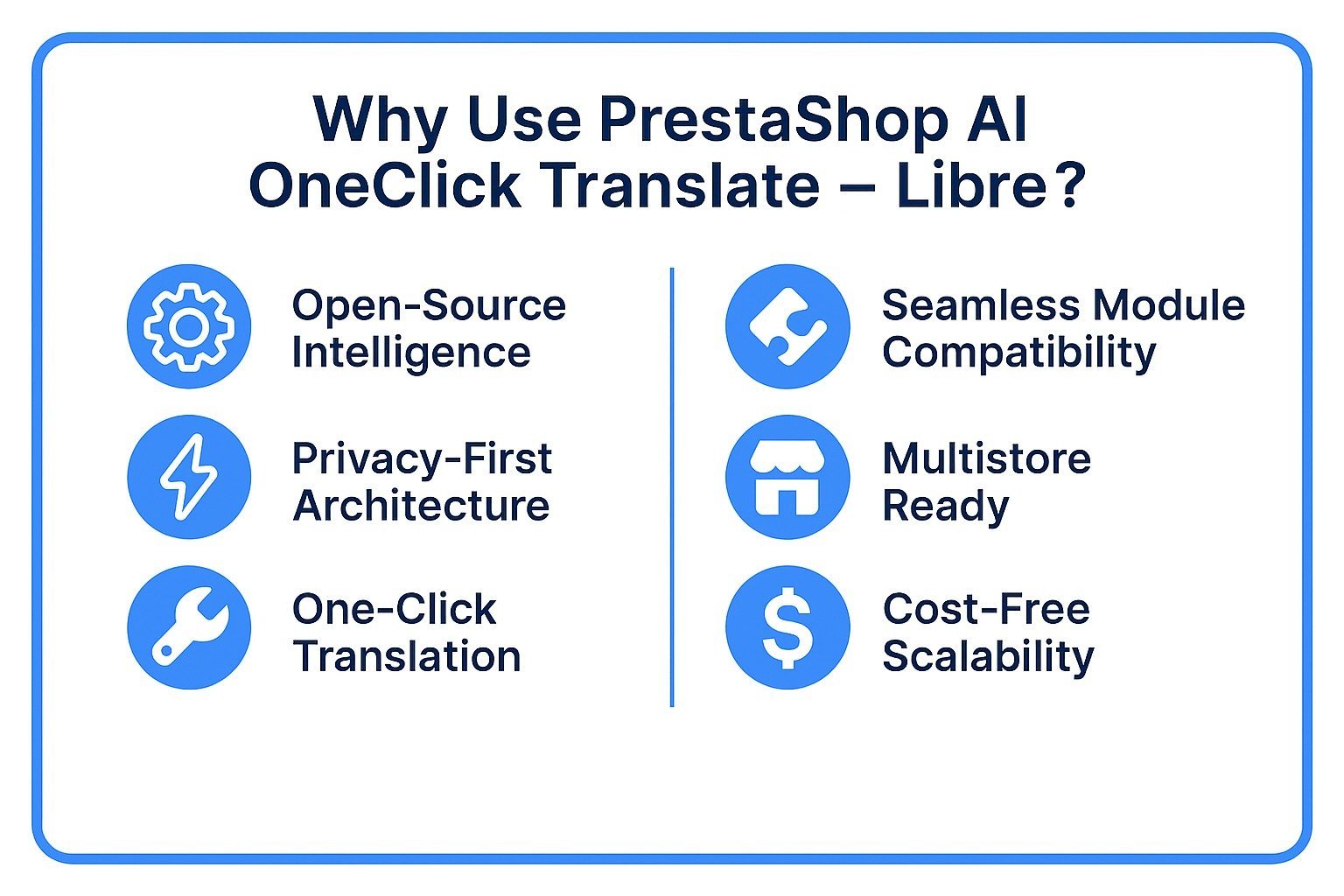
Key Features at a Glance
Use Cases: Who Needs This Connector?
Quick User Guide (Visual Walkthrough)
Scroll up to revisit the detailed image-wise walkthrough.
Translate Your Store Globally in One Click
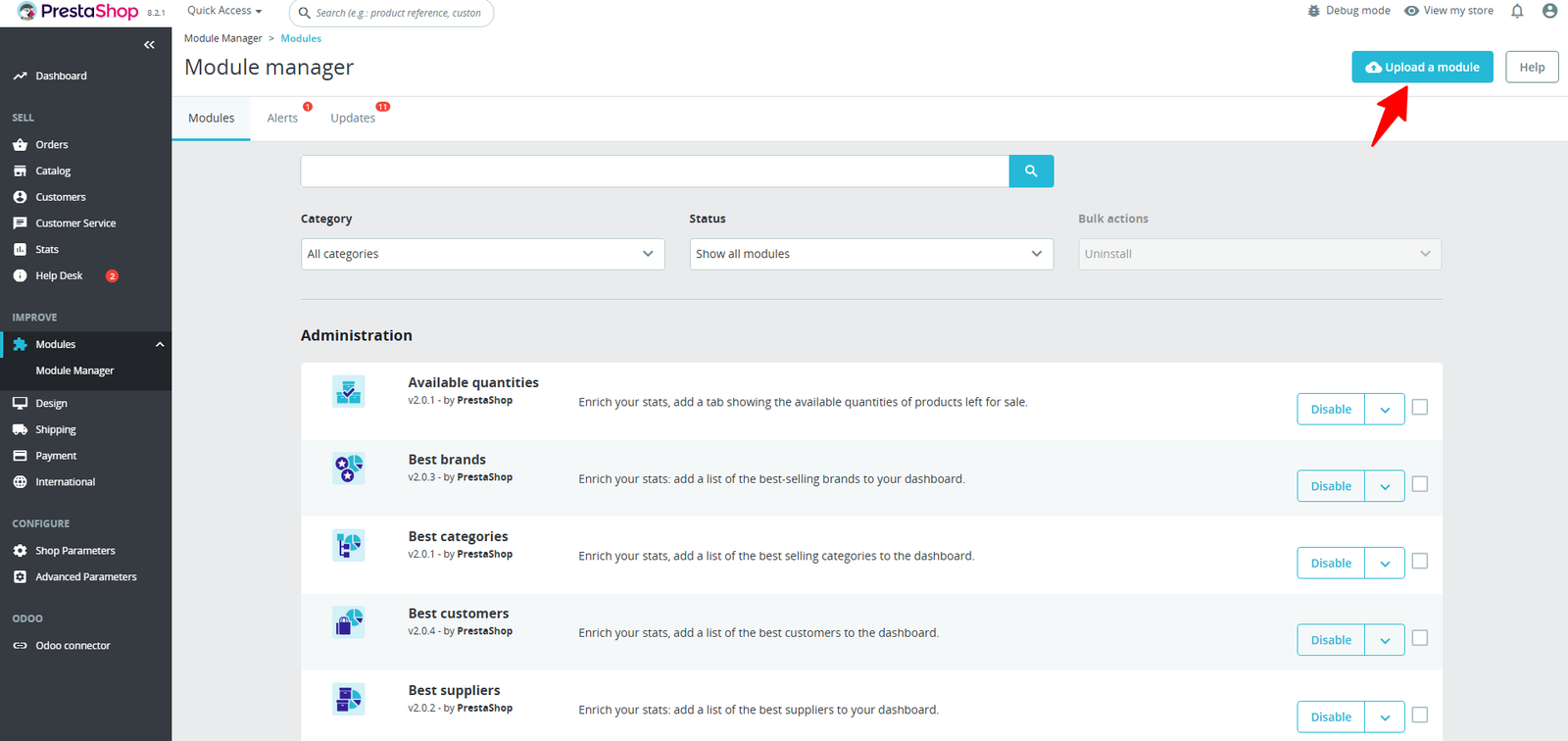
Step 1: Click Upload the Module in the Apps section.
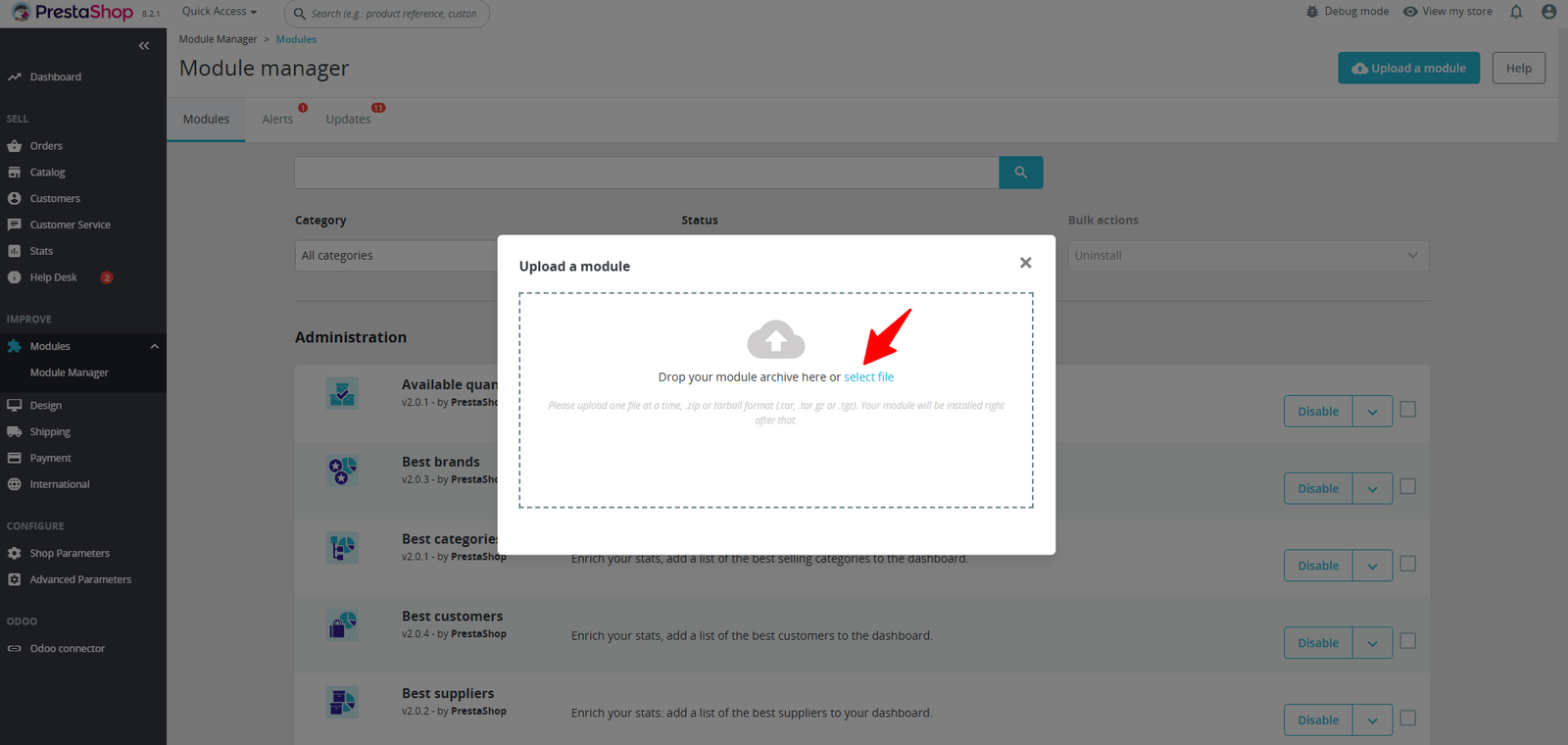
Step 2: Drag & drop the ZIP file or select from your system.
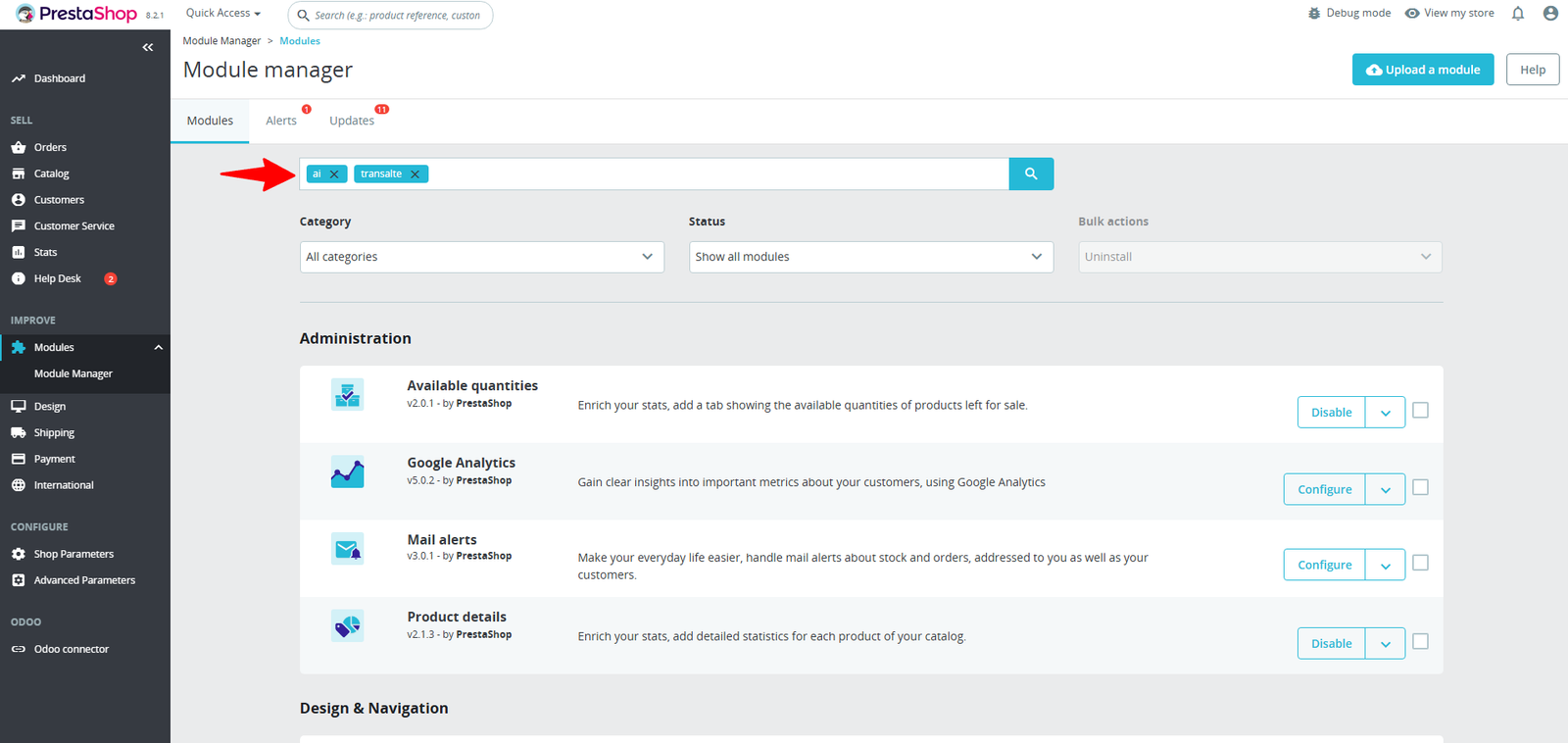
Step 3: The module appears in the Apps section, or you can search for it by name in the search bar.
Step 4: Click Configuration to access and set up your module
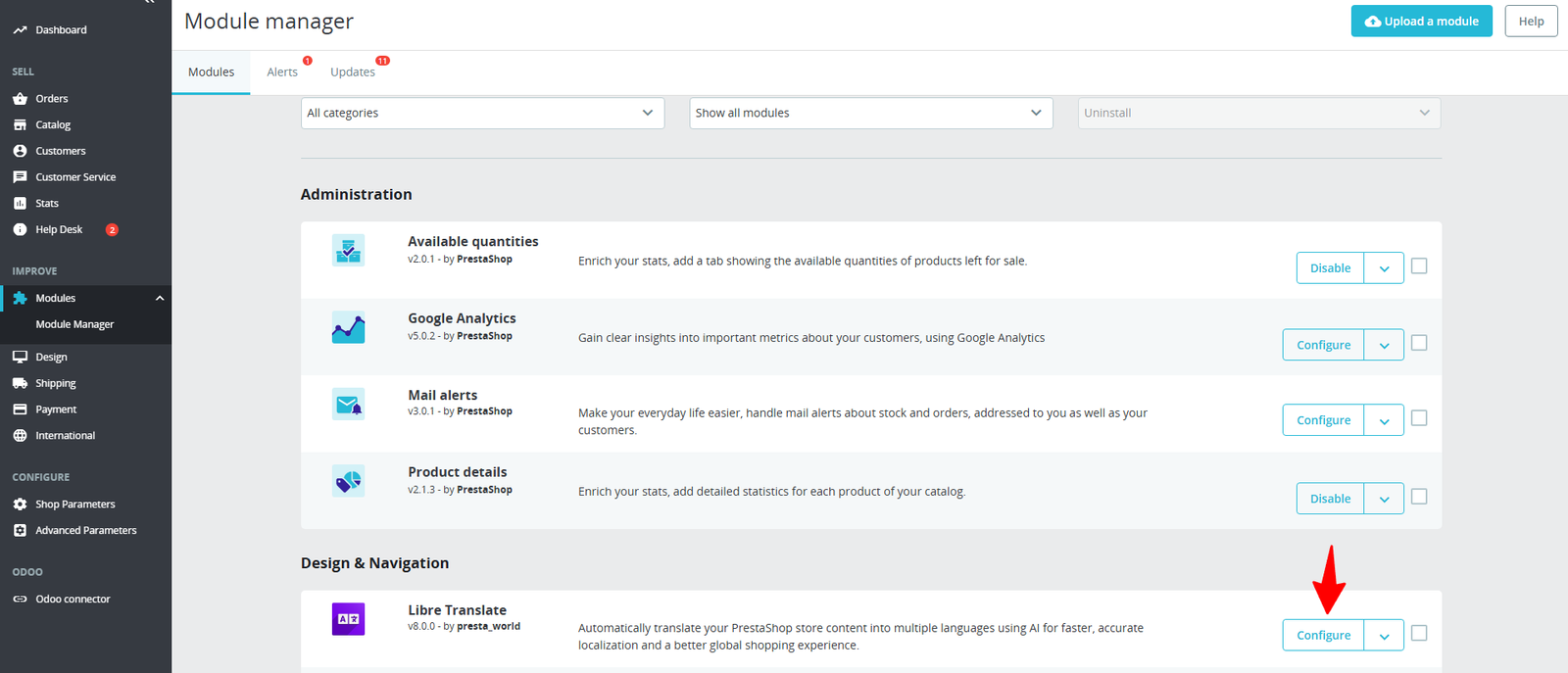
Step 5: Inside, you’ll see two tabs — first, explore Configuration or Translate Settings.
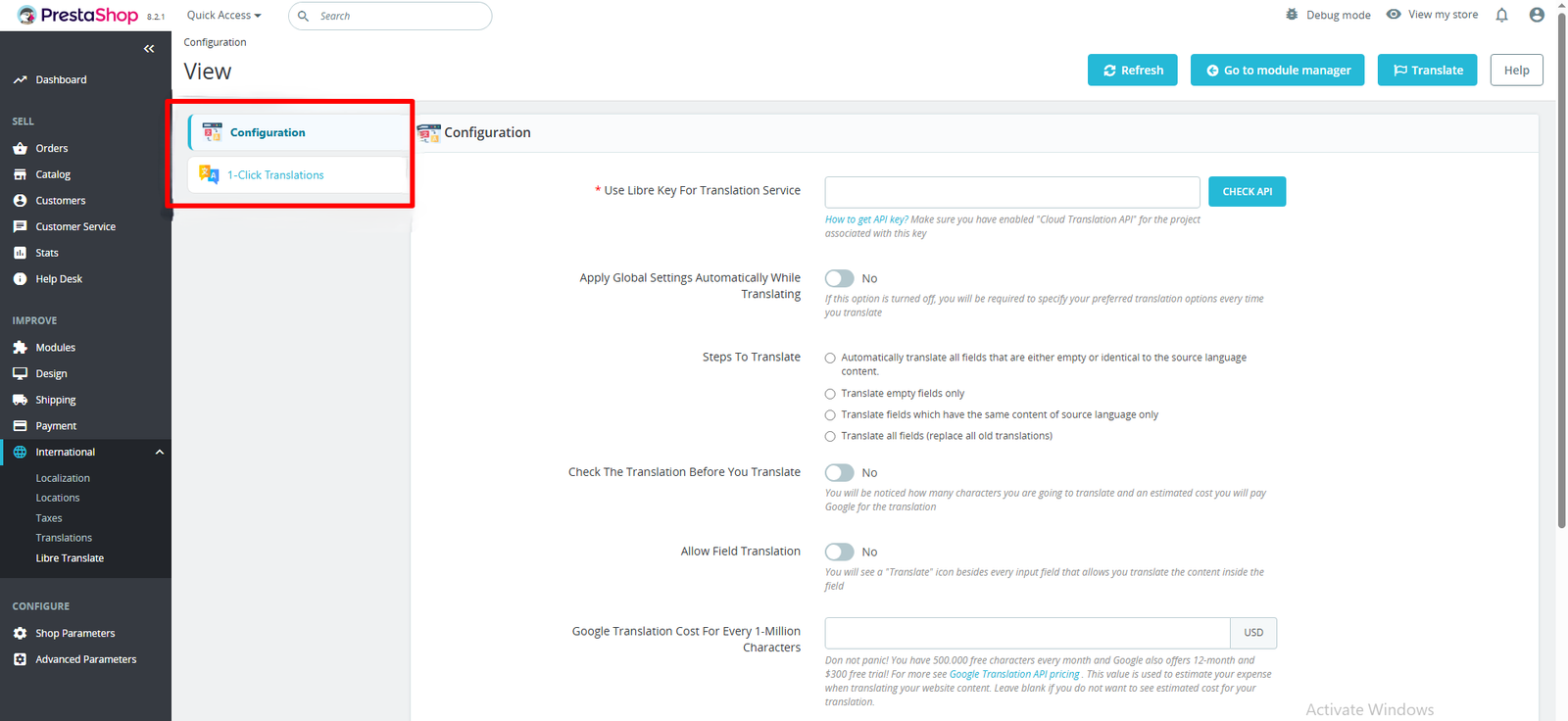
(A) Configuration
Step 6: Ensure Libre Translation API is enabled for the project linked to your key.
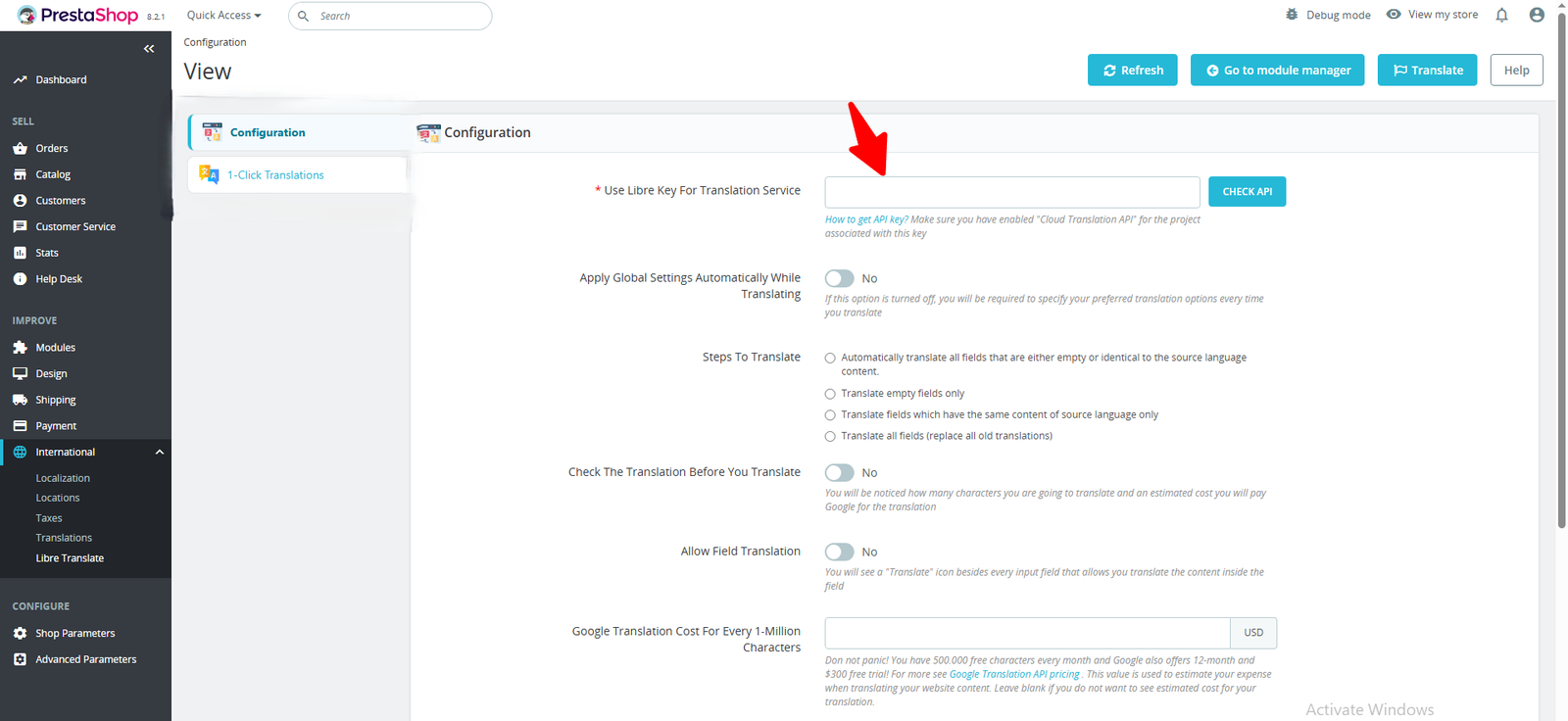
(i) How to Get a LibreTranslate API Key :
- Go to LibreTranslate.com or your self-hosted instance
- Sign up / Log in
- Open Dashboard → API Keys
- Click Generate New Key
- Copy the key
- (Optional) Add restrictions (IP, domain, limits)
- Save securely
(ii) Apply Global Settings Automatically While Translating: Enable to auto-apply saved rules every time, or disable to set preferences manually for each translation.
(iii) Steps to Translate :
- Auto (empty/identical): Automatically fills missing or unchanged fields.
- Empty only: Focuses only on fields without translations.
- Same-content: Updates fields where source and target are identical.
- All fields: Replaces every field, even already translated ones.
(iv) Check the Translation Before You Translate: Preview the character count and review content before running translations to ensure accuracy and avoid unnecessary usage.
(v) Allow Field Translation: Enable one-click translation icons beside input fields, letting you translate content individually, field by field.
(vi) Google Translation Pricing (per 1M characters):- Google provides 500K free chars/month and $300 trial: enter key for cost estimates or leave blank.
(vii) Fixed translation for some special words: Apply fixed translations to maintain clarity for important terms, but only when translated separately.
(viii) Excluded words (or phrases): Add words or phrases that must not be translated by entering each on a separate line. Not supported with Lecto, Libre, or Yandex Translate.
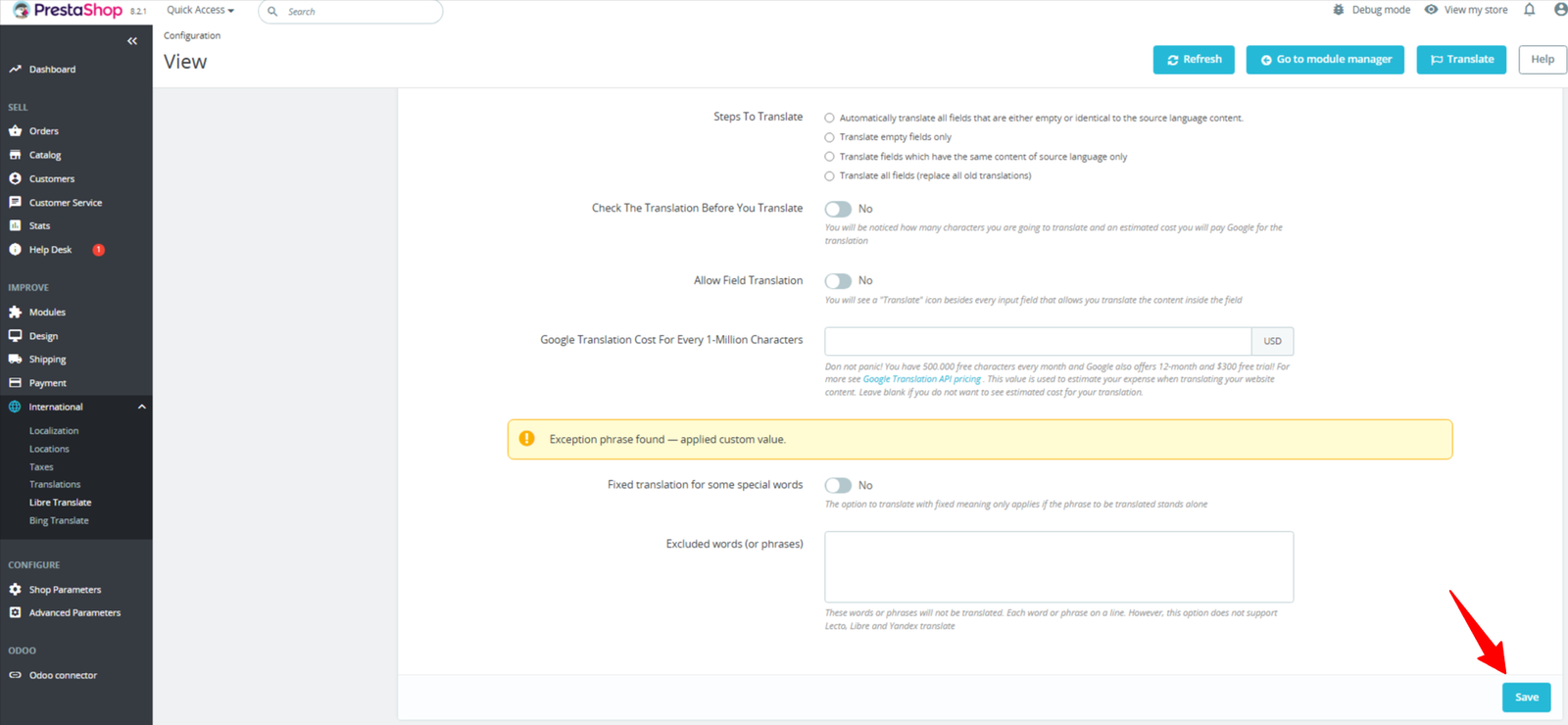
After setup, click the Save button (bottom right) to apply the changes and view the results.
(B) One Click Translations
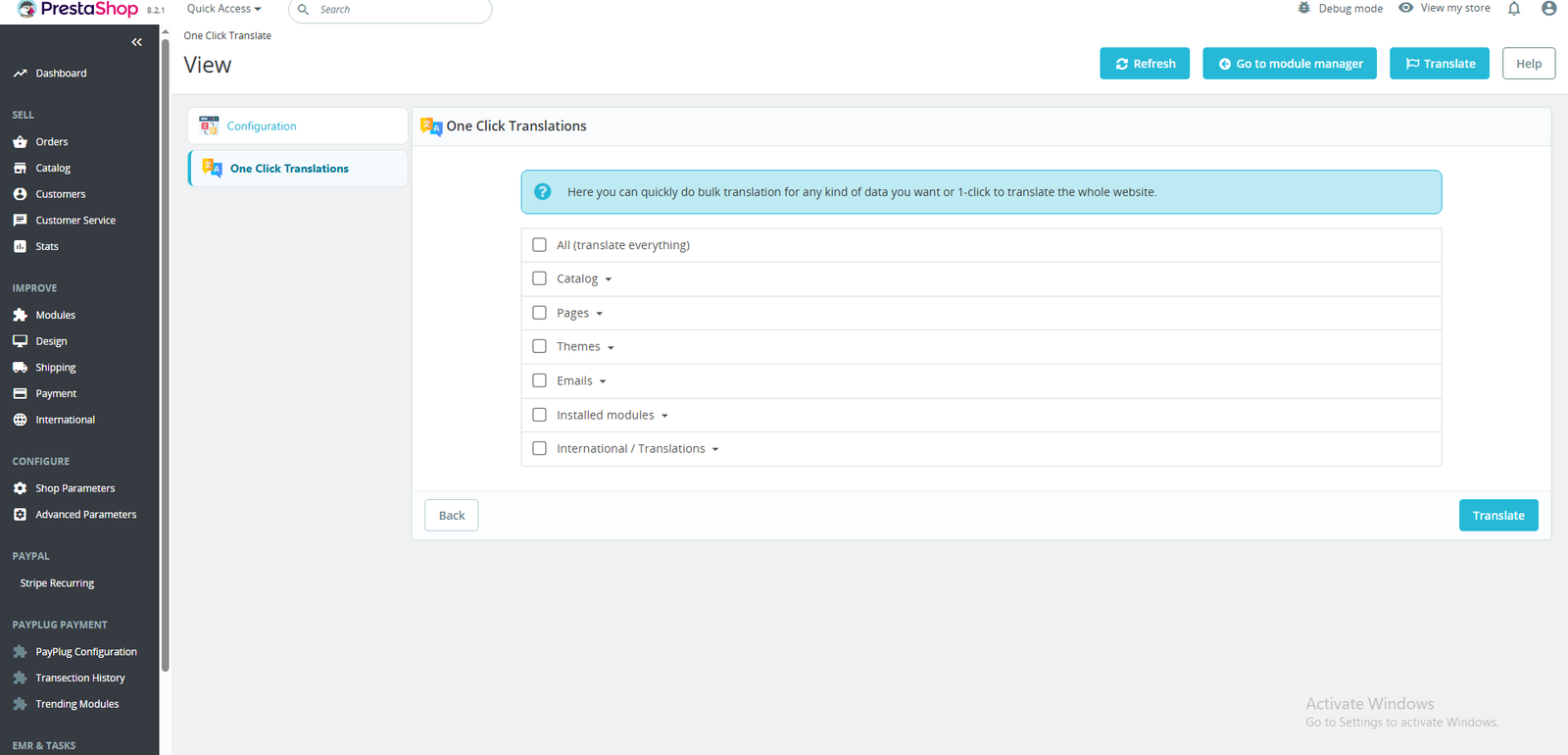
Step 7: Translate content in one click by checking All (translate everything).
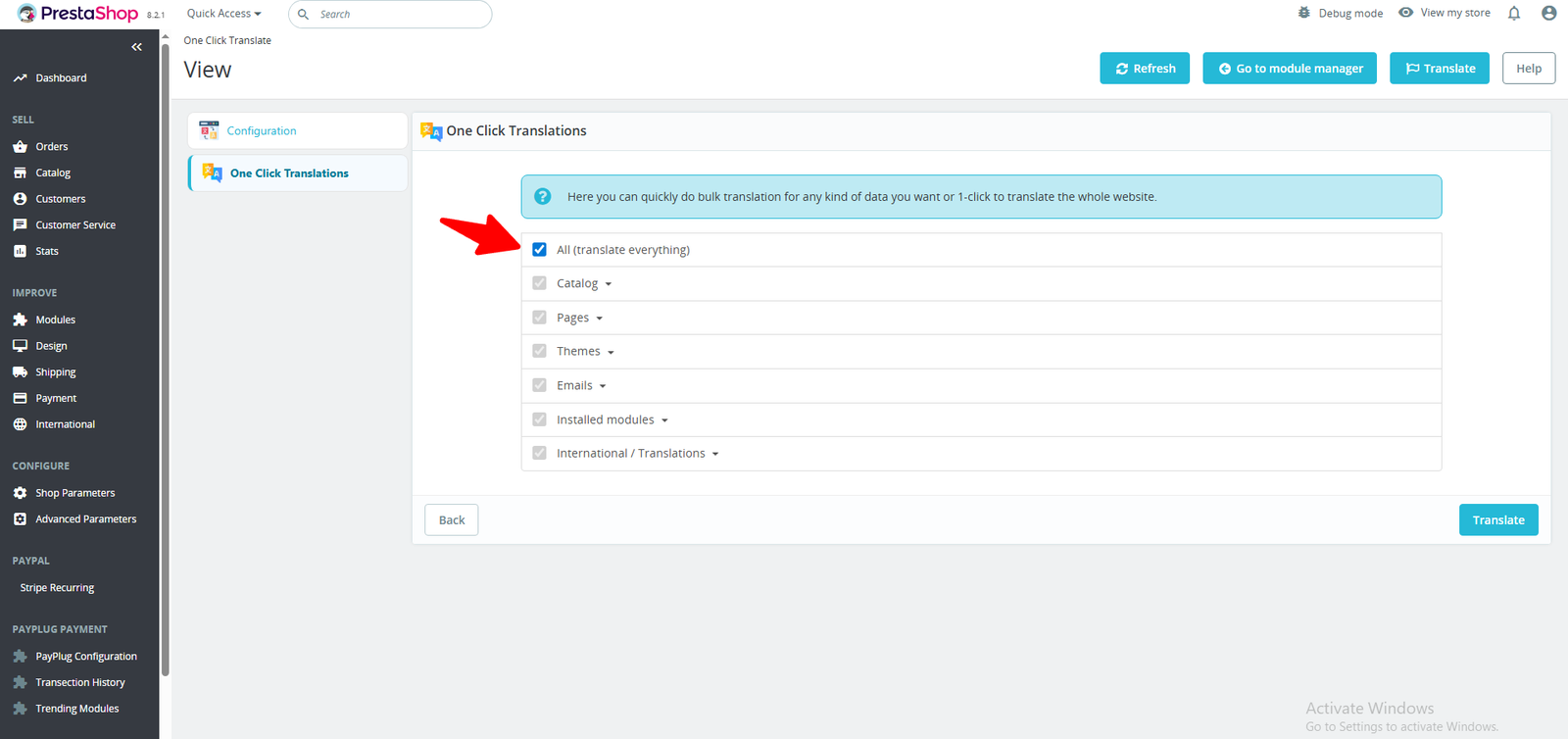
Step 8: To translate a specific product or category page, select it instead of “All.”
Here is one example of a Catalog:-
Under Catalog, you’ll find multiple fields available for translation, such as Products, Categories, and more.
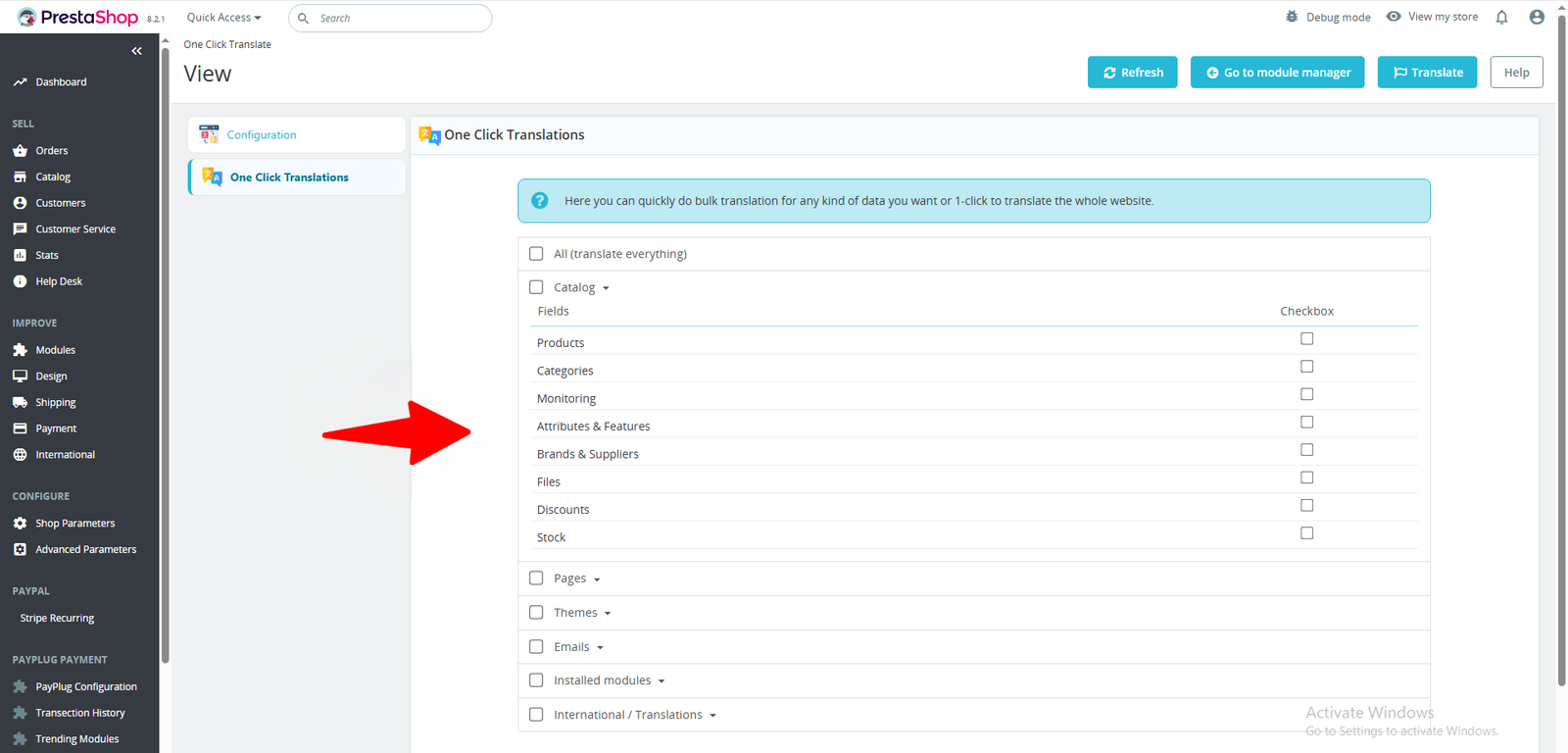
You can translate a single catalog item or select all catalogs by checking the box.
Then, click the Translate button at the bottom-right corner to initiate the translation.
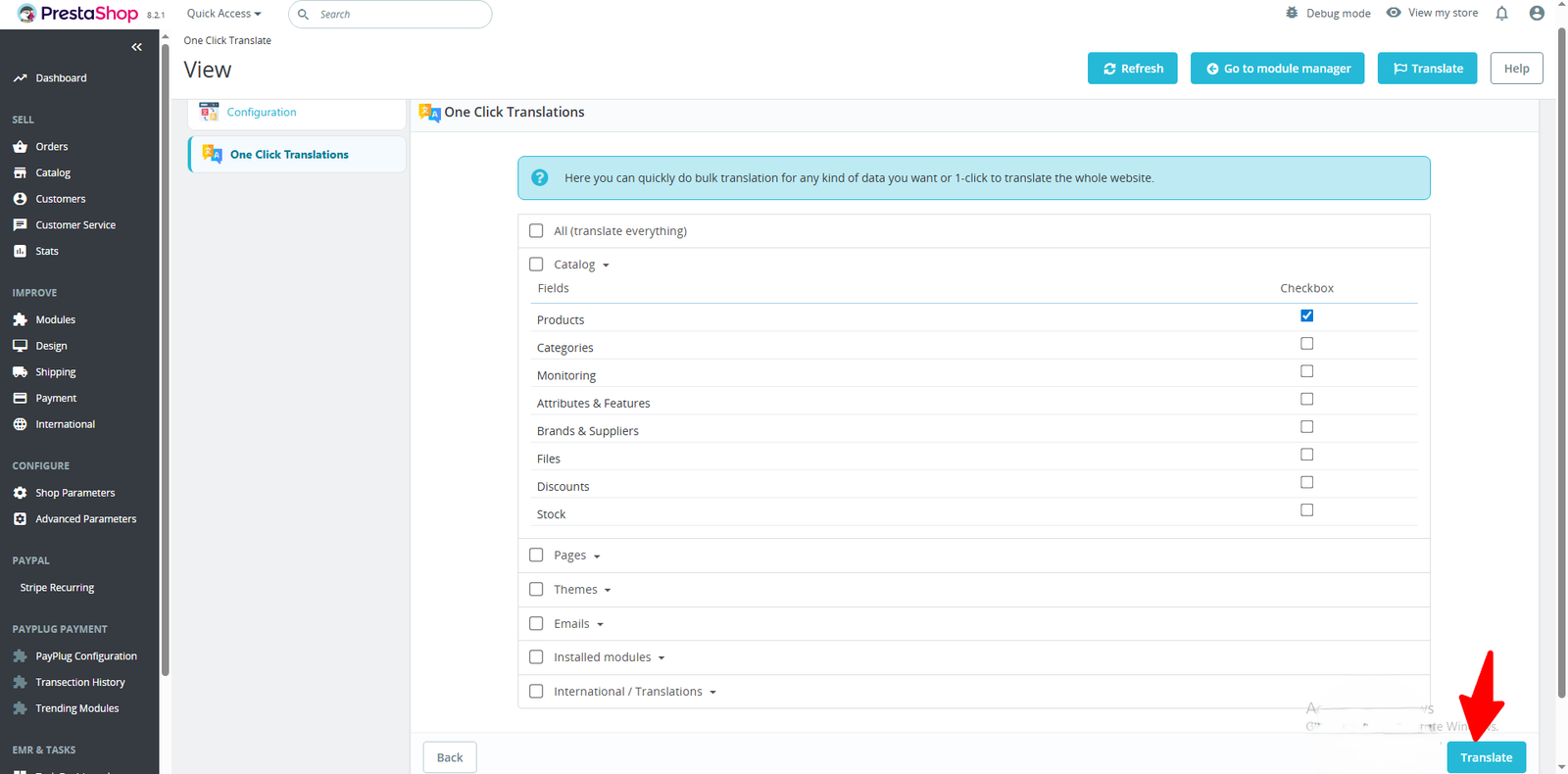
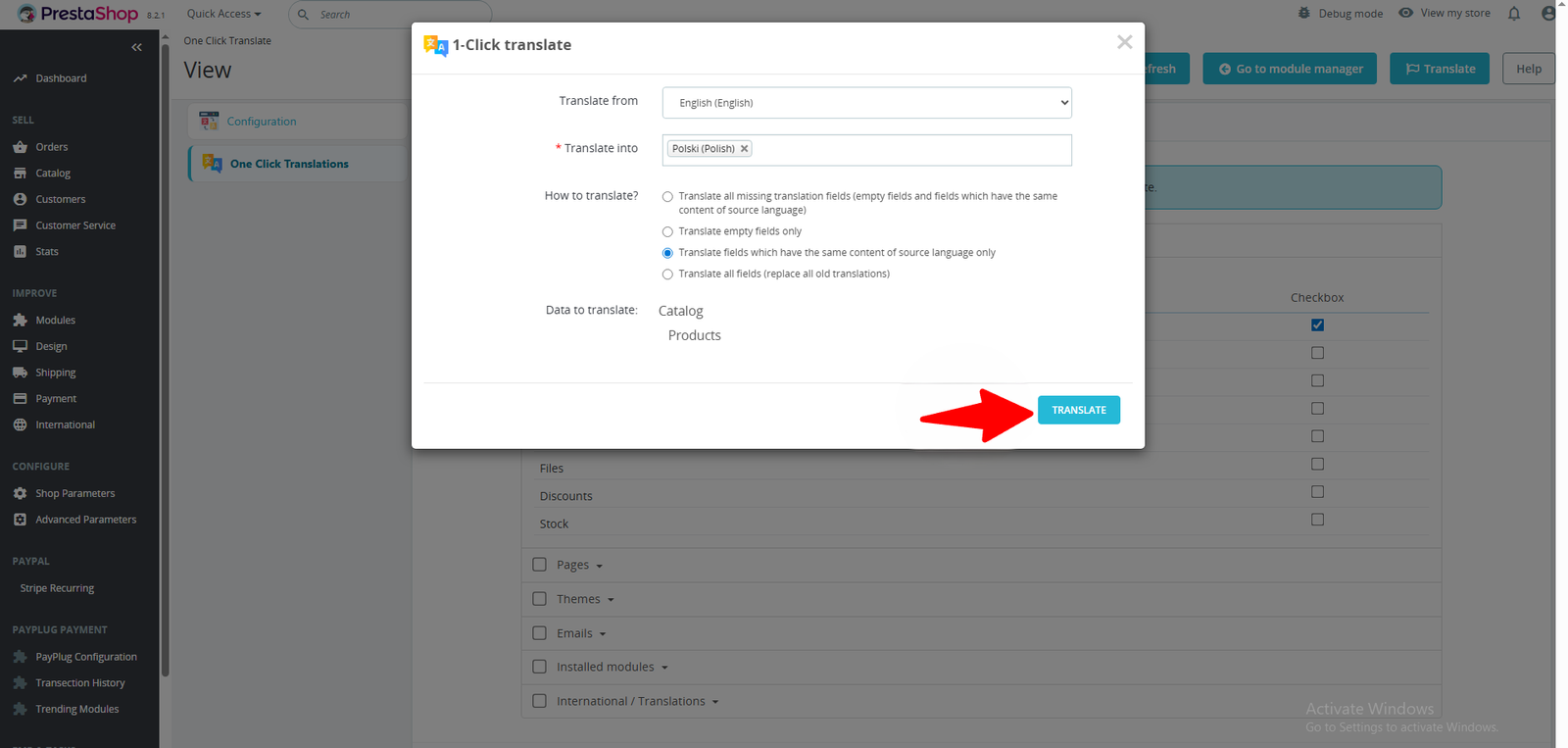
A tab will open, prompting you to confirm four fields. After verifying them, click the Translate button to start the translation.
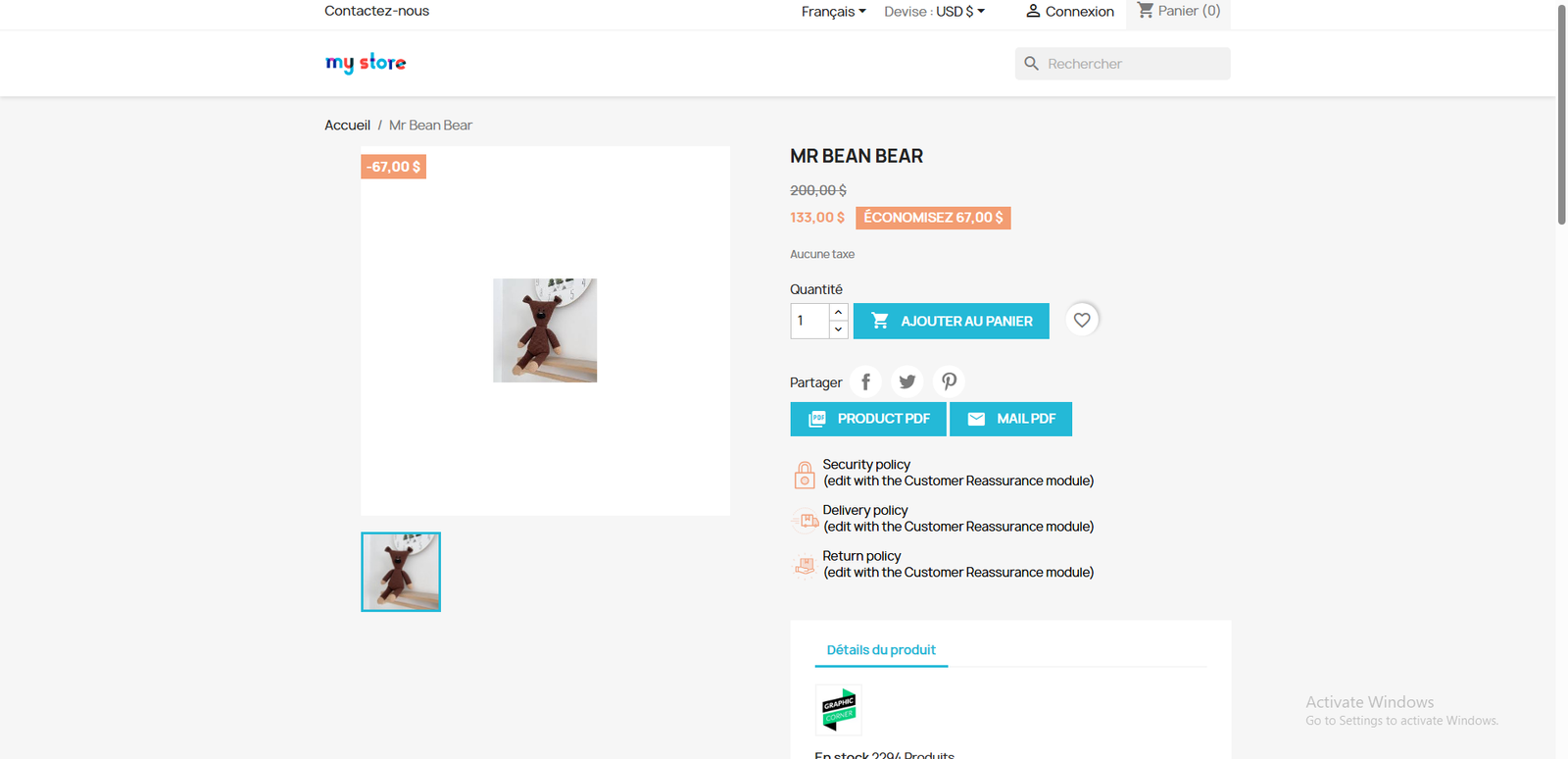
After translating, you can view the product page displayed in translation view, review content, and confirm changes.
One click is all it takes to make your PrestaShop store multilingual and ready for international growth.
🧠 Open-Source Translation Power
This module gives you full control of your translation system—self-host or use public endpoints with zero licensing costs.
🔒 Privacy-Centered Design
No third-party data sharing—perfect for GDPR compliance and businesses that prioritize security.
⚡ One-Click Storewide Translation
Translate products, categories, CMS pages, emails, and themes instantly—no manual work needed.
🎯 Granular Field Control
Select exactly what gets translated with options like “Translate All Fields” and “Allow Field Translation.”
🔄 Instant Content Refresh
Update campaigns, product details, or blog posts and retranslate instantly with OneClick Retranslate.
🧩 Full Module Compatibility
Works seamlessly with both core and third-party PrestaShop modules—no file edits or layout issues.
🏬 Multistore Support
Apply translations per storefront for region-specific branding and localized experiences.
📈 SEO-Driven Translations
Translate meta titles, descriptions, and keywords to improve global search rankings.
💰 Cost-Effective Scalability
No subscription fees or API call limits expand your multilingual reach without extra costs.