
Unlock Loyalty: Introducing Shopify Prime Membership Pro
In the fast-paced world of eCommerce, customer loyalty is gold. With Shopify Prime Membership Pro, you can turn casual shoppers into committed members—offering exclusive perks, personalized pricing, and a premium experience that keeps them coming back.
Whether you’re running a niche boutique or scaling a multi-category store, this app helps you build a membership ecosystem that drives retention and repeat purchases.
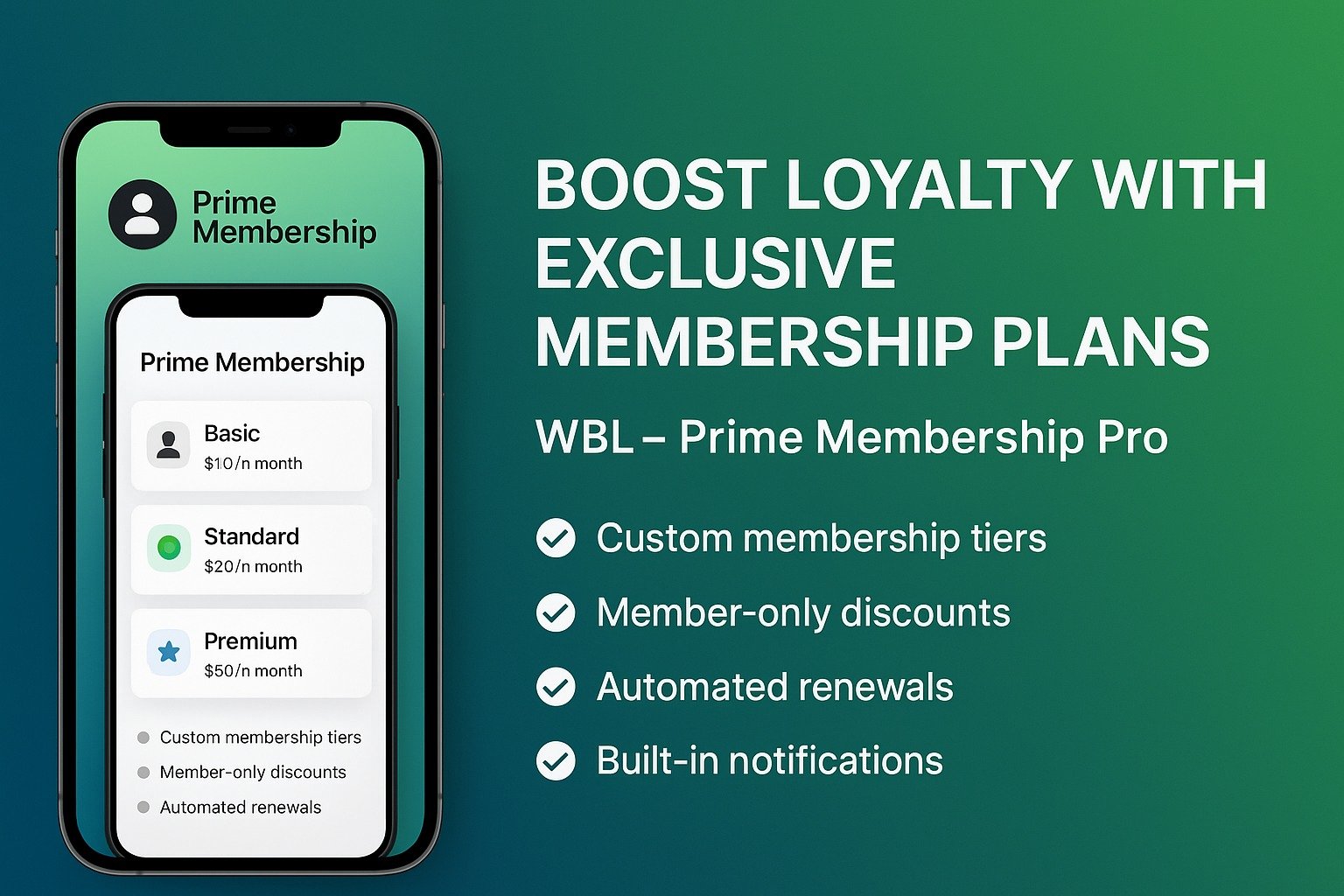
Key Features at a Glance
🏷️ Custom Membership Tiers: Create customizable customer plans with tiered perks, pricing, and access levels.
🎯 Exclusive Discounts & Perks: Exclusive member pricing, promotions, and early access to new products or flash sales.
🔄 Auto-Renewals & Status Tracking: Enable recurring memberships with automated renewals while tracking member activity and plan status from your dashboard.
🛍️ Seamless Shopify Integration: Easily integrates with your Shopify store, simple install and configure, no coding required.
📬 Streamlined Communication: Engage members with targeted updates and offers while building lasting relationships through personalized outreach.
Use Cases: Who Benefits from Shopify Prime Membership Pro?
🛍️ Direct-to-Consumer (DTC) Brands: Boost retention by rewarding loyal shoppers with discounts, priority shipping, and exclusive early access to products.
🎨 Handmade & Artisan Sellers: Give members exclusive previews of limited editions and seasonal products, showcasing craftsmanship for a premium experience.
📦 Subscription-Based Stores: Personalize monthly deliveries with tiered perks like bonus bundles, early customization, and premium content.
🎁 Gift & Occasion Retailers: Design special memberships for festivals, birthdays, or weddings with curated bundles and personalized shopping.
🌿 Purpose-Driven & Lifestyle Brands: Create communities centered on shared values, such as wellness or sustainability, that are boosted by rewards and badges.
📚 Digital Product Stores & Educators: Unlock premium courses, tutorials, and downloads through membership tiers with achievements and content previews.
💼 Wholesale & B2B Shopify Merchants: Deliver business plans featuring bulk discounts, GST invoicing, and account support with flexible recurring orders.
💎 Luxury & Premium Labels: Deliver high-end membership perks like private previews and concierge services to reinforce brand exclusivity.
🏪 Multi-Catalog & Segmented Stores: Personalize member plans by interest, aligning storefronts and content to enhance engagement and sales.
📈 Retention-Focused & Data-Driven Stores: Leverage membership data for upsell paths, abandoned cart targeting, and loyalty journeys
Quick User Guide (Visual Walkthrough)
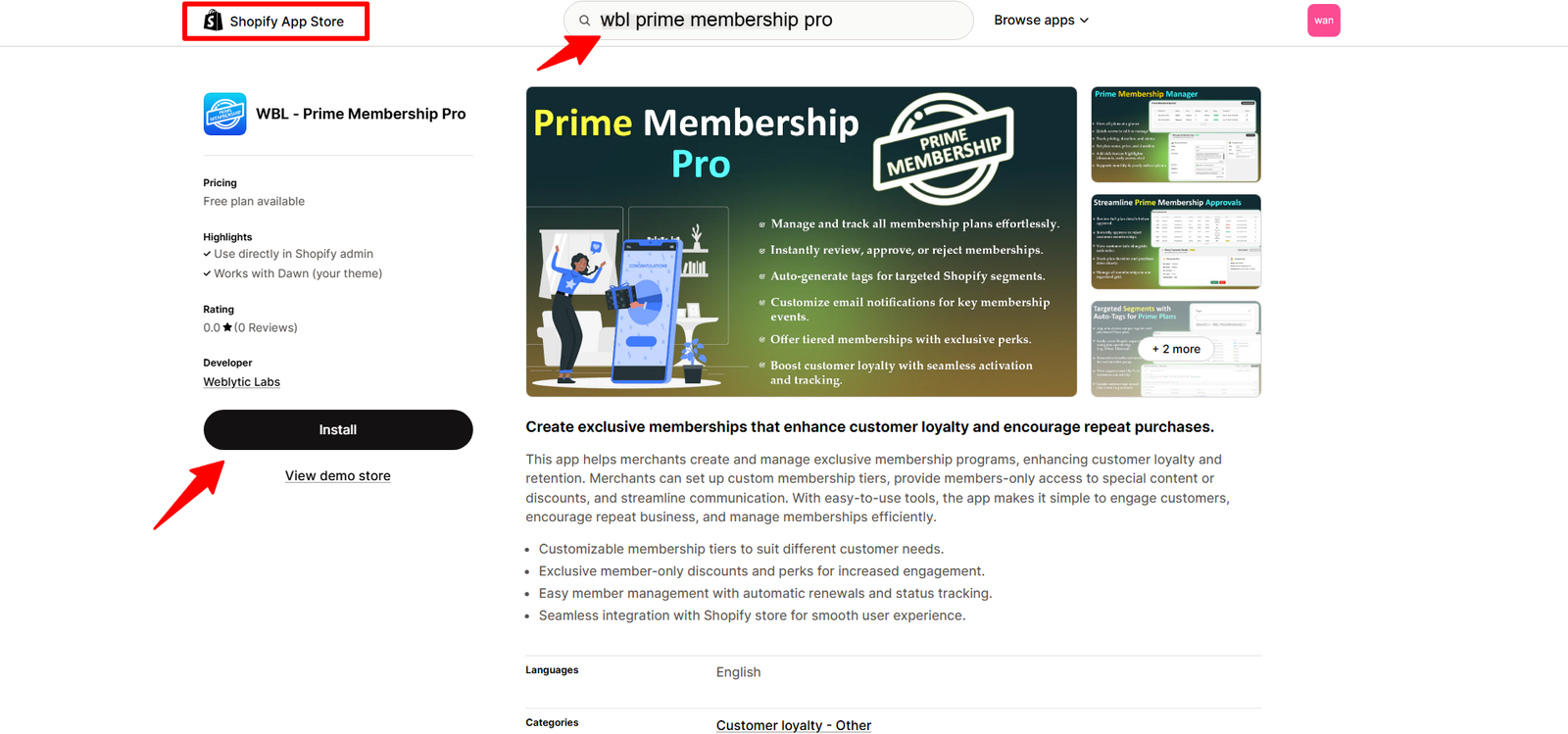
Step 1: Log in to your Shopify store with your registered email or ID, then go to the Shopify App Store, search for WBL Prime Membership Pro, and click Install.
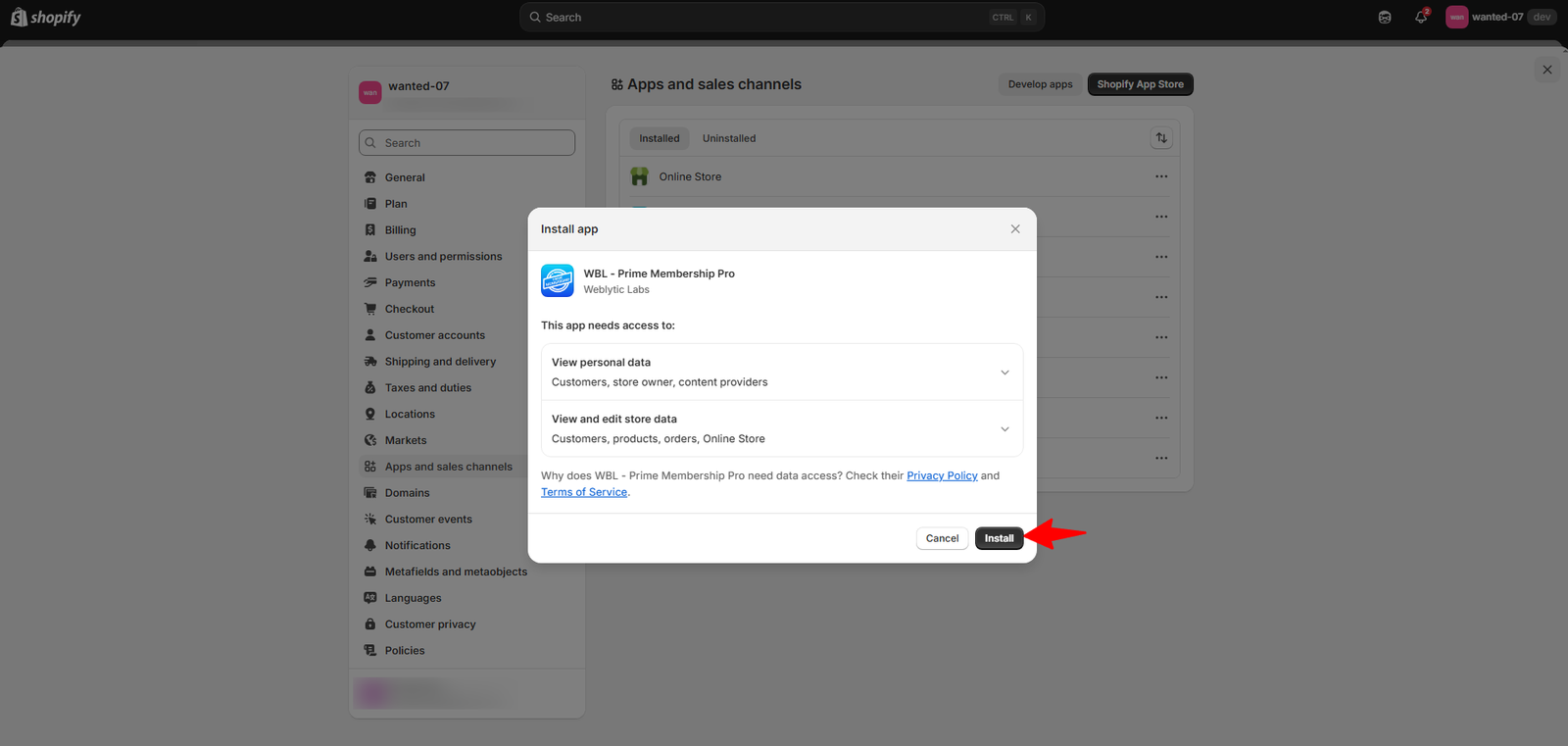
Step 2: Click the Install button to add the app to your store.
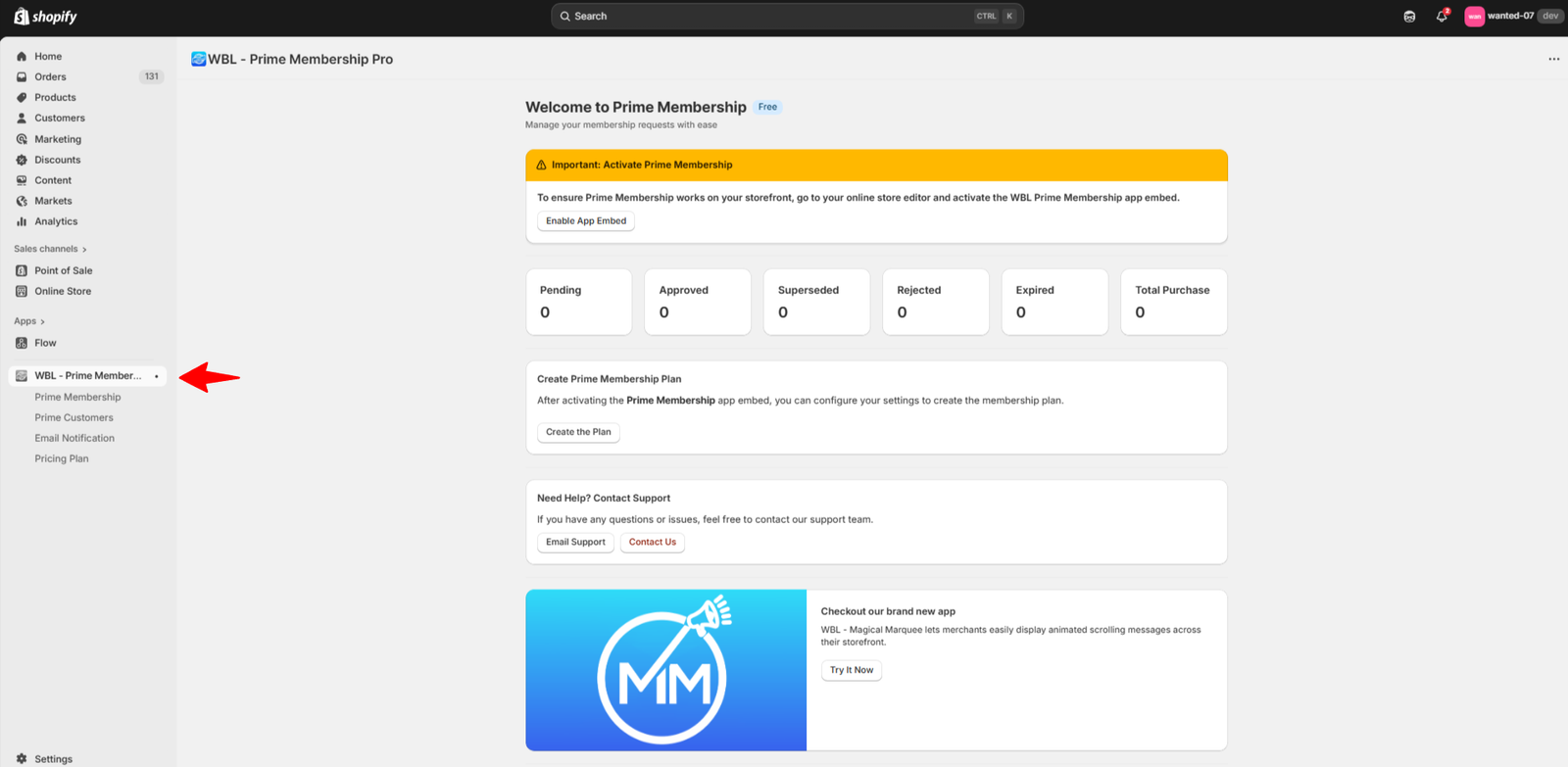
Step 3: Once the installation is complete, the app will appear in your Shopify store dashboard.
Step 4: Open the Prime Membership tab, click Add Membership, and create a plan to offer exclusive benefits to your loyal customers.
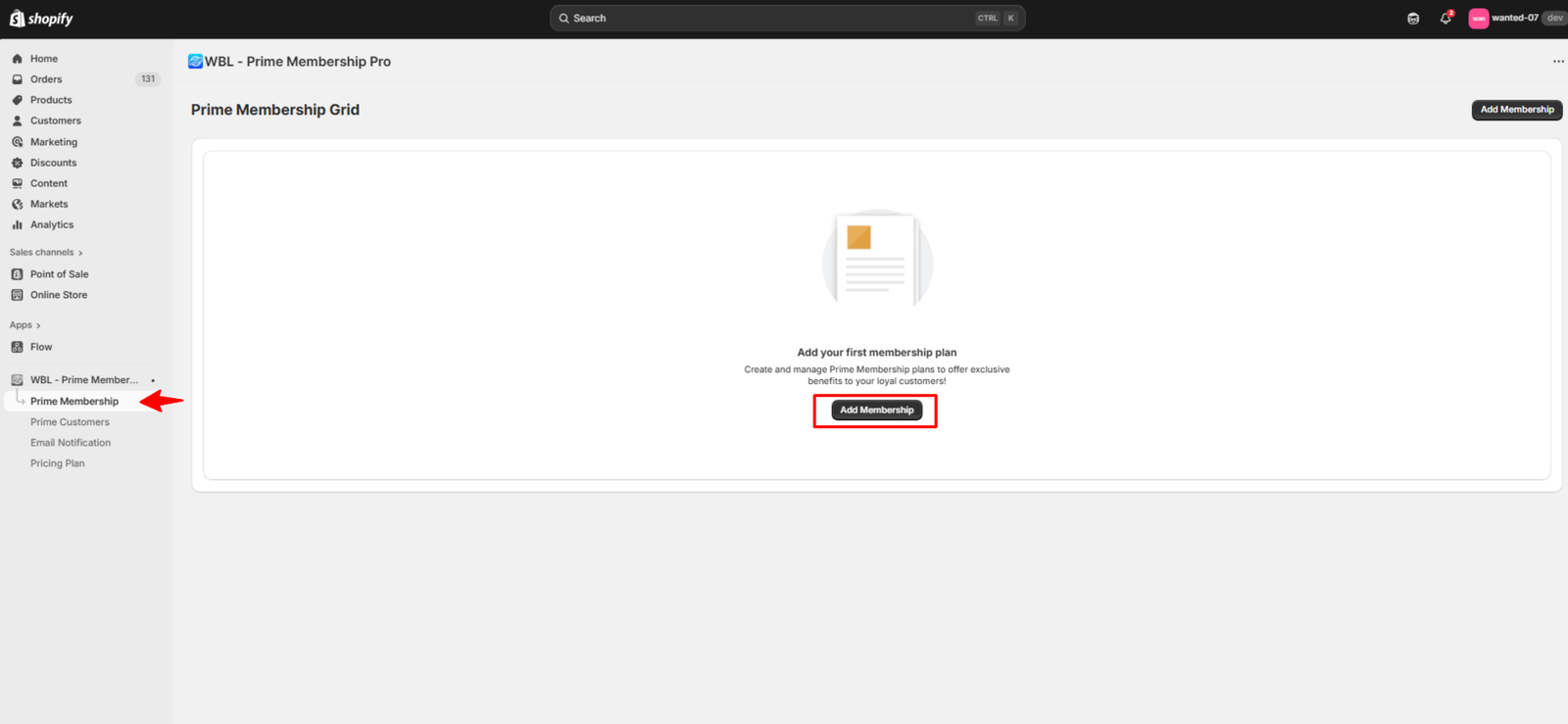
(i) The Manage Membership tab will open, where you’ll need to enter the membership details.
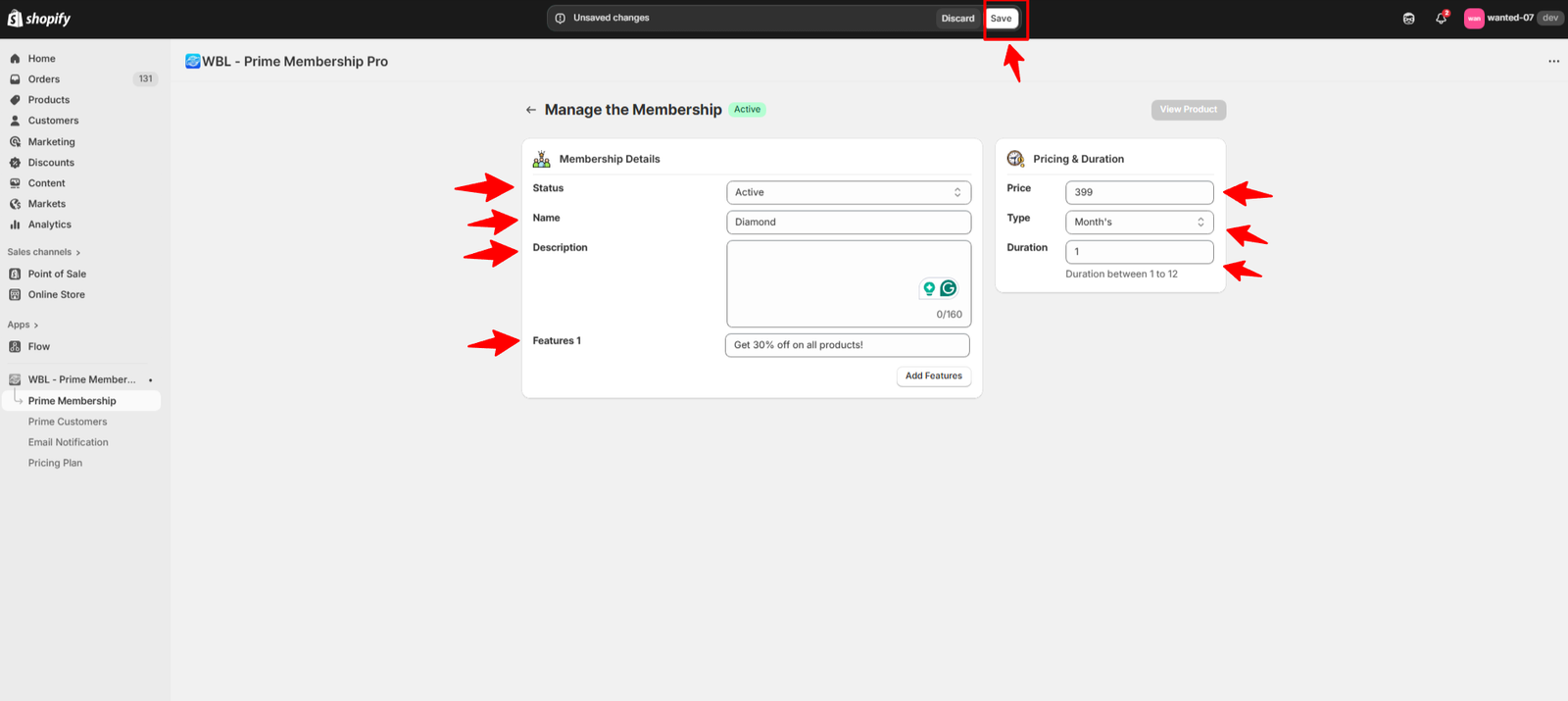
(ii) Enter the required Membership Details:
- Status: Choose whether the plan is Active or Inactive.
- Name: Add the plan name (refer to the sample image for guidance).
- Description: Write a detailed description, including what’s covered and the benefits customers will receive.
- Features: List the key highlights of the plan (e.g., 30% off). You can add multiple features here.
- Pricing & Duration (right side): Specify the price, select whether it’s monthly or yearly, and set the duration.
Click Save to confirm and apply your changes.
(iii) After clicking Save, your membership plan will automatically be set to Active.
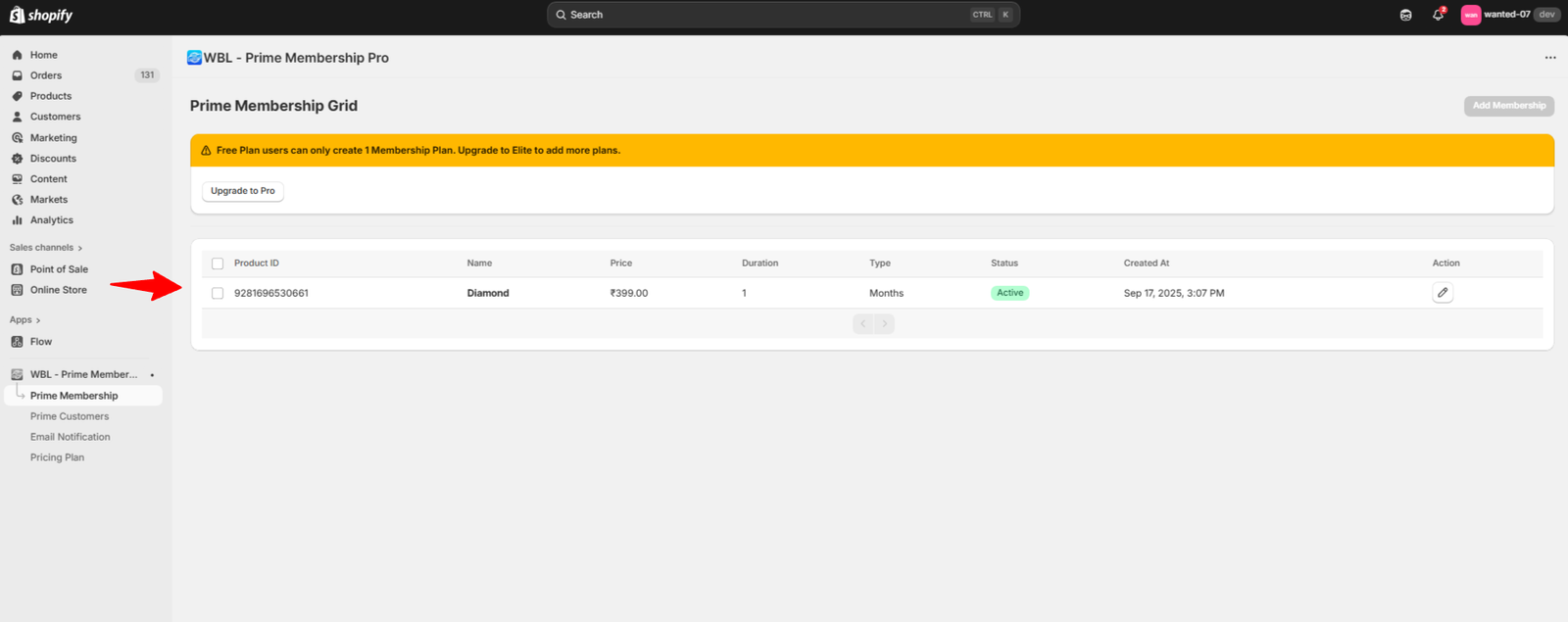
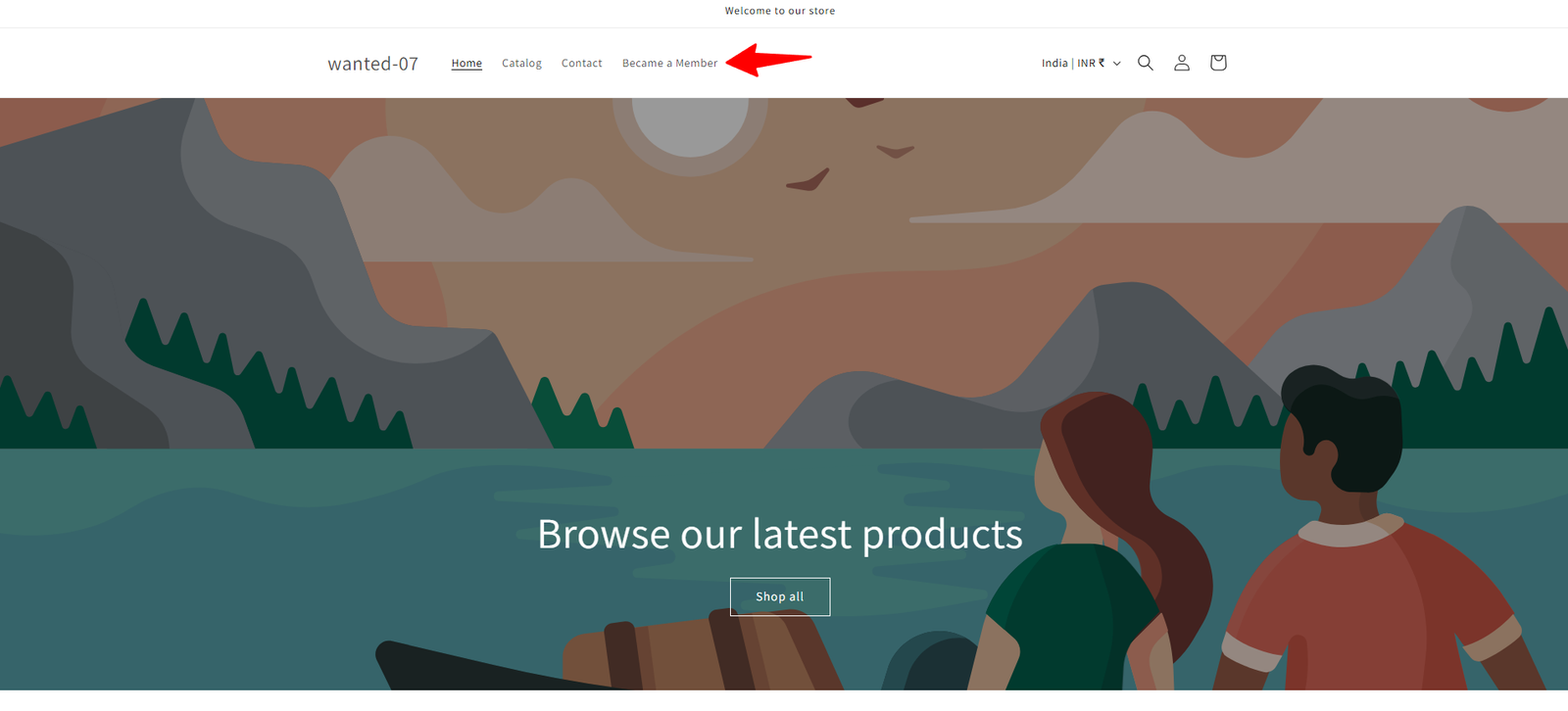
(iv) Visit your store’s website, where you’ll see the Become a Member option available in the header.
(v) When a customer wants to purchase a membership plan, they’ll first see a Login option.
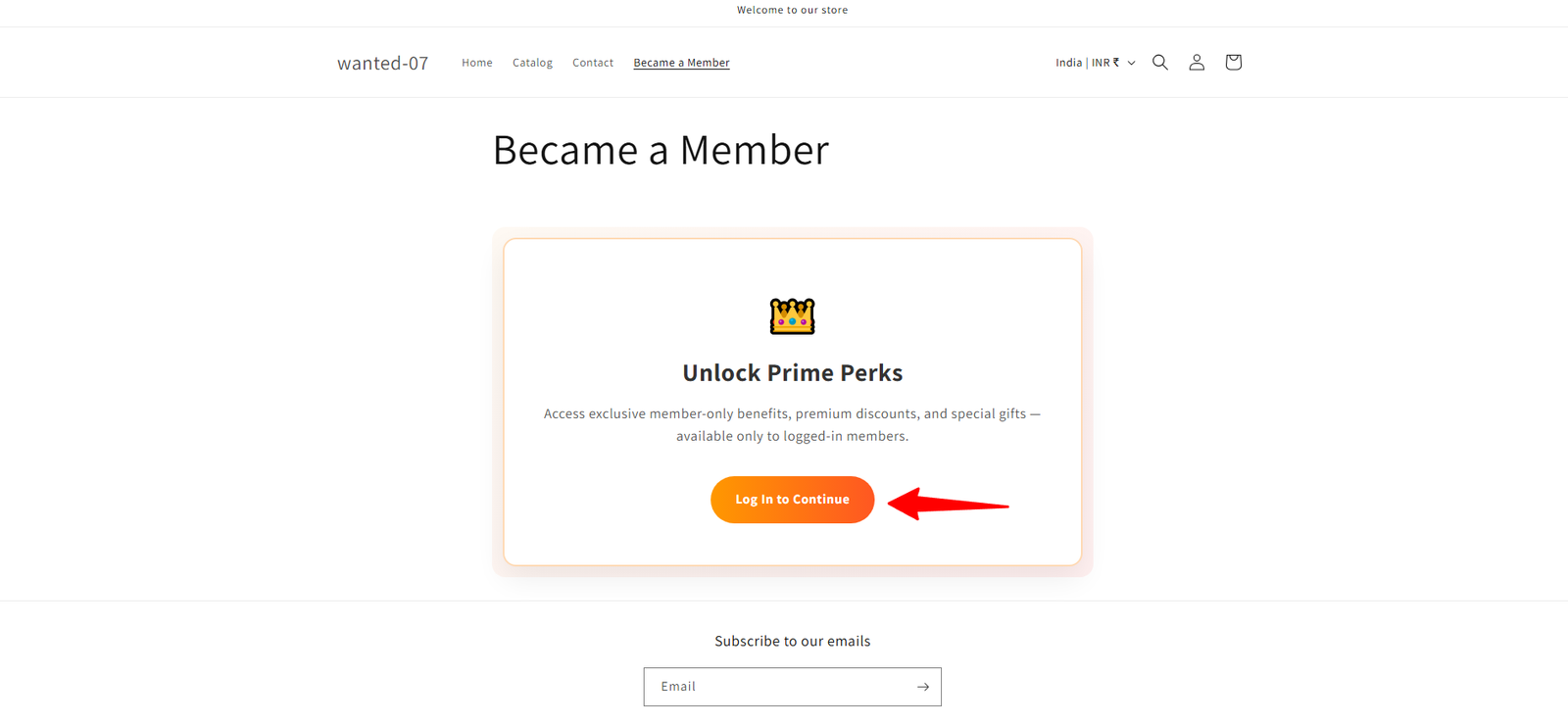
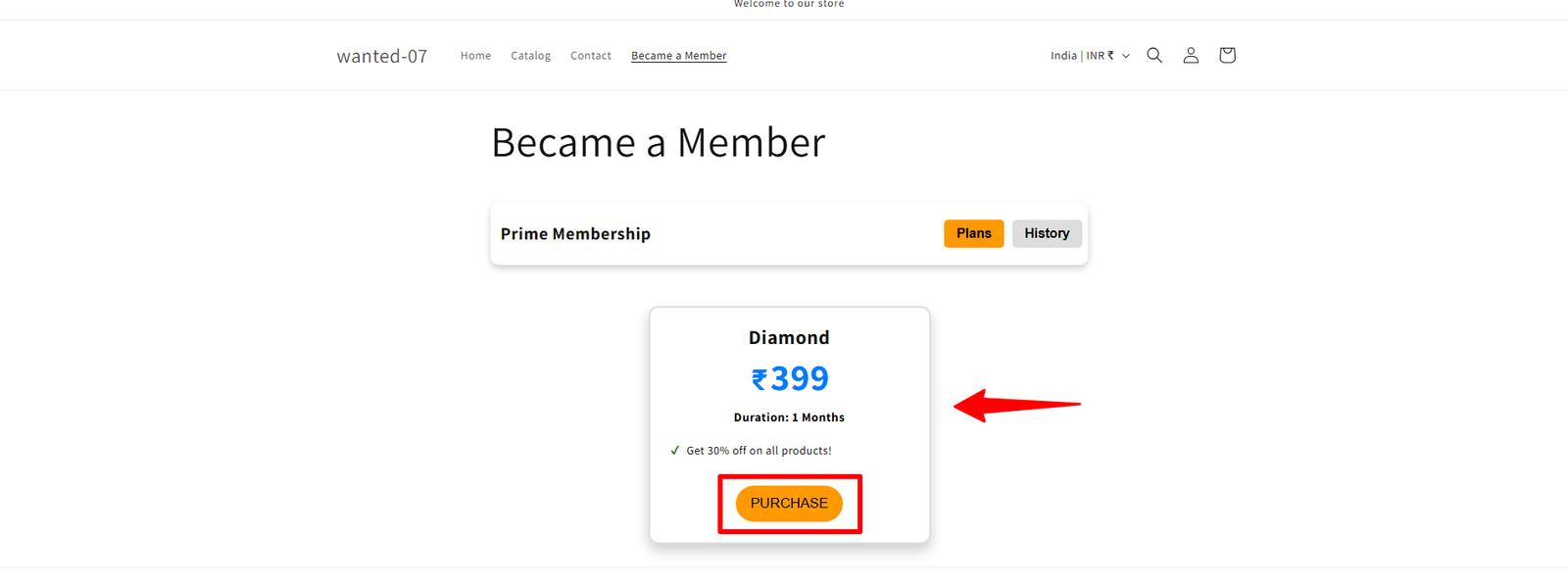
(vi) After logging in, the customer can select the plan, proceed with the purchase, and complete the checkout process.
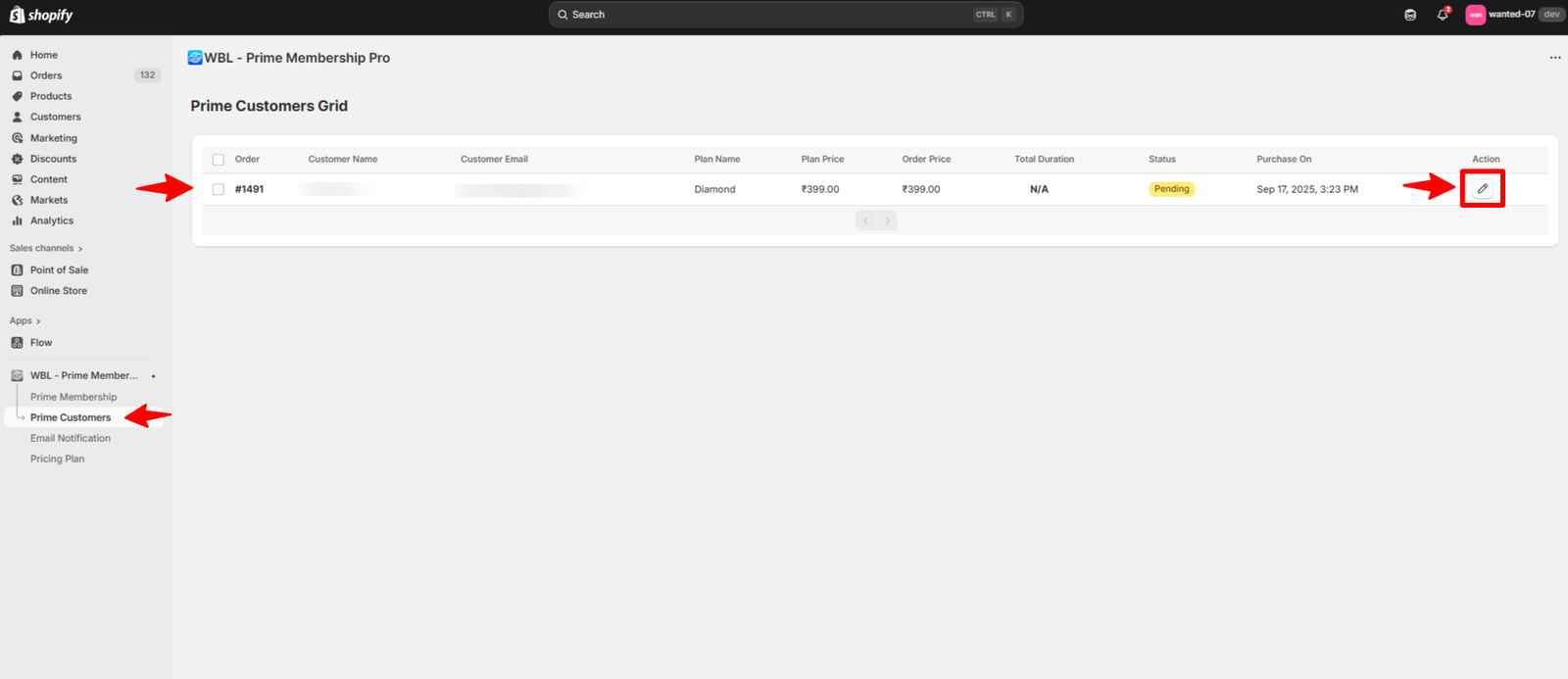
Step 5: After a customer purchases a membership plan, go to the Prime Customers tab in your admin dashboard. The customer’s request will appear there with a Pending status.
(i) Click the Action button.
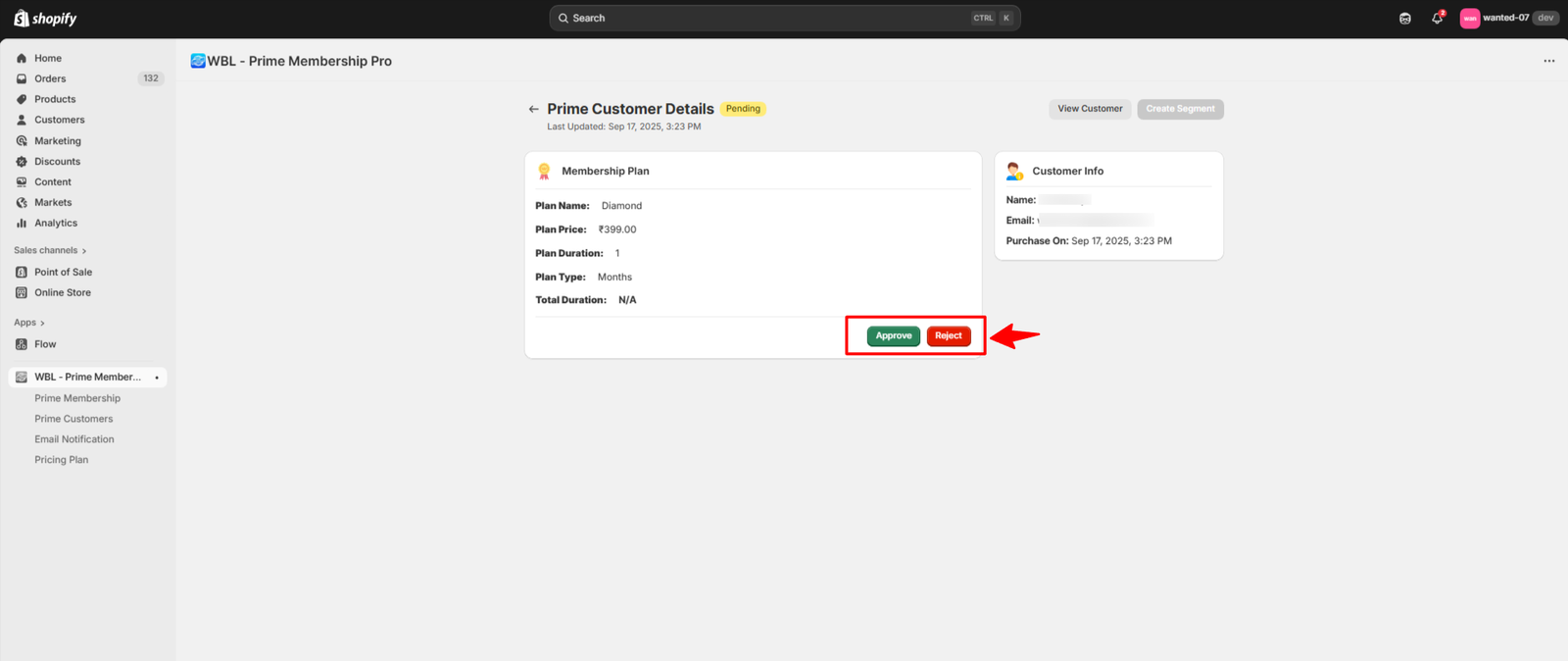
(ii) The Prime Customer Details tab will open, where you’ll see options to Approve or Reject the request.
Step 6: Open the Email Notification section, where you’ll find the Manage Email Notifications tab.
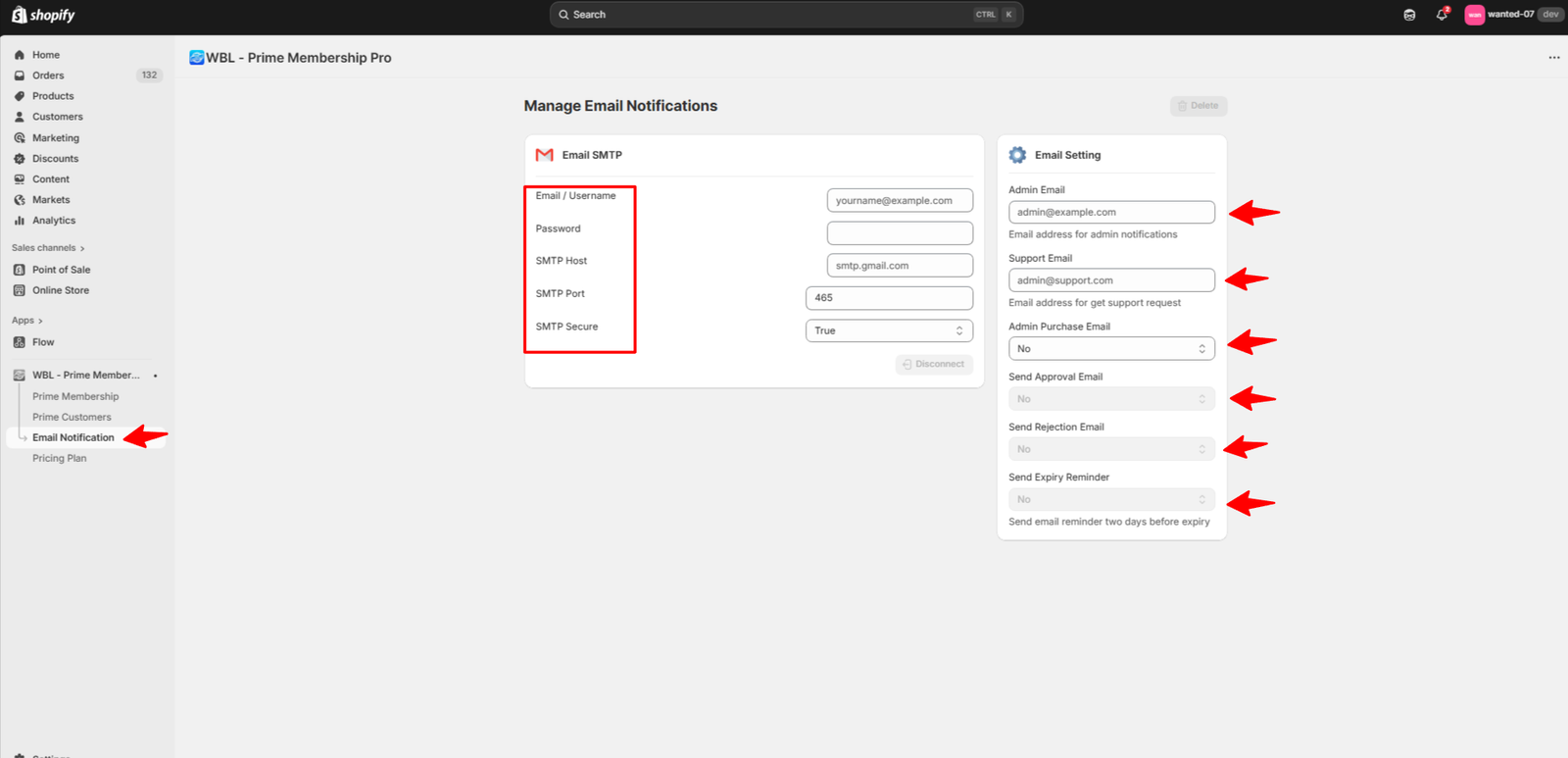
(i) The Email Notification tab ensures you receive alerts on your registered email ID whenever a customer purchases a membership plan.
(ii) The admin needs to fill in the required details, including Email, Password, SMTP Host, SMTP Port, and SMTP Security settings.
(iii) On the right side, configure the Email Settings:-
-
- Admin Email: The email address where admin notifications will be sent.
- Support Email: The email address to receive customer support requests.
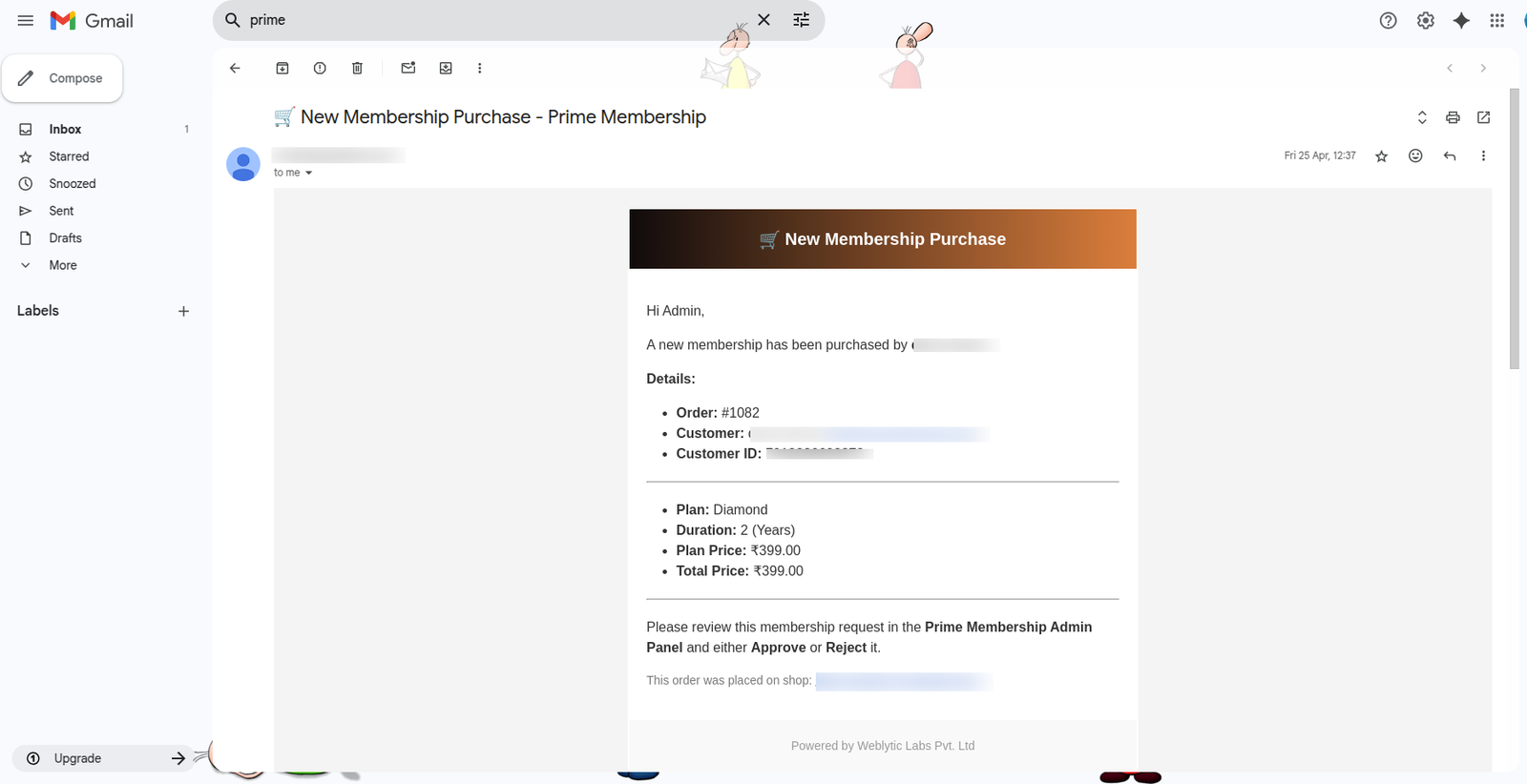
- Admin Purchase Email: Notify the admin when customer successfully buy a plan.
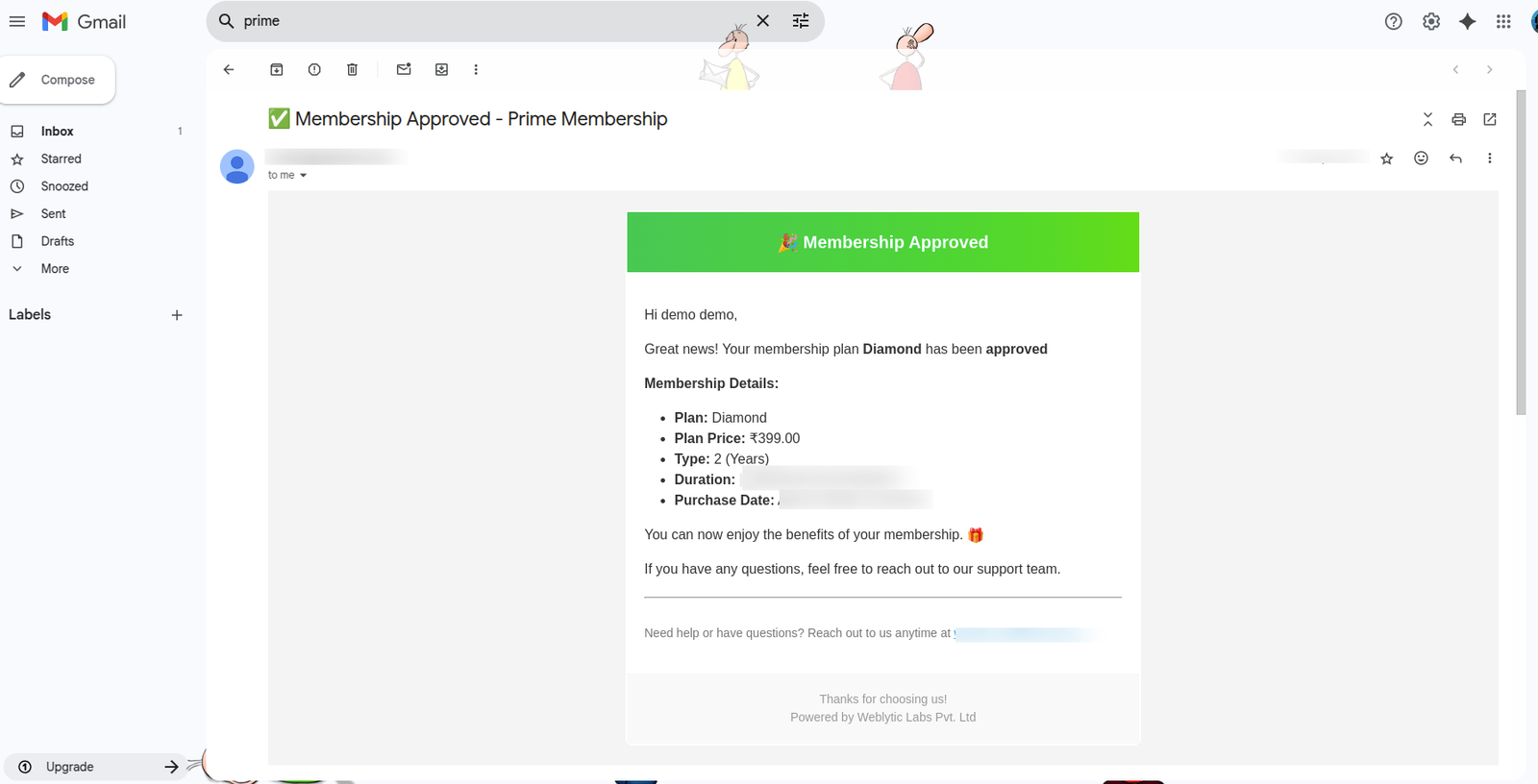
- Send Approval Email: Notify the customer when their membership plan is approved.
- Send Rejection Email: Notify the customer if their membership request is rejected.
- Send Expiry Reminder: Send an email to the customer two days before the membership expires.
(A) Email Admin will receive a Purchase Confirmation email of the membership plan:
(B) Email Customer will receive the Approval Mail of the membership plan:
Why Use the Shopify Prime Membership Pro App?
1. Strengthen Customer Loyalty & Retention
Transform one-time shoppers into long-term members with tiered rewards, exclusive perks, early access, and tailored offers to drive repeat purchases.
2. Boost Average Order Value (AOV)
Encourage larger carts through member-only discounts, bundles, and premium add-ons, while uncovering upsell opportunities by segmenting offers by membership tier.
3. Elevate Personalization & Customer Experience
Provide curated product suggestions, exclusive content, and member-specific pages to create meaningful connections aligned with customer preferences.
4. Enable Smarter Segmentation & Marketing
Leverage behavioral insights to segment users by activity, interests, and value, powering targeted campaigns, lifecycle promotions, and retention strategies.
5. Unlock New Revenue Channels
Offer paid membership plans with flexible billing and monetize access to premium content, priority support, or VIP experiences.
6. Simplify Loyalty Program Management
Consolidate fragmented loyalty processes into a single, scalable platform to manage perks, eligibility, and renewals seamlessly.
7. Reinforce Brand Identity
Integrate membership into your brand story—whether luxury, sustainability, community, or convenience—to differentiate your store and stand out in competitive markets.



Leave A Comment