

In today’s fast-paced retail world, businesses need a smart and flexible system to manage both online and offline sales efficiently. Traditional POS systems often require expensive hardware, complicated software installations, and third-party integrations. The POS – Point of Sale | Kiosk | Self Mobile Order module for PrestaShop solves these challenges by providing a complete omnichannel POS solution directly inside your PrestaShop store.
Whether you run a retail shop, restaurant, café, supermarket, salon, or multi-store business, this module helps streamline order management, cashier operations, customer checkout, and self-service ordering — all from a single platform.
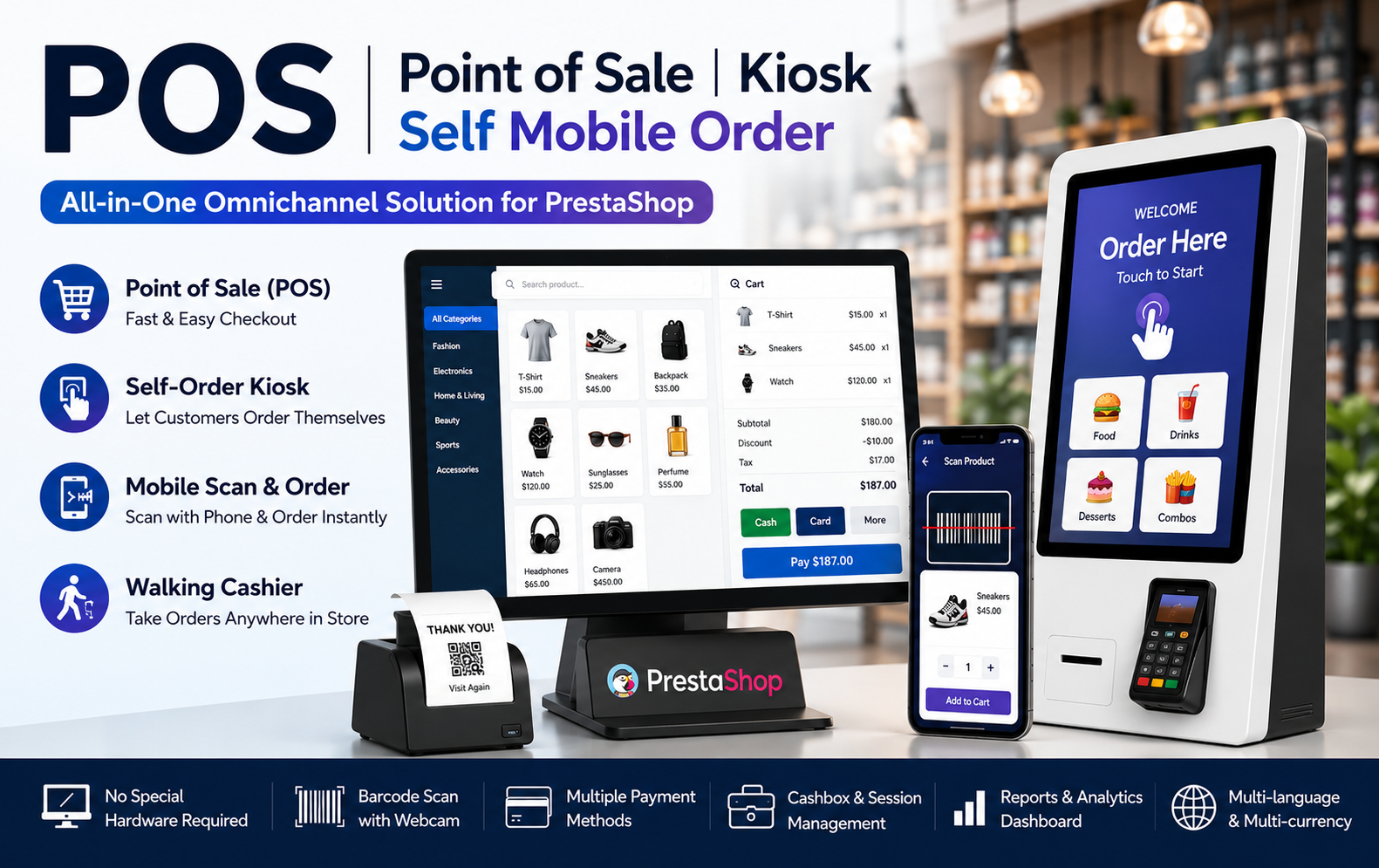
Key Features at a Glance
- Omnichannel POS system integrates physical store sales, kiosk ordering, mobile ordering, and cashier operations directly inside your PrestaShop store efficiently.
- Self-service kiosk interface allows customers to place orders independently, reducing queues, improving convenience, and speeding up in-store purchasing experiences.
- Mobile scan-and-order feature enables customers to scan product barcodes using smartphones and instantly place orders without waiting in lines.
- Walking cashier mode allows staff members to process orders anywhere inside stores using tablets or mobile devices during busy hours.
- Built-in webcam barcode scanning eliminates expensive hardware requirements by allowing barcode scanning through regular webcams or mobile device cameras.
- Fast product search and category filtering help cashiers quickly locate products, improving checkout speed and overall customer satisfaction significantly.
- Product combination support allows cashiers to manage sizes, colors, attributes, and variations directly from the POS checkout interface smoothly.
- Hold and resume order functionality helps businesses manage interrupted transactions efficiently during peak sales periods or customer service situations.
- Multiple payment method support includes cash, bank transfer, checks, and PrestaShop payment modules for flexible and convenient transactions everywhere.
- Cashbox management system tracks opening balances, deposits, withdrawals, transactions, and daily cash activities for improved financial accuracy and control.
Use Cases: Who Needs This Module?
- Retail stores need this module to manage fast in-store checkout, barcode scanning, inventory handling, and efficient customer billing operations daily.
- Restaurants and cafés use this module for self-order kiosks, mobile ordering, walking cashiers, and faster food service management efficiently.
- Supermarkets require this module to process high-volume customer transactions quickly using barcode scanning, flexible payments, and multiple cashier management features.
- Fashion and apparel stores benefit from product combination support for managing size, color, and style variations directly during checkout operations.
- Electronics stores use this module to improve product searching, barcode scanning, and customer checkout experiences while reducing manual billing processes significantly.
- Salons and beauty businesses need this module for appointment billing, customer management, invoice generation, and mobile cashier functionality during service operations.
- Pharmacy stores can use this module for quick barcode scanning, organized billing, inventory tracking, and smooth customer service management efficiently daily.
- Bakery and dessert shops benefit from kiosk ordering systems that reduce waiting times and improve customer ordering experiences during busy business hours.
- Mobile vendors and pop-up stores require flexible POS systems that operate smoothly on tablets and smartphones without expensive hardware investments needed.
- Multi-store businesses use this module to manage different locations, cashiers, sales reports, and store-specific operational permissions efficiently from PrestaShop.
Quick User Guide (Visual Walkthrough)
Scroll up to revisit the detailed image-wise walkthrough.
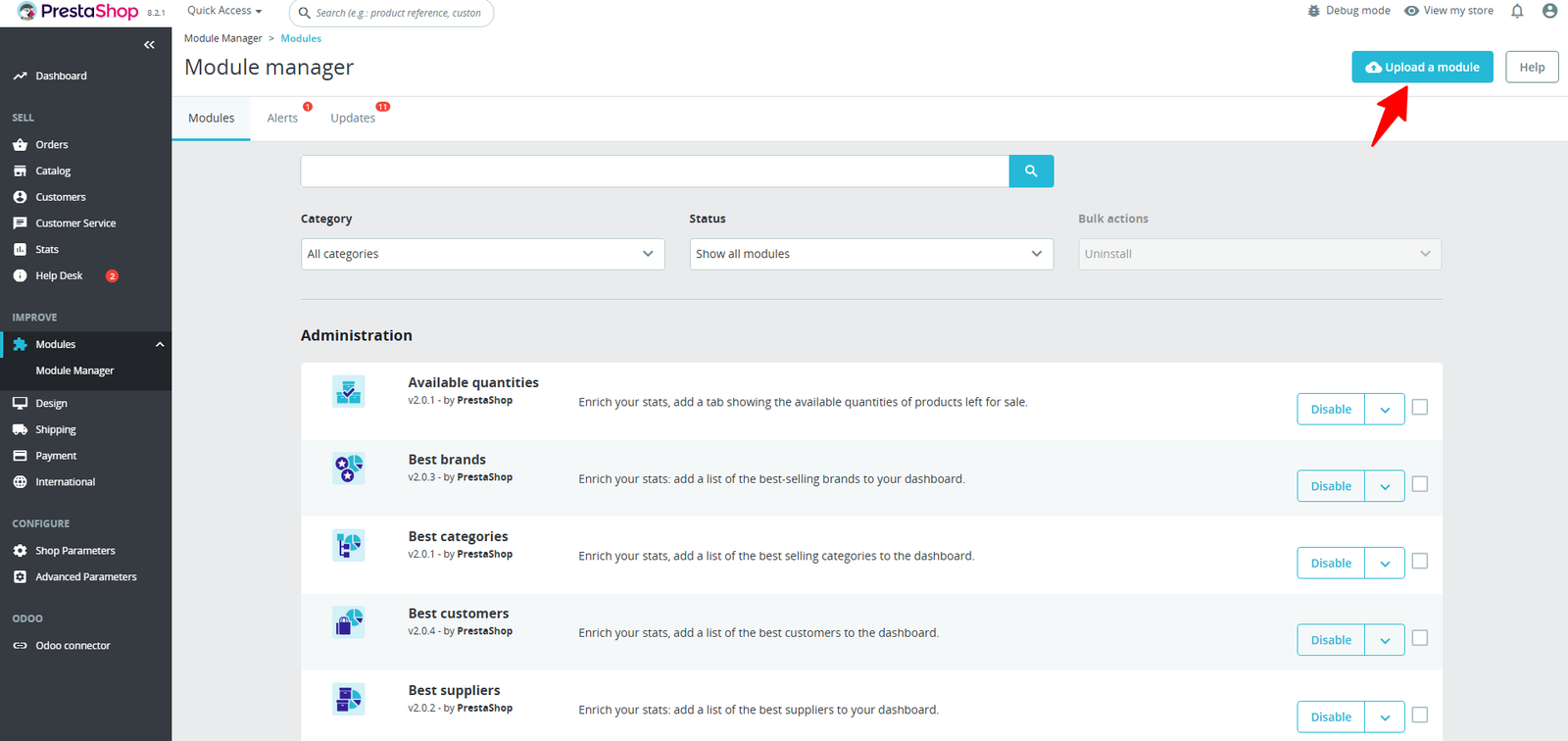
Step 1: Click Upload the Module in the Apps section.
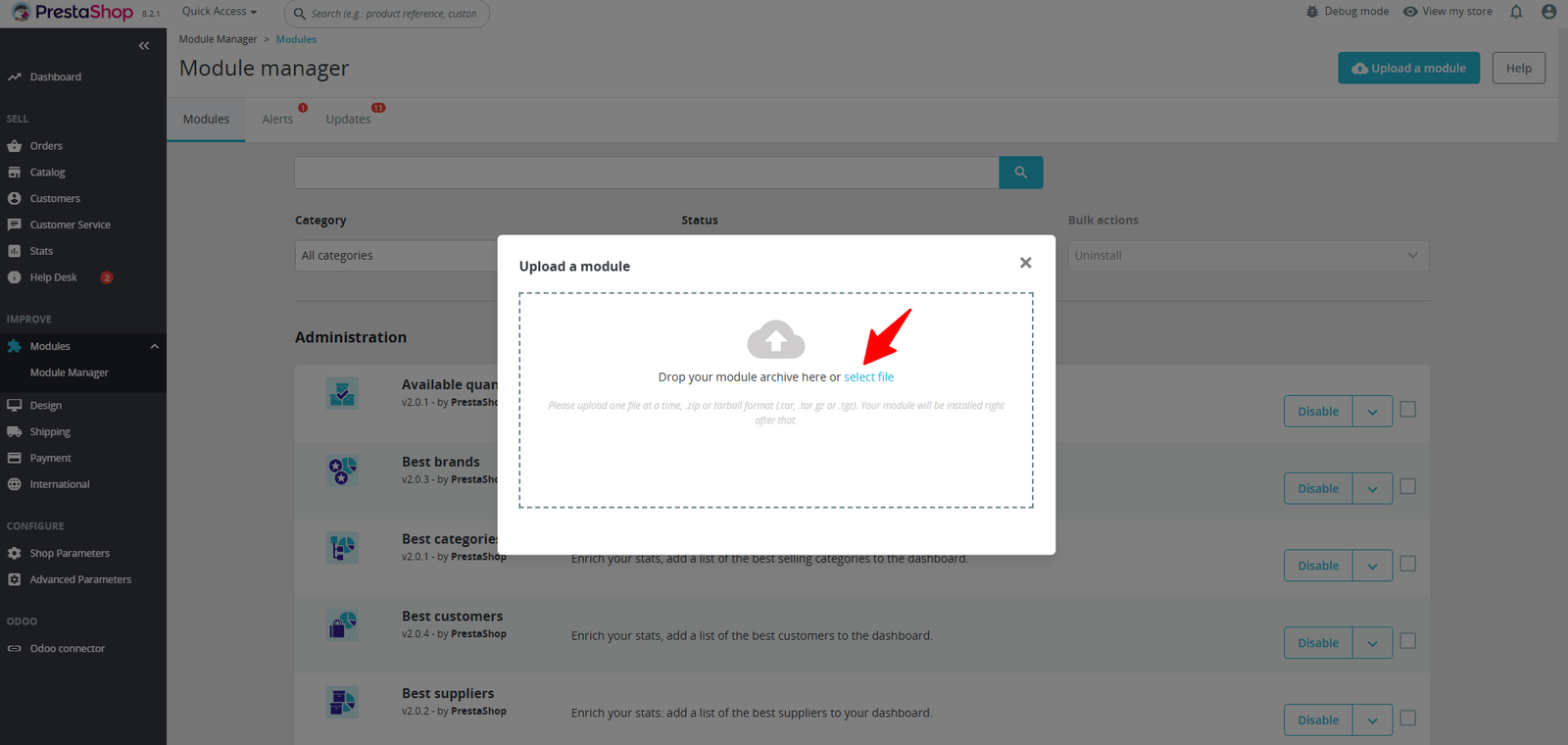
Step 2: Drag & drop the ZIP file or select from your system.
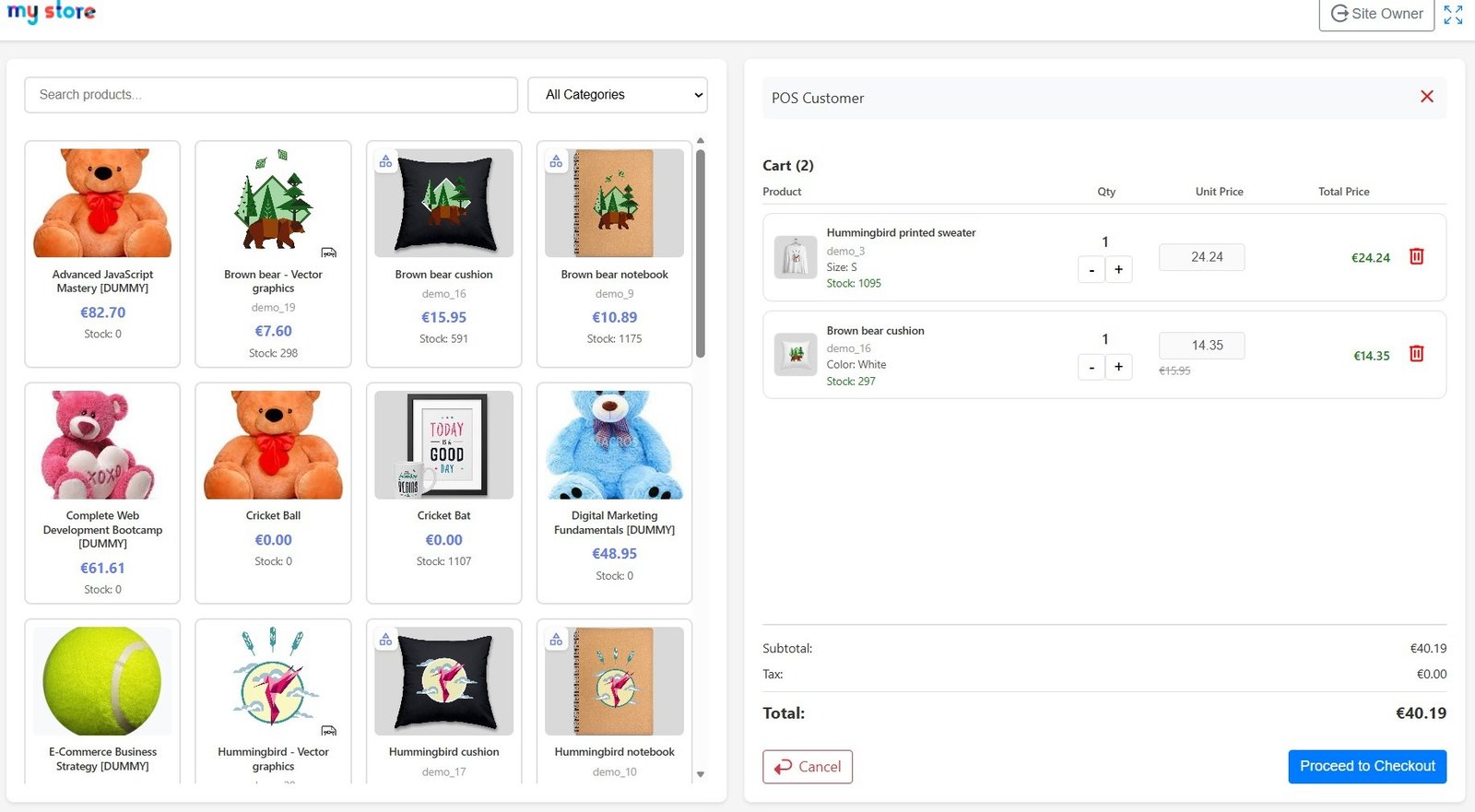
Step 3: Easily search products, add them to the cart, adjust quantities, and complete orders quickly with a clean and intuitive POS dashboard.
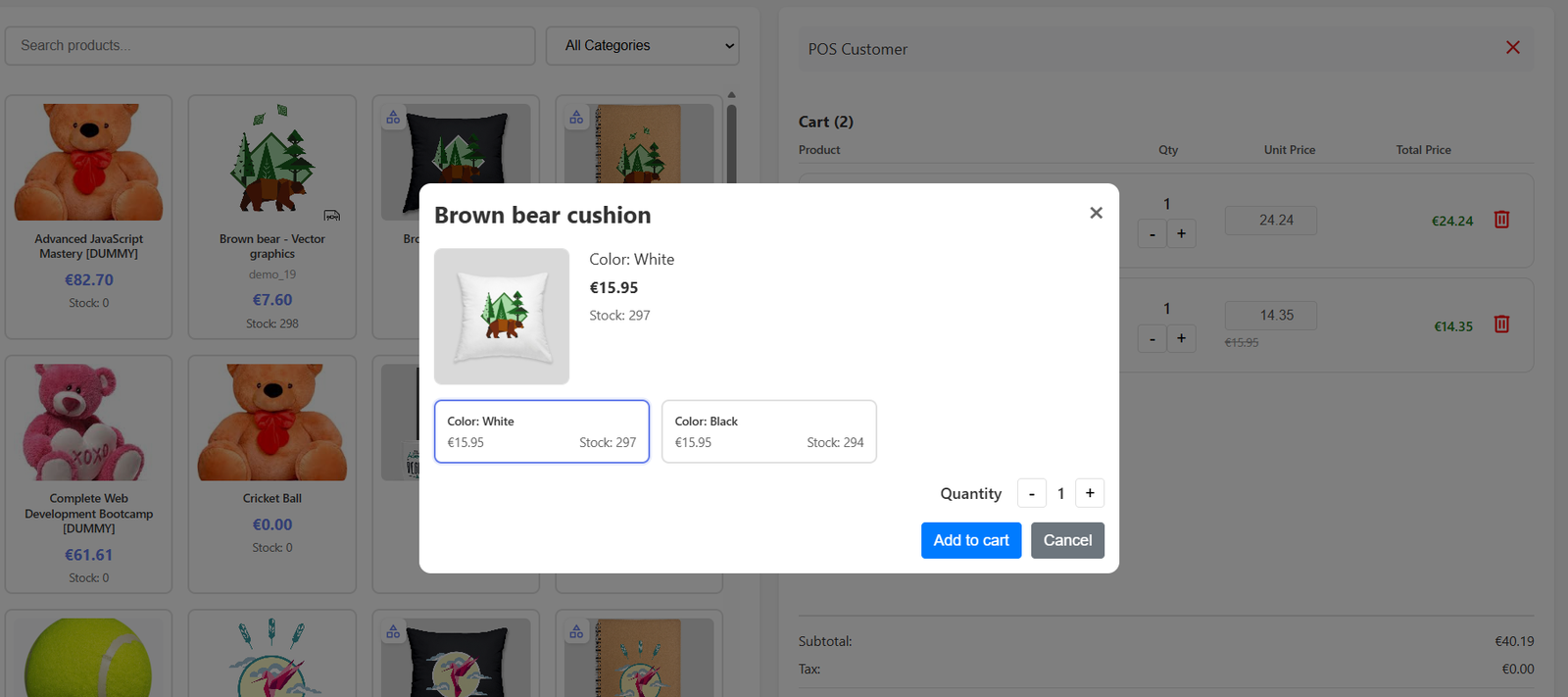
Step 4: Instantly choose product combinations like color or size, adjust quantity, and add items to the POS cart without leaving the billing screen.
Step 5: Manage discounts, hold orders, handle returns, track unpaid carts, and control the cashbox — all from one powerful POS screen.
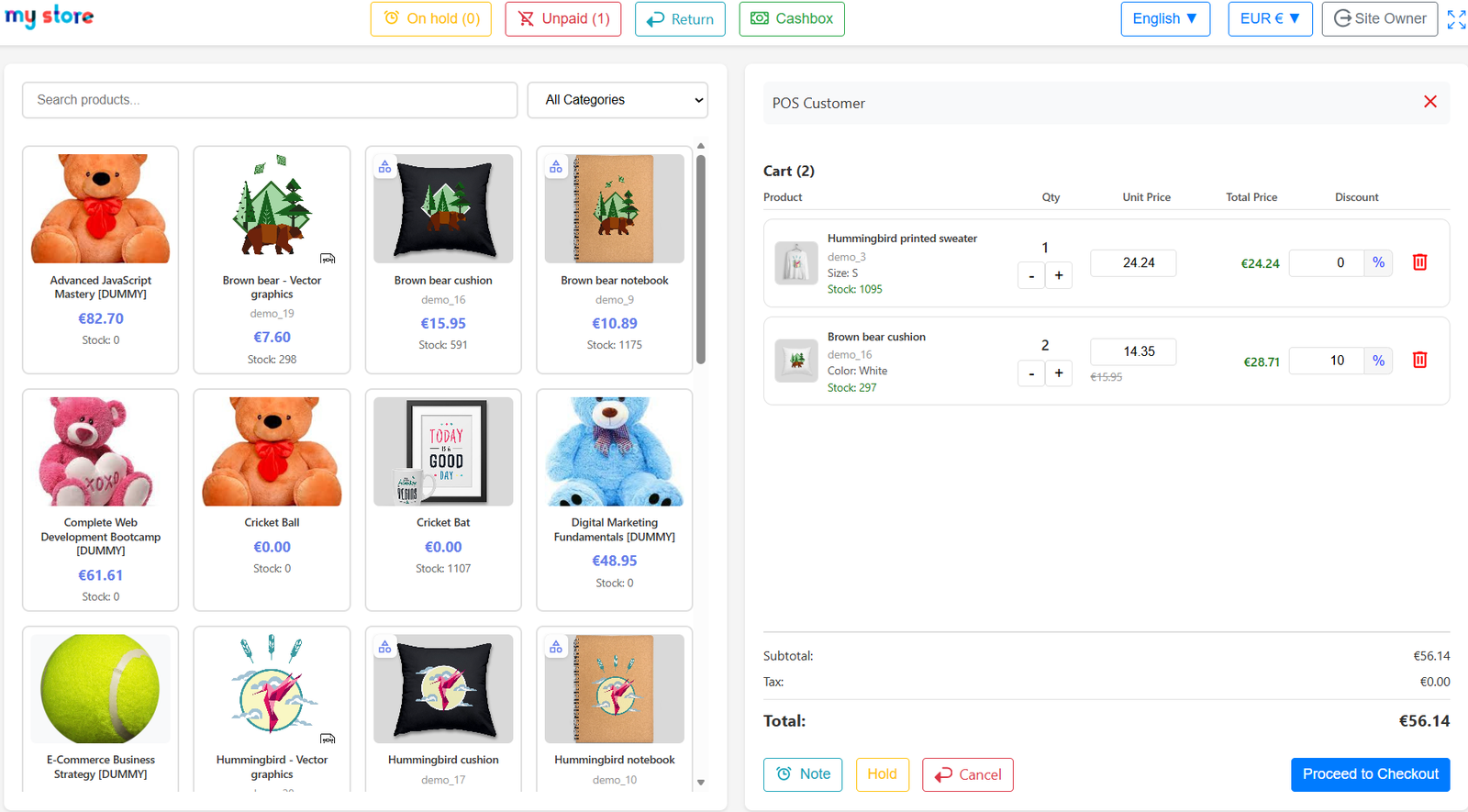
- Clean and user-friendly POS interface helps cashiers manage products, orders, discounts, and customer checkout operations quickly without technical complexity daily.
- Advanced product search and category filtering system allows faster product selection, improving checkout speed and reducing customer waiting time significantly.
- Real-time cart management helps cashiers update quantities, apply discounts, and modify pricing directly during active customer billing sessions efficiently.
- Product stock visibility displays available inventory instantly, helping staff avoid overselling products and improving inventory management accuracy during checkout.
- Hold order functionality allows temporary order suspension, enabling cashiers to manage multiple customers efficiently during busy shopping hours daily operations.
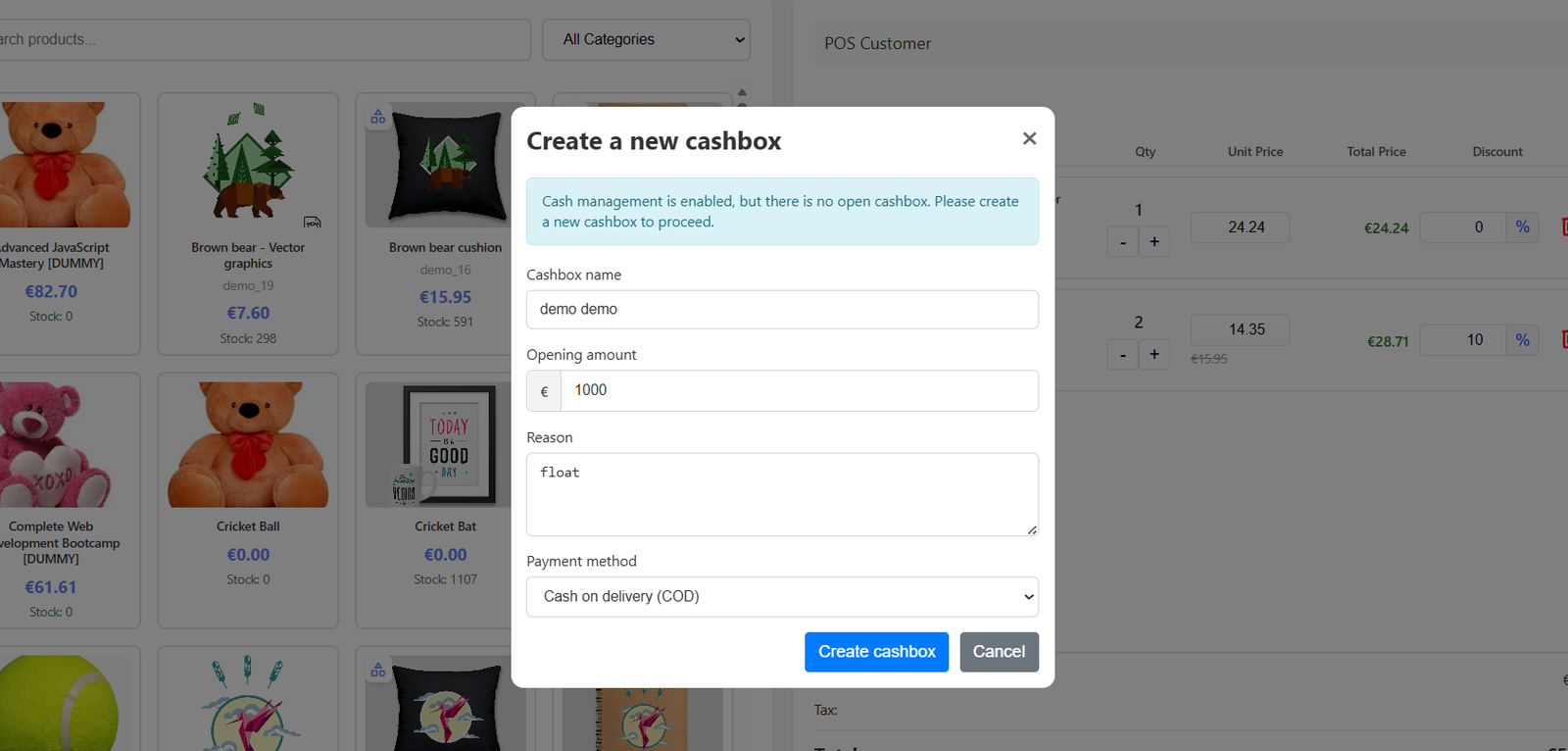
Step 6: Open and manage your POS cashbox by setting the opening balance, payment method, and reason to ensure accurate cash tracking during sales sessions.
(A) Smart Cashbox Management
1. Import Setting :
- Cashbox creation feature allows businesses to initialize daily cash operations with opening balance tracking for accurate financial transaction management processes.
- Opening amount configuration helps store managers define starting cash balances before beginning POS sales and customer billing operations every business day.
- Secure cashbox setup improves accountability by recording cashier activities, transaction histories, and financial movements throughout active POS working sessions daily.
- Payment method selection allows businesses to assign specific payment options like cash-on-delivery during cashbox creation and transaction processing workflows efficiently.
- Reason field functionality helps administrators document cashbox opening purposes, improving financial transparency and simplifying future accounting verification procedures effectively.
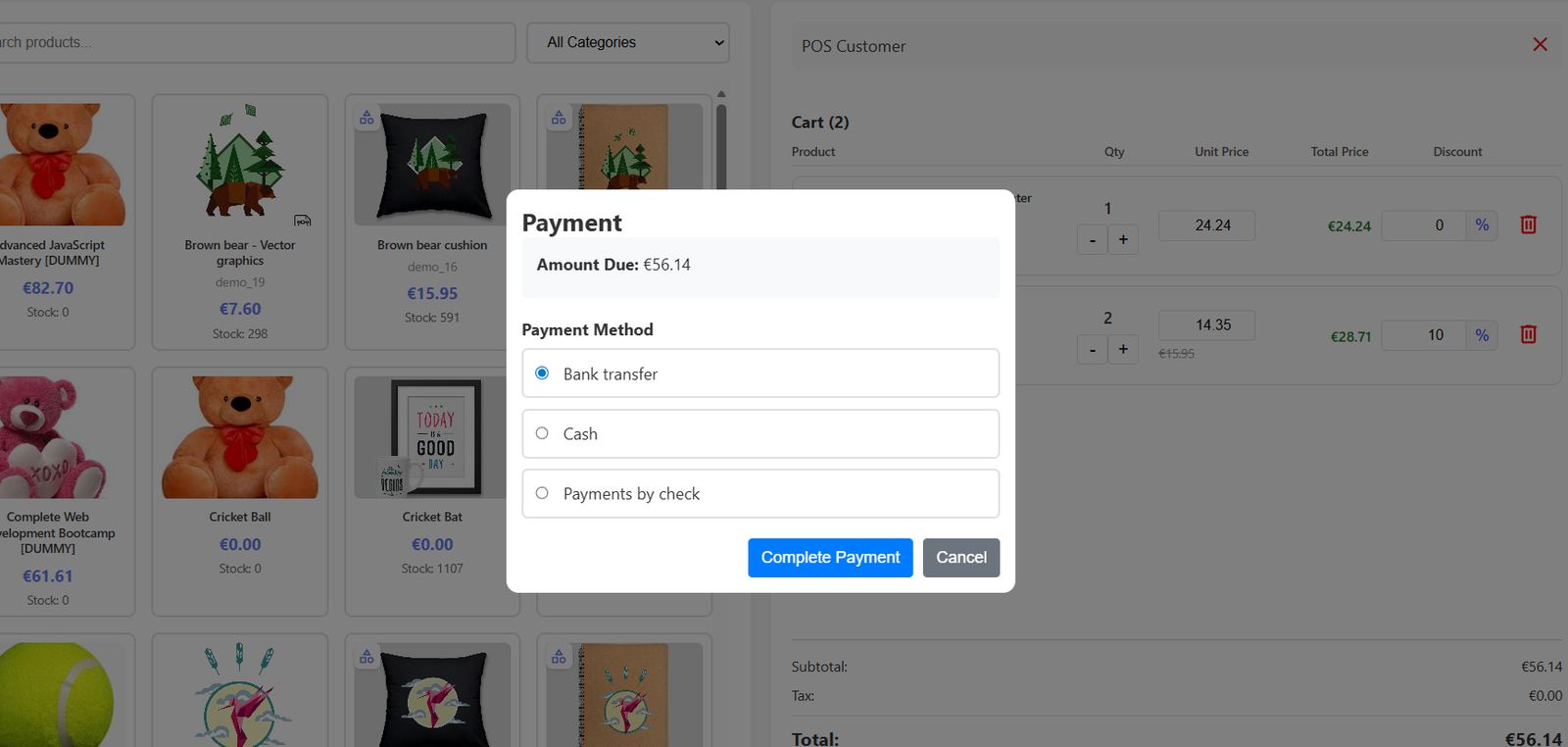
Multiple payment option selection improves customer convenience by supporting preferred transaction methods according to individual purchasing requirements and business policies.
2. Export Setting:
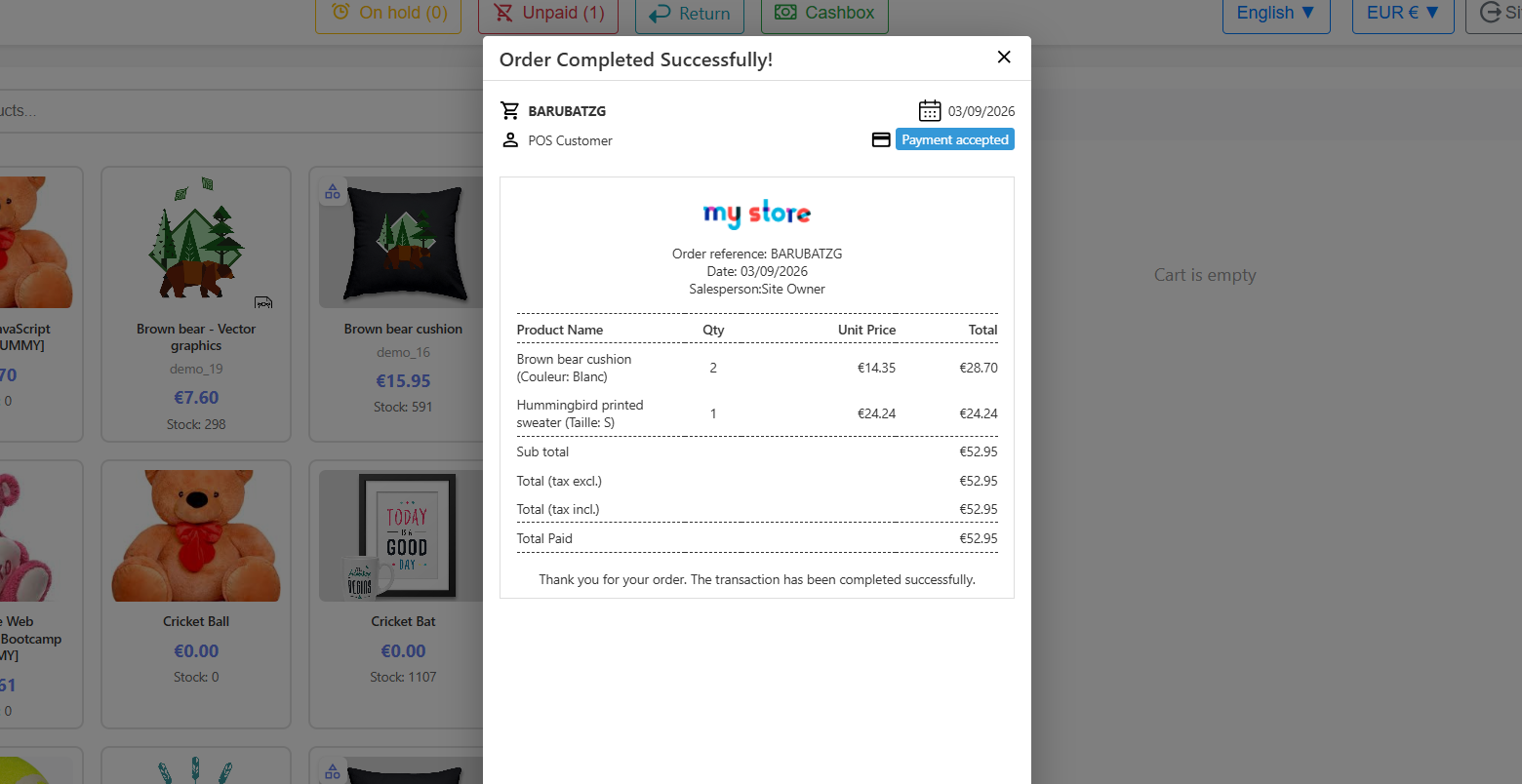
- Order completion confirmation popup provides instant transaction success notifications, improving customer confidence and ensuring smooth checkout experiences after payment processing.
- Digital receipt generation automatically creates professional order summaries with product details, pricing, quantities, and payment information for accurate recordkeeping purposes.
- Export-ready invoice layout helps businesses maintain organized sales documentation for accounting, auditing, and customer transaction verification requirements efficiently daily.
- Product-wise billing information displays quantities, unit prices, and totals clearly, improving transparency for customers and simplifying order verification processes effectively.
- Automatic order reference generation helps businesses track transactions efficiently while maintaining unique identification records for every completed customer purchase accurately.
3. Real-time setting
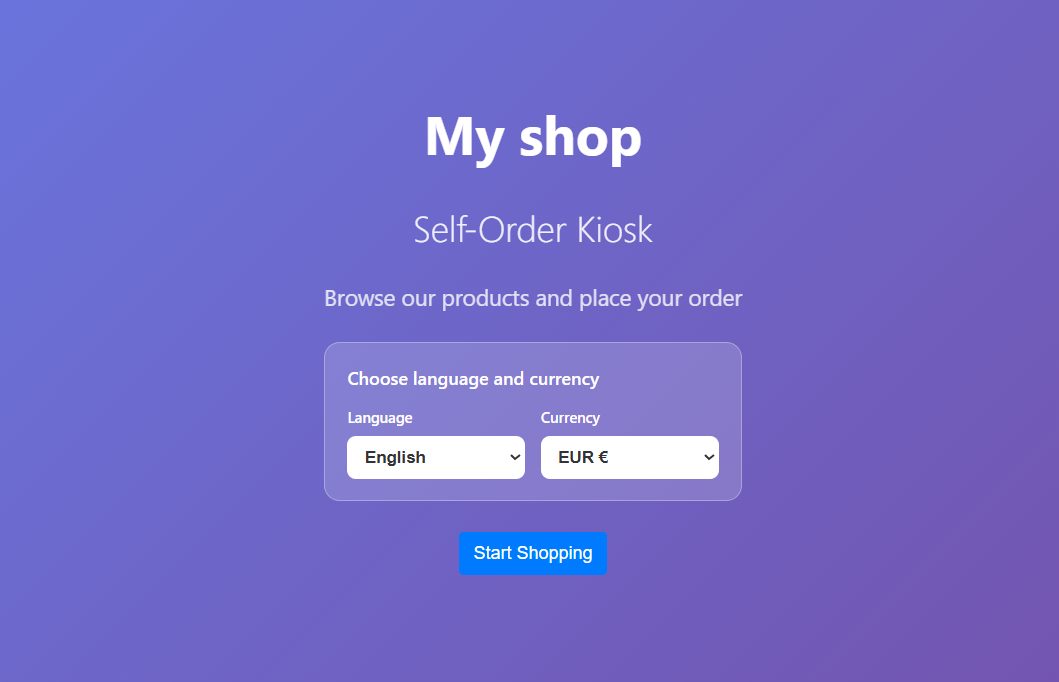
- Self-order kiosk interface allows customers to browse products independently and place orders quickly without requiring cashier assistance during busy store hours.
- Real-time language and currency selection improves customer convenience by providing personalized shopping experiences for international users across different regions globally.
- Modern kiosk welcome screen enhances customer engagement through clean design, intuitive navigation, and simplified self-service ordering functionality efficiently daily.
- Start shopping functionality enables customers to begin browsing products instantly, reducing waiting times and improving in-store ordering experiences significantly every day.
- Multi-language support helps businesses serve diverse customers effectively while improving communication and accessibility during self-ordering processes smoothly everywhere.
Step 7: Customers can browse products, add items to the cart, and complete their order independently without staff assistance using the self-service POS interface.
1. Import Setting :
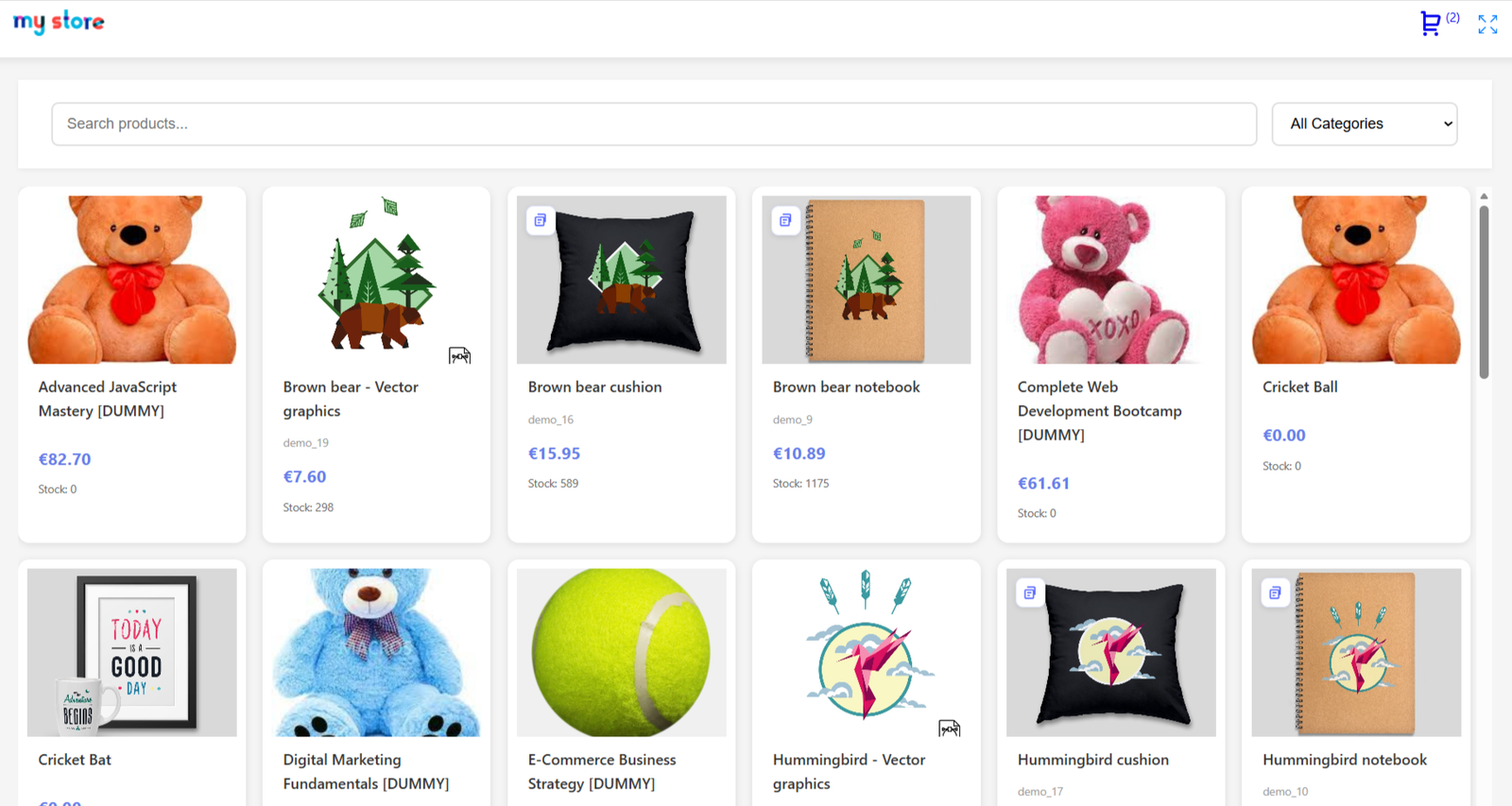
- Advanced product browsing interface allows customers to explore products visually while improving shopping experiences through organized catalog presentation efficiently daily.
- Real-time product search functionality helps customers quickly locate desired items, reducing browsing time and improving purchase convenience significantly every session.
- Category filtering system organizes products efficiently, enabling customers to browse relevant collections and simplify product discovery processes successfully every day.
- Grid-based product layout improves visual presentation by displaying product images, pricing, and stock information in structured formats clearly.
- Dynamic product catalog updates ensure customers view accurate pricing, stock availability, and product information during browsing and purchasing activities consistently.
2. Real-time setting:
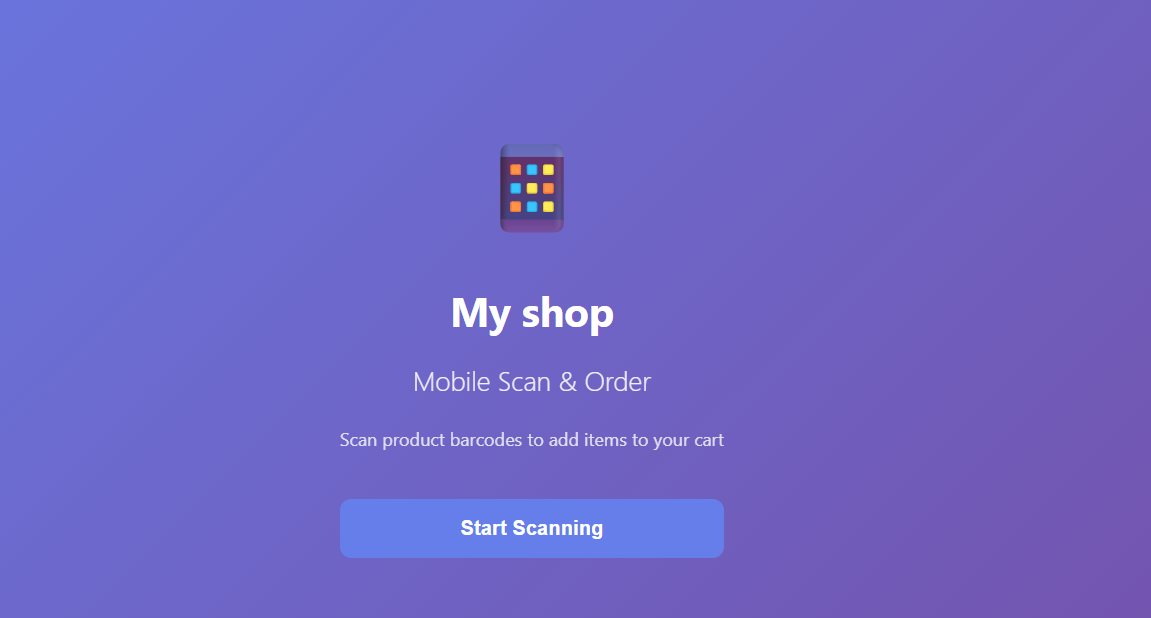
- Mobile scan-and-order functionality allows customers to scan product barcodes instantly and add items directly into shopping carts conveniently daily.
- Real-time barcode scanning improves shopping speed by eliminating manual product searches during customer ordering and checkout processes efficiently every session.
- Smartphone-based ordering system enables customers to shop independently using mobile devices without requiring cashier assistance inside stores successfully daily.
- Start scanning functionality simplifies product selection workflows while improving customer convenience during self-service shopping experiences significantly every business day.
- Mobile-friendly interface works seamlessly across smartphones and tablets, ensuring smooth barcode scanning and product ordering operations efficiently everywhere.
Step 8: Cashiers can search or scan products and process orders directly from a mobile device, enabling flexible checkout without staying at a fixed POS counter.
1. Import Setting :
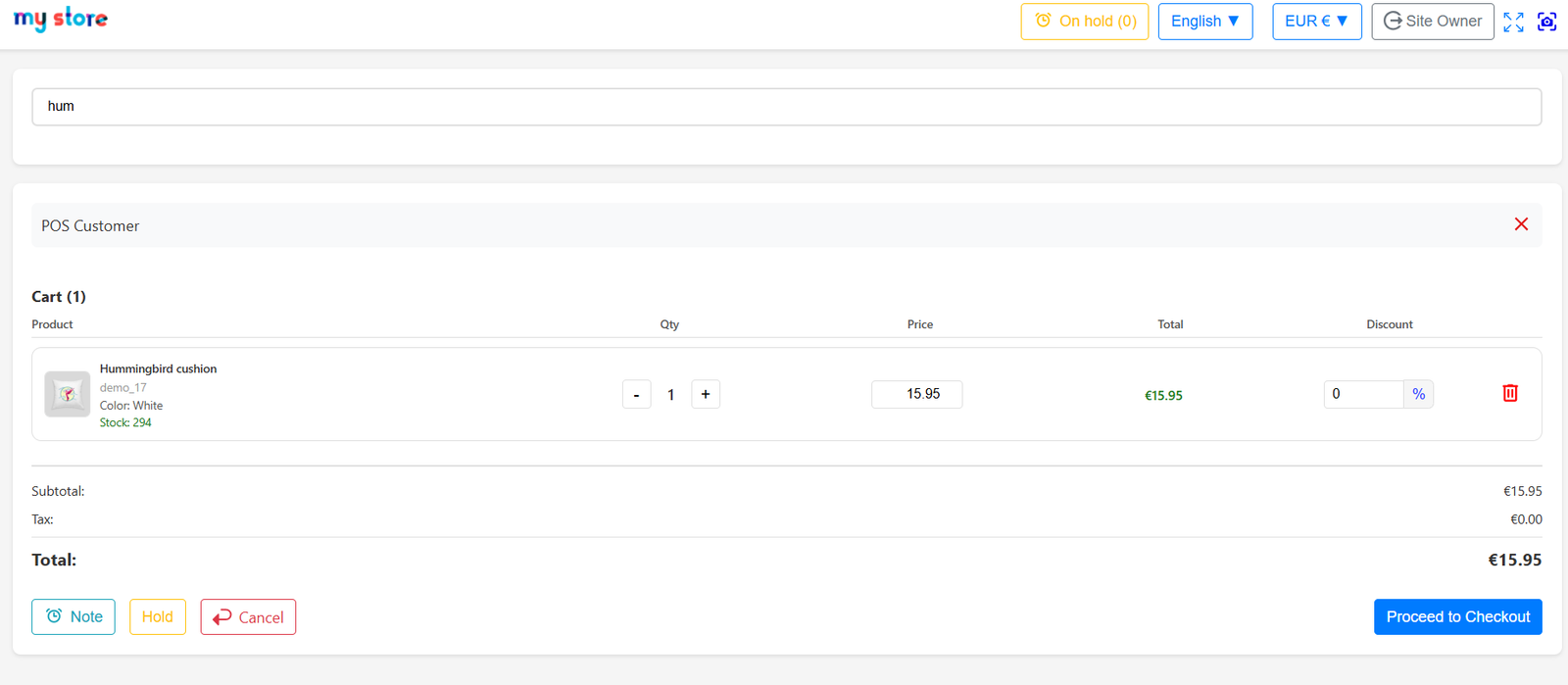
- Real-time cart management allows cashiers to modify quantities, apply discounts, and manage customer orders efficiently during checkout operations daily.
- Instant product search functionality helps users quickly locate items, improving billing speed and enhancing overall customer shopping experiences significantly every session.
- Dynamic quantity adjustment buttons simplify order modifications while reducing manual input errors during customer billing and transaction processing workflows efficiently.
- Real-time stock visibility displays current inventory availability, helping businesses avoid overselling products during active retail transactions consistently every business day.
- Discount management functionality supports percentage-based promotions for products, improving customer satisfaction and encouraging increased purchasing behavior successfully daily.
2. Export Setting:
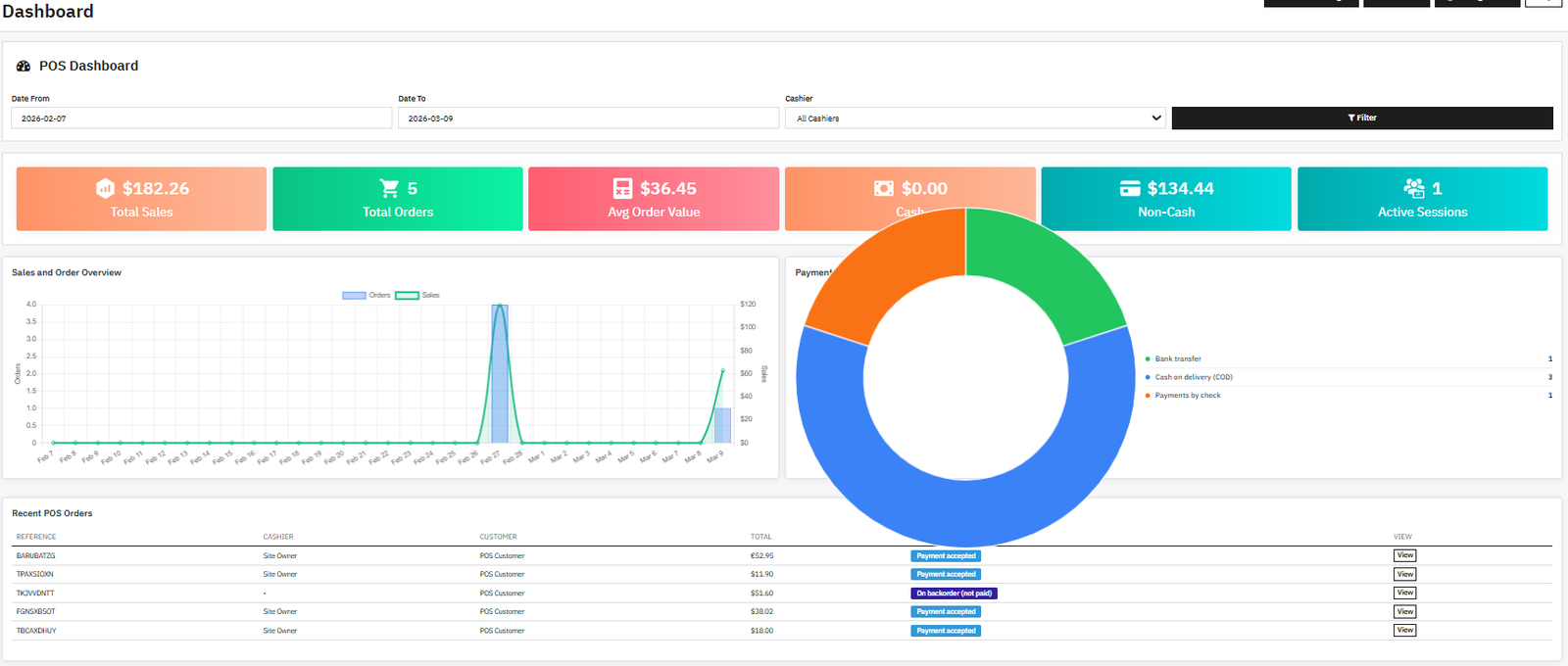
- Advanced POS dashboard provides real-time business insights including sales performance, orders, payments, and cashier activity monitoring efficiently daily operations.
- Sales analytics section displays total revenue, order counts, and average order values for accurate business performance tracking consistently every session.
- Interactive sales overview charts help businesses analyze transaction trends and customer purchasing activities through visual reporting tools effectively daily.
- Payment distribution graphs display cash, bank transfer, and check transaction statistics for simplified financial monitoring and reporting processes accurately.
- Real-time dashboard filtering allows administrators to analyze reports according to date ranges and cashier-specific transaction activities conveniently daily.
3. Real-time setting:
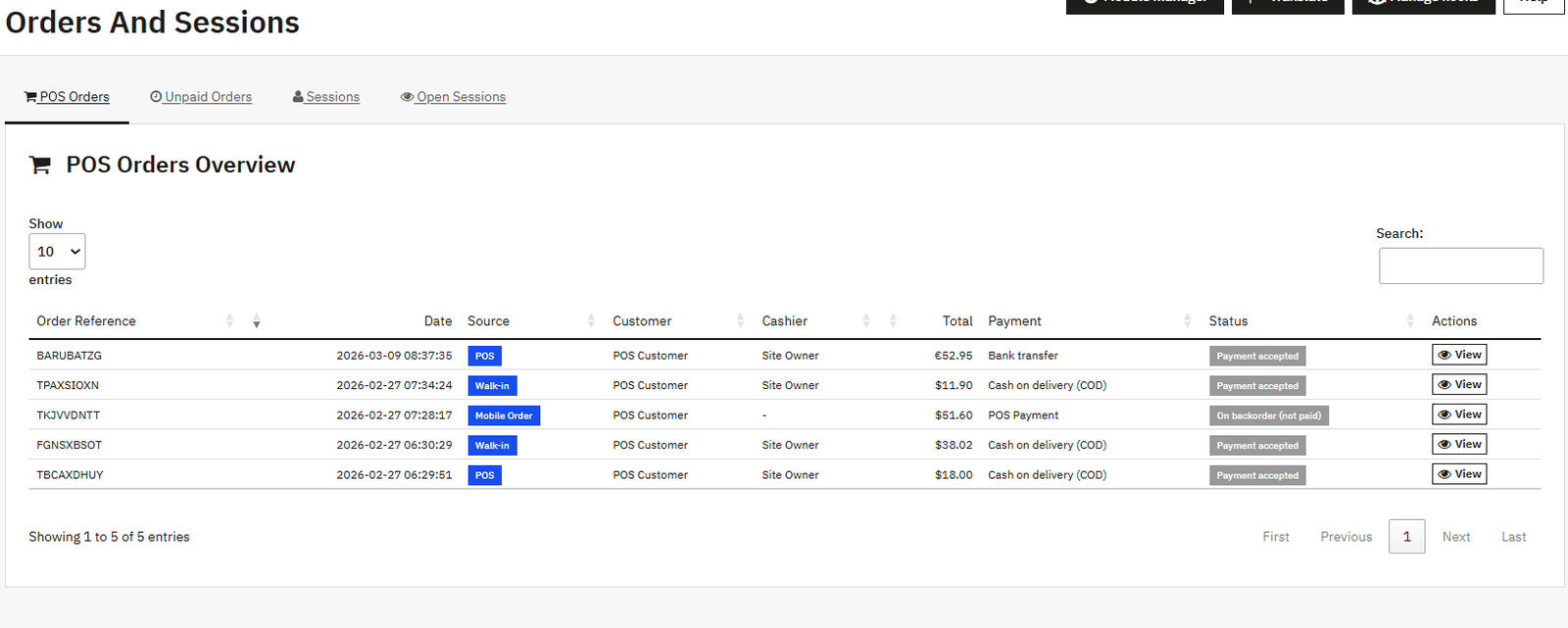
- Real-time POS order overview helps businesses monitor transactions, payment statuses, cashier activities, and customer orders efficiently every operational session daily.
- Centralized order management interface organizes POS, walk-in, and mobile orders into one accessible dashboard for simplified operational tracking effectively.
- Live order status visibility allows administrators to monitor accepted payments, pending transactions, and unpaid orders instantly during business operations daily.
- Session management functionality helps businesses track cashier activities, login sessions, and operational performance throughout active working hours consistently daily.
- Unpaid order tracking system improves financial monitoring by displaying incomplete transactions requiring payment follow-up and operational attention efficiently every session.
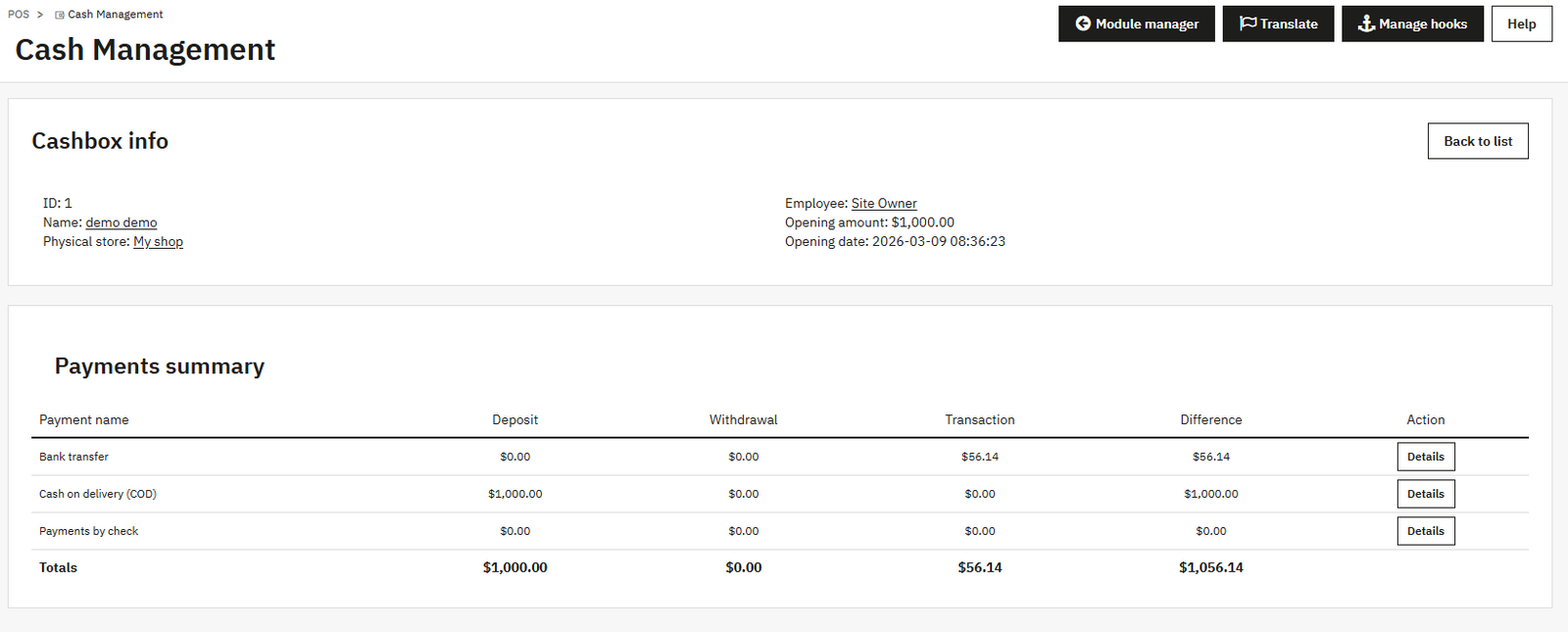
Step 9: Track cashbox sessions with complete visibility of opening balance, deposits, withdrawals, and transactions by payment method, helping admins maintain accurate cash flow and financial control.
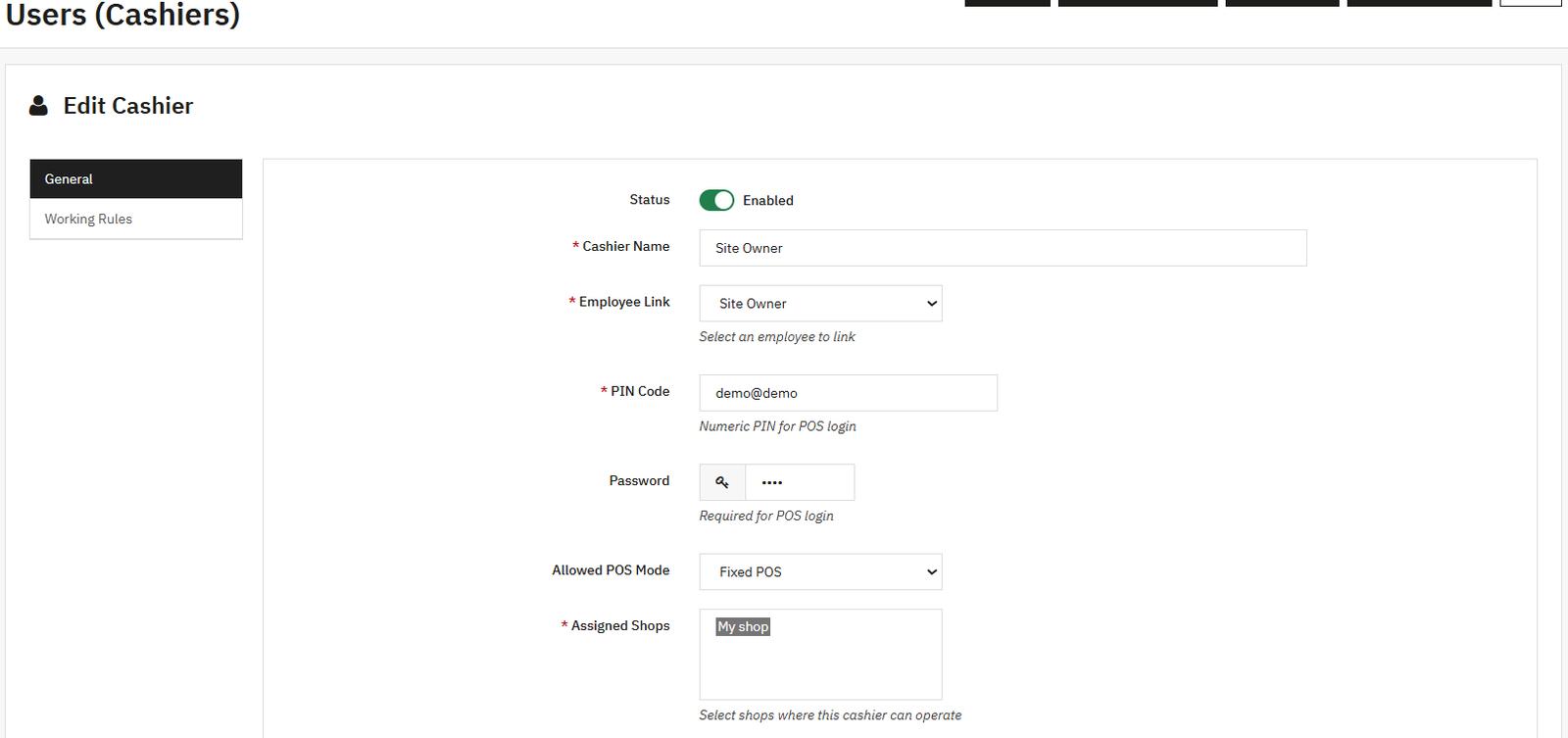
Step 10: Easily create and manage POS cashiers by linking employees, assigning PIN login access, defining POS modes, and controlling which shops they can operate in.
1. Import Customers:
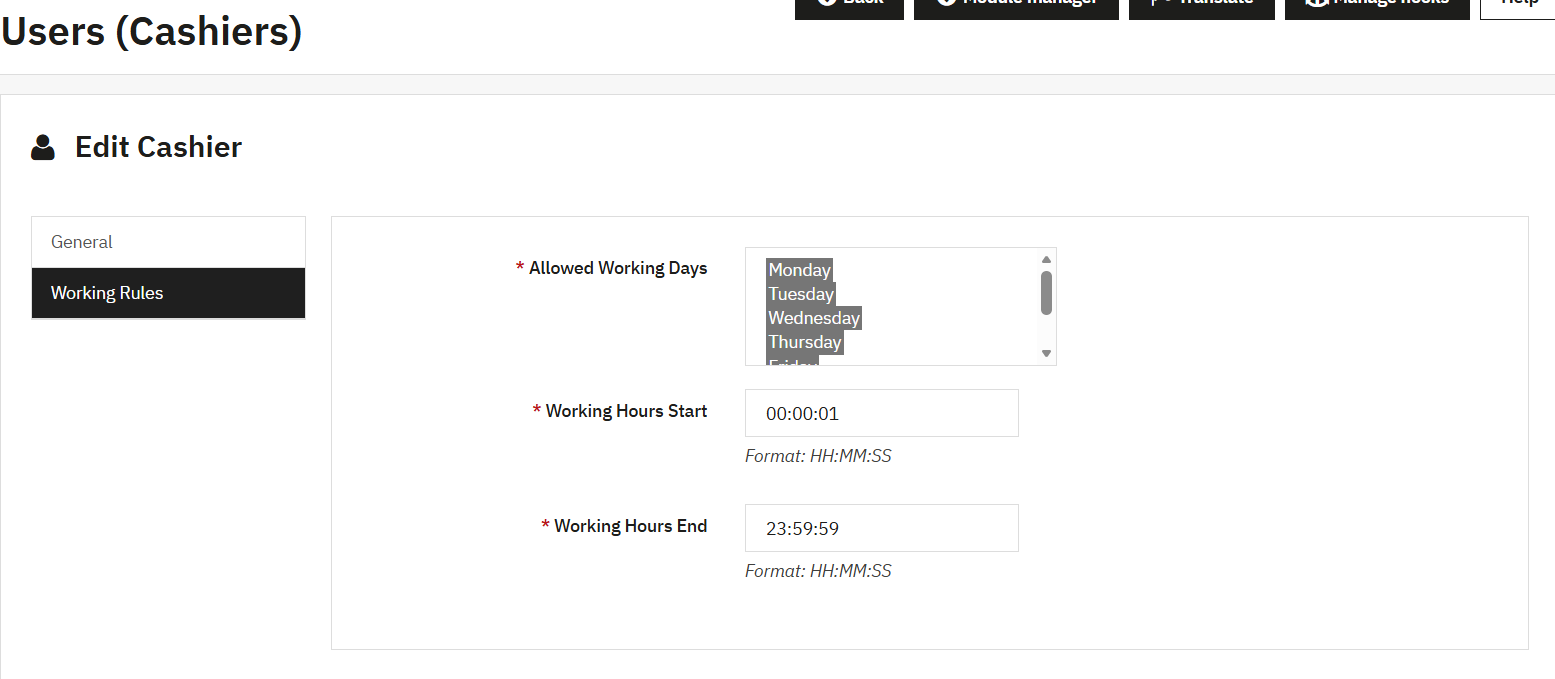
- Cashier management system allows administrators to configure employee working schedules and operational access controls efficiently for secure POS management daily.
- Working day selection functionality helps businesses assign specific operational schedules for cashiers according to business requirements effectively every week.
- Configurable working hours improve operational discipline by restricting cashier access outside authorized business timing periods consistently daily operations.
- Real-time cashier access control enhances security by ensuring employees operate POS systems only during assigned working schedules successfully daily.
- Flexible shift management allows businesses to customize cashier availability for morning, evening, and full-day operational workflows efficiently every session.
2. Export Customers:
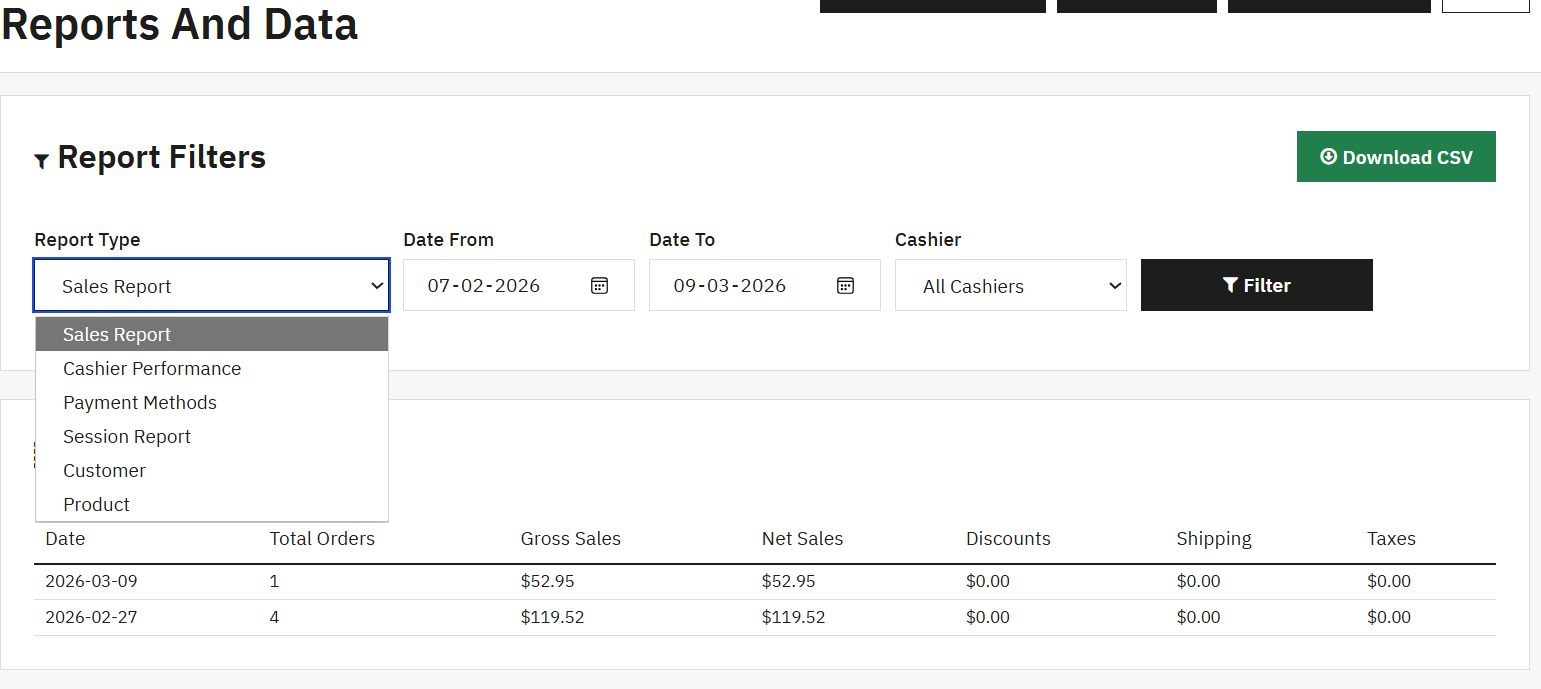
- Advanced report filtering system helps businesses generate customized sales analytics according to dates, cashiers, and operational reporting requirements efficiently daily.
- Export-ready CSV download functionality simplifies external accounting, bookkeeping, and financial reporting workflows for businesses handling retail transactions consistently daily.
- Multiple report type selection supports sales, cashier performance, payment methods, sessions, customers, and product analytics efficiently every reporting session.
- Date-based report filtering allows businesses to analyze transaction performance during specific operational periods accurately and conveniently every business day.
- Cashier-specific reporting functionality improves employee performance monitoring through detailed transaction and operational activity analysis consistently daily operations.
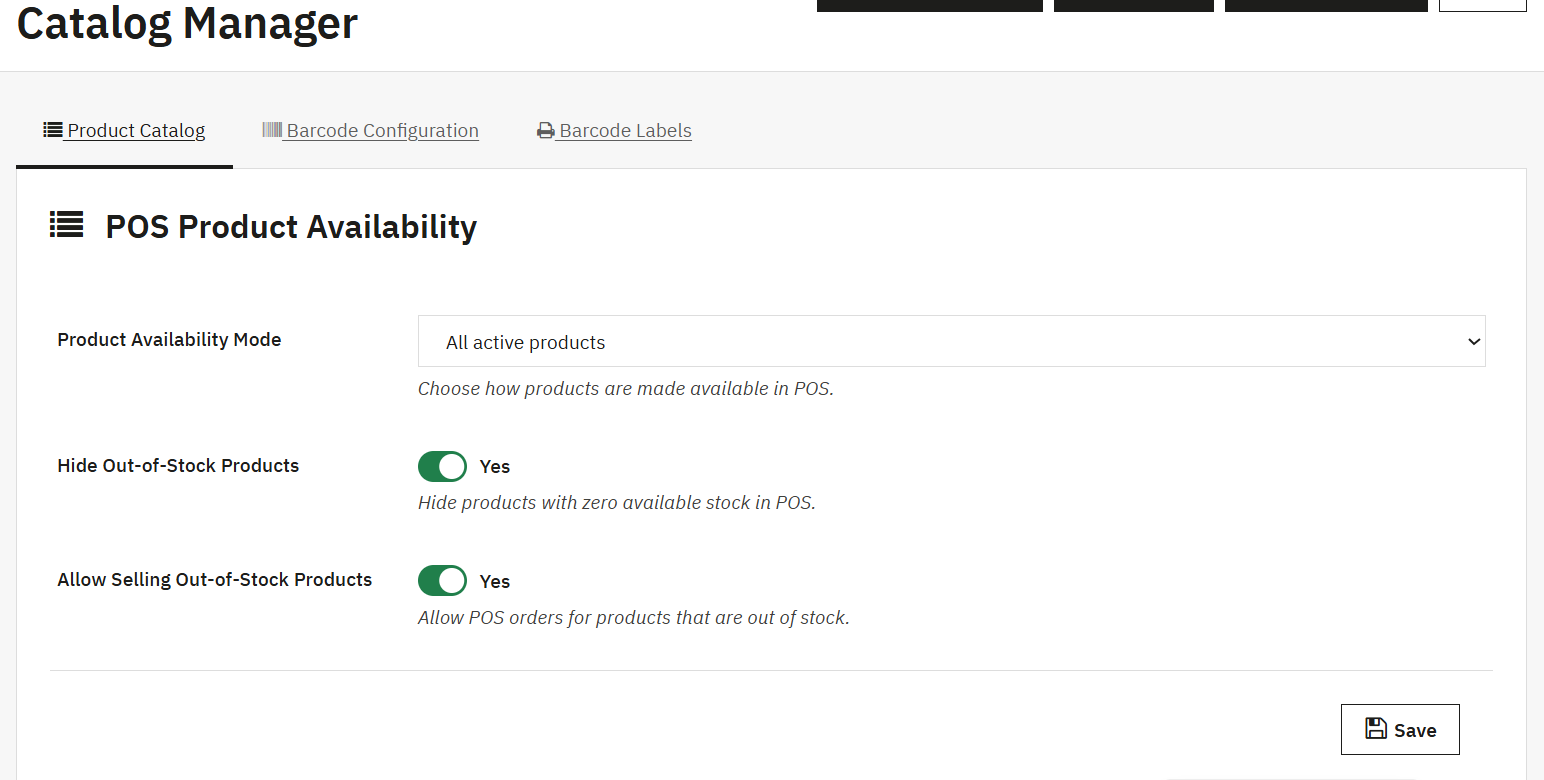
- Product availability management allows businesses to control which products appear inside POS systems according to inventory and operational requirements efficiently.
- Active product filtering functionality ensures only selected products are available for customer purchases during POS operations consistently every business day.
- Hide out-of-stock product option improves customer experience by preventing unavailable items from appearing during product browsing activities effectively daily.
- Allow selling out-of-stock products feature supports flexible retail operations during high-demand periods and inventory shortages successfully every session.
- Catalog management dashboard simplifies product configuration through centralized controls for availability, barcode settings, and inventory management efficiently daily.
Step 11: Configure core POS settings including system activation, multi-language and multi-currency support, payment sources, cash management, and delivery options to customize the POS experience for your store operations.
1. Import Products:
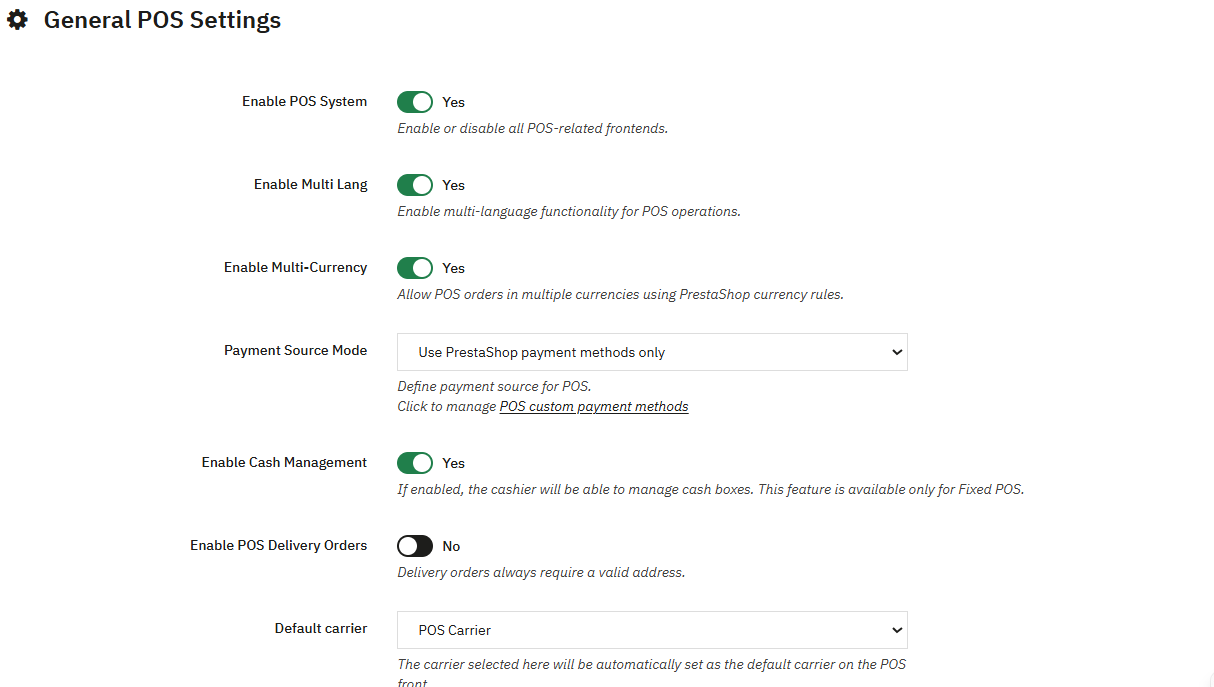
- General POS settings allow businesses to configure multilingual, multi-currency, payment, and operational management functionalities efficiently every business day.
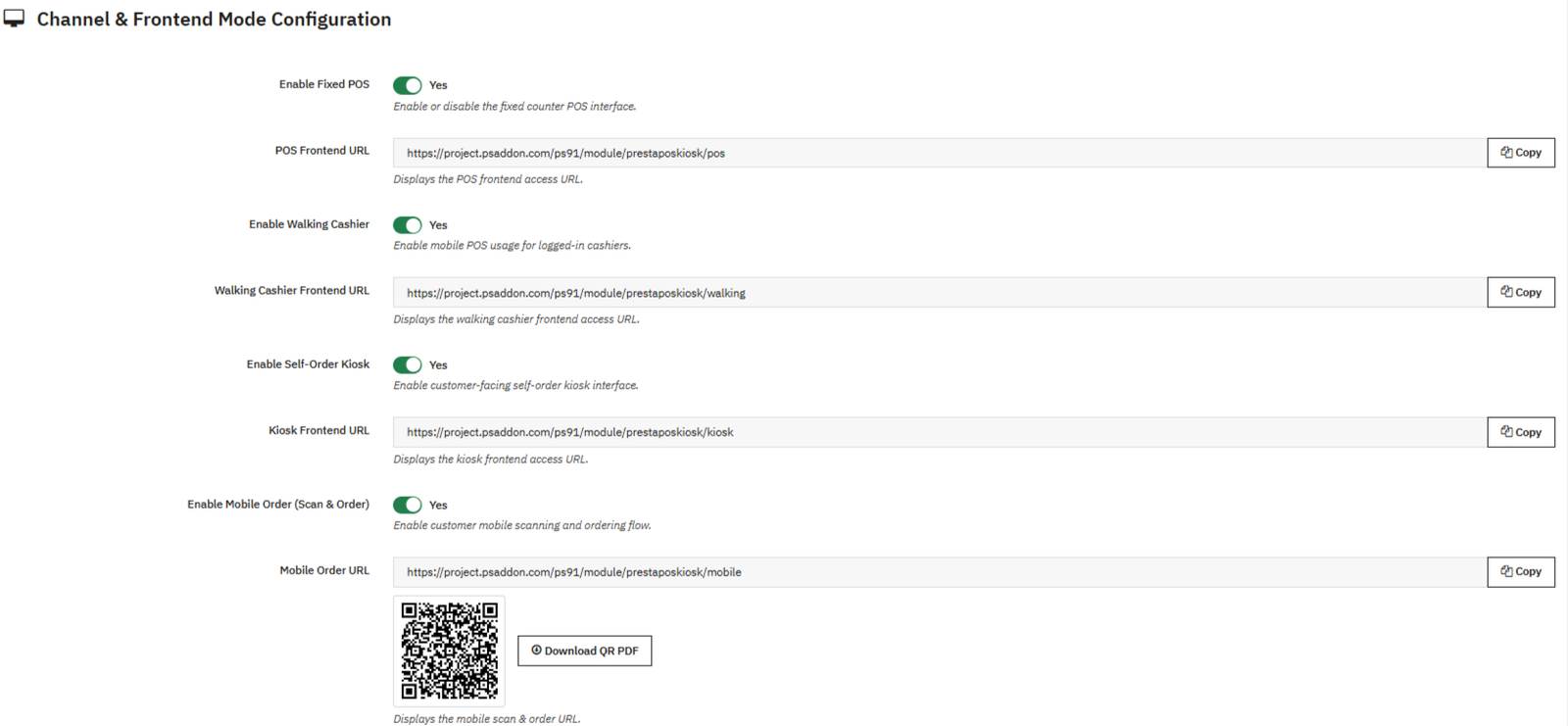
- Fixed POS activation functionality enables businesses to operate traditional counter-based checkout systems for retail transaction management successfully daily.