

Managing a restaurant efficiently requires more than just great food—it demands seamless coordination between reservations, tables, orders, and billing.
The Restaurant Dine-In Management System for PrestaShop by Presta World is a complete solution that transforms your PrestaShop store into a fully functional restaurant management platform.
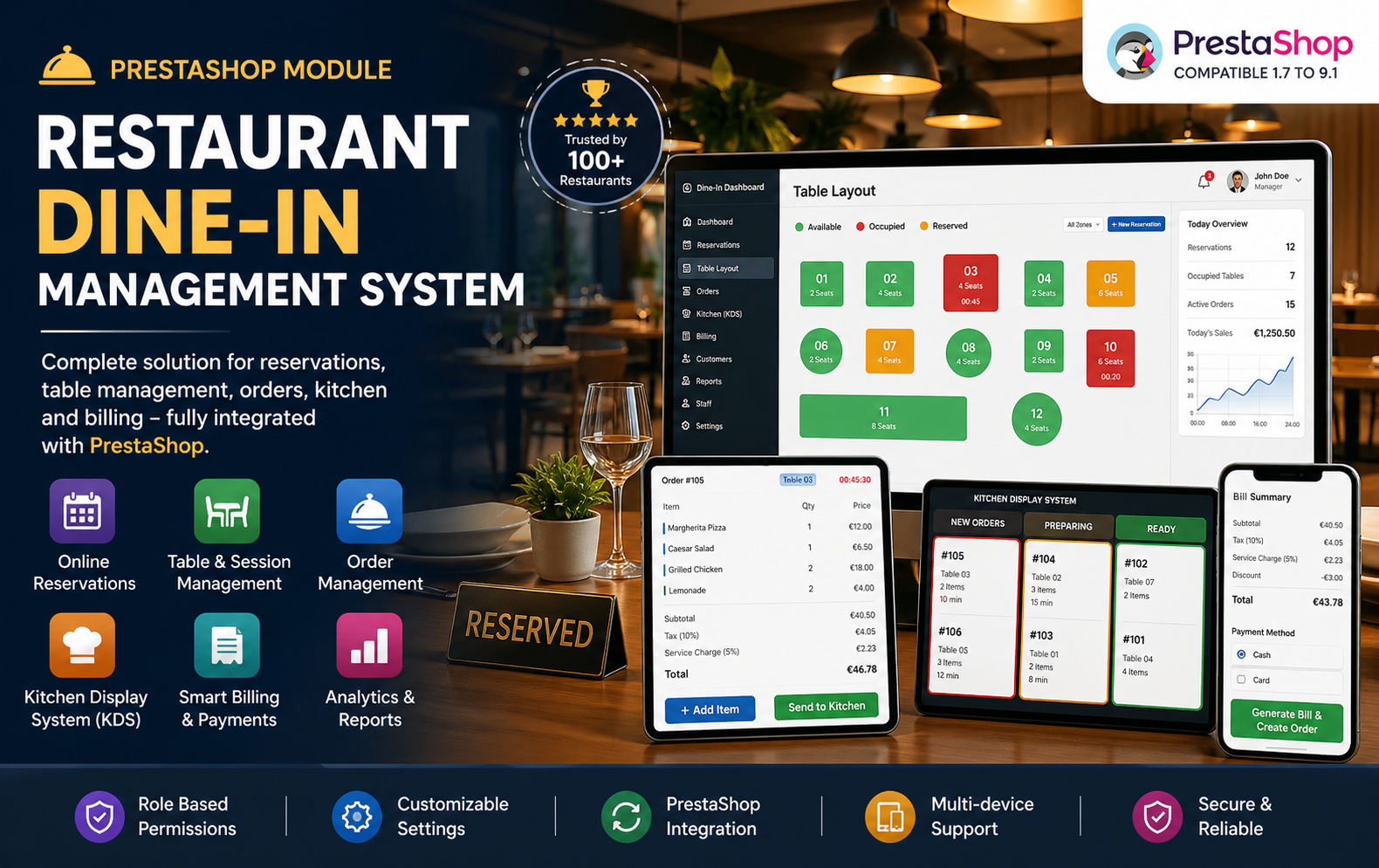
Key Features at a Glance
- Complete Online Table Reservation Management
- Real-Time Restaurant Table & Seating Management
- Smart Table Availability & Capacity Control
- Dedicated Staff Dashboard for Restaurant Operations
- Live Dine-In Session Tracking System
- Advanced Restaurant Order Management
- Add, Update & Remove Order Items in Real Time
- Full Integration with PrestaShop Products & Orders
- Kitchen Display System (KDS) with Live Status Updates
- Real-Time Communication Between Kitchen & Service Staff
- Automated Billing & Invoice Generation
- Tax, Service Charge & Discount Management
Use Cases: Who Needs This Module?
- Businesses Seeking Integration Between Restaurant Operations & PrestaShop
- Restaurants Needing Automated Billing, Taxes & Service Charges
- Teams Looking for Role-Based Staff Management & Permissions
- Businesses Wanting Better Customer Experience Through Faster Service
- Restaurants Requiring Reservation Scheduling & Time Slot Management
- Food Businesses Looking to Reduce Manual Errors in Operations
Quick User Guide (Visual Walkthrough)
Scroll up to revisit the detailed image-wise walkthrough.
Step-by-Step Restaurant Workflow Management from Reservation to Billing
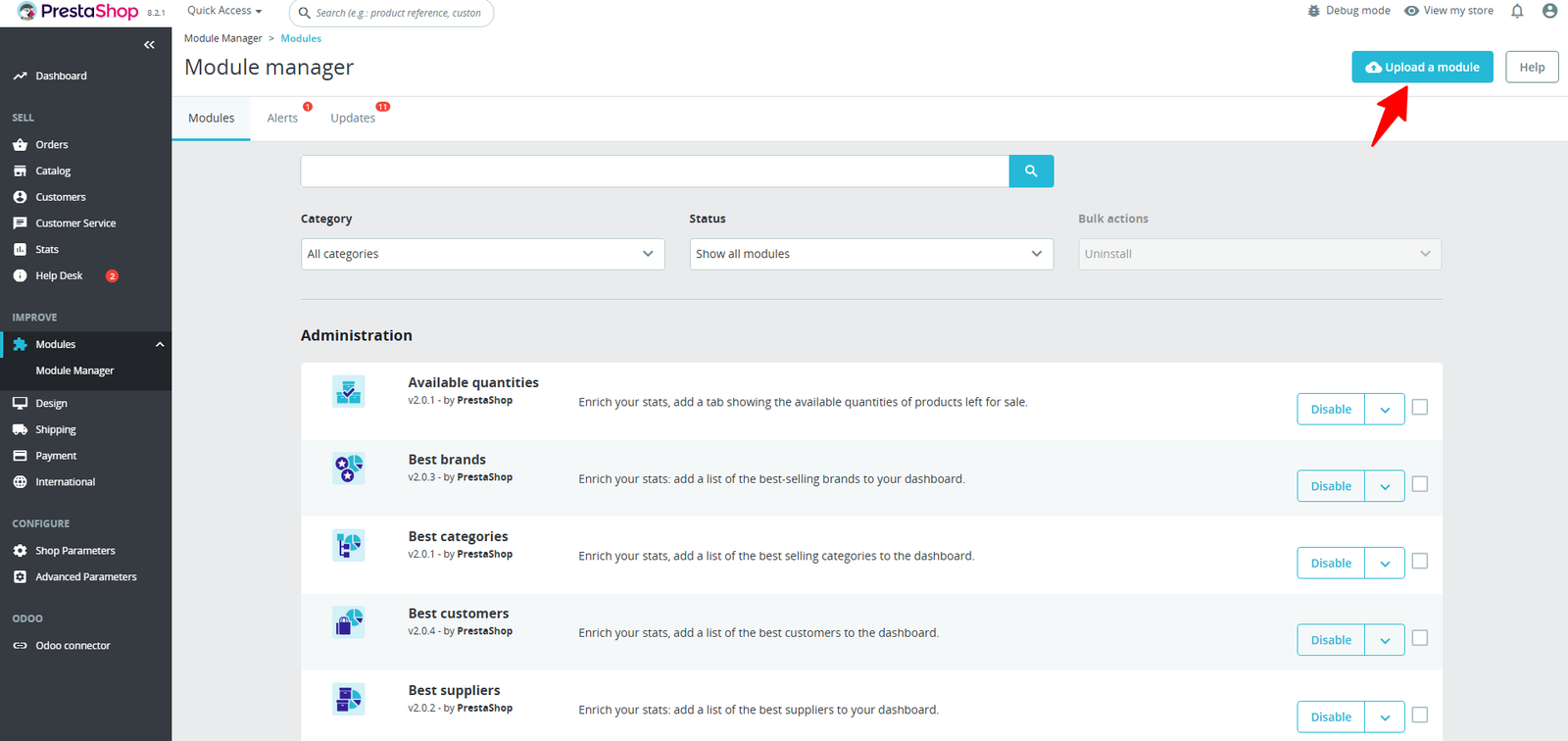
Step 1: Click Upload the Module in the Apps section.
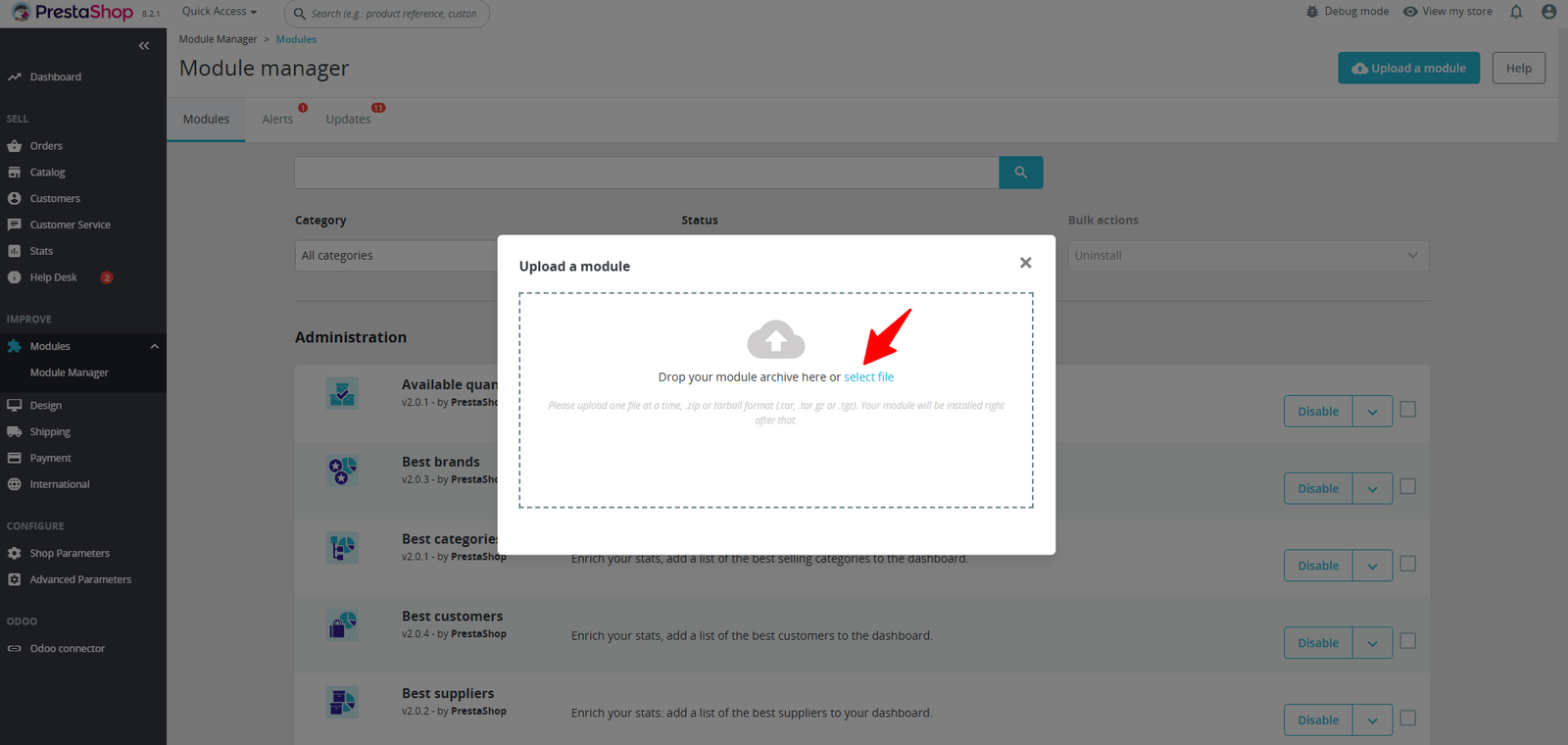
Step 2: Drag & drop the ZIP file or select from your system.
Step 3: Smart Table Management Dashboard
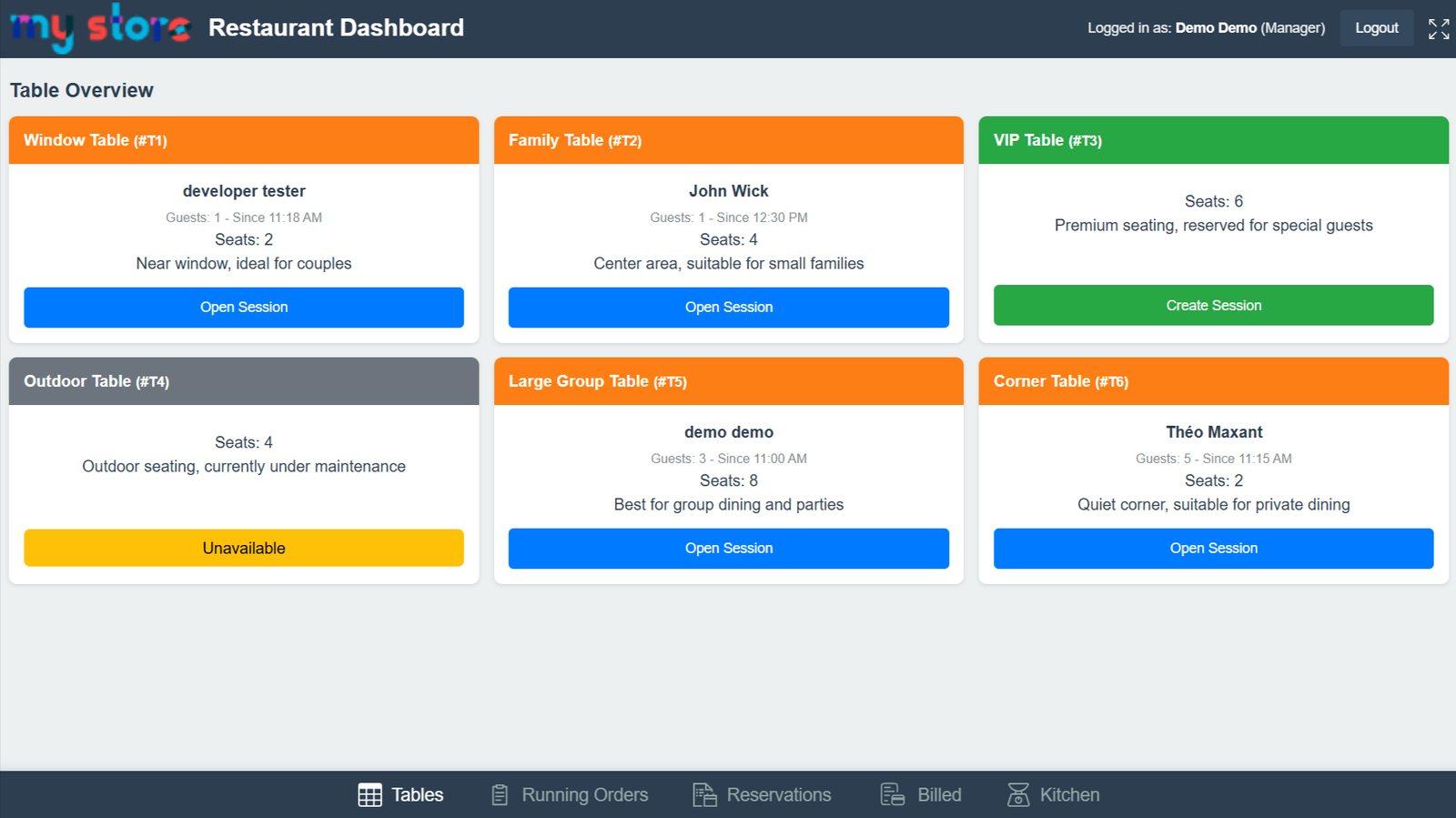
Step 4: Quick Table Session Creation
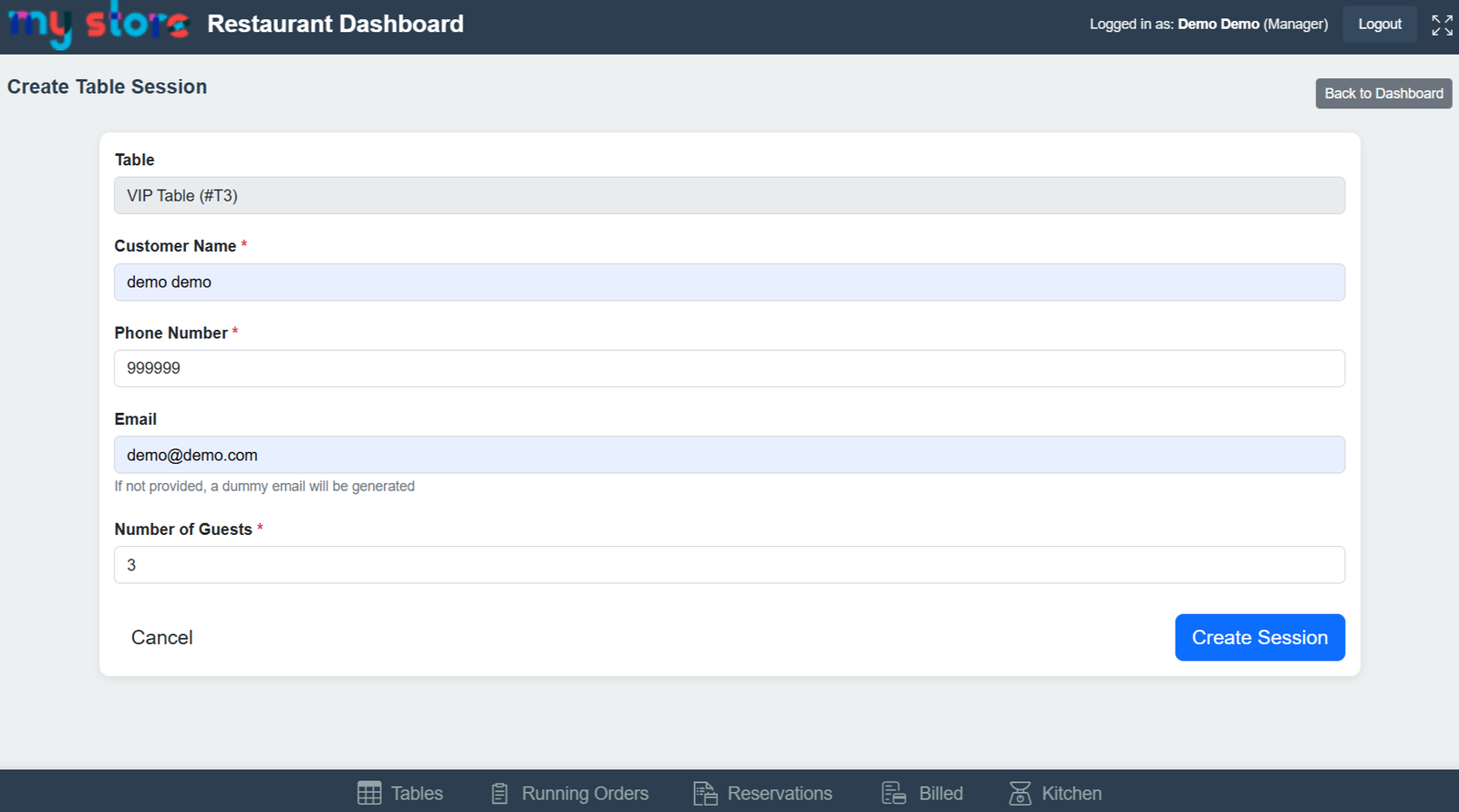
Step 5: Live Table Session & Order Management
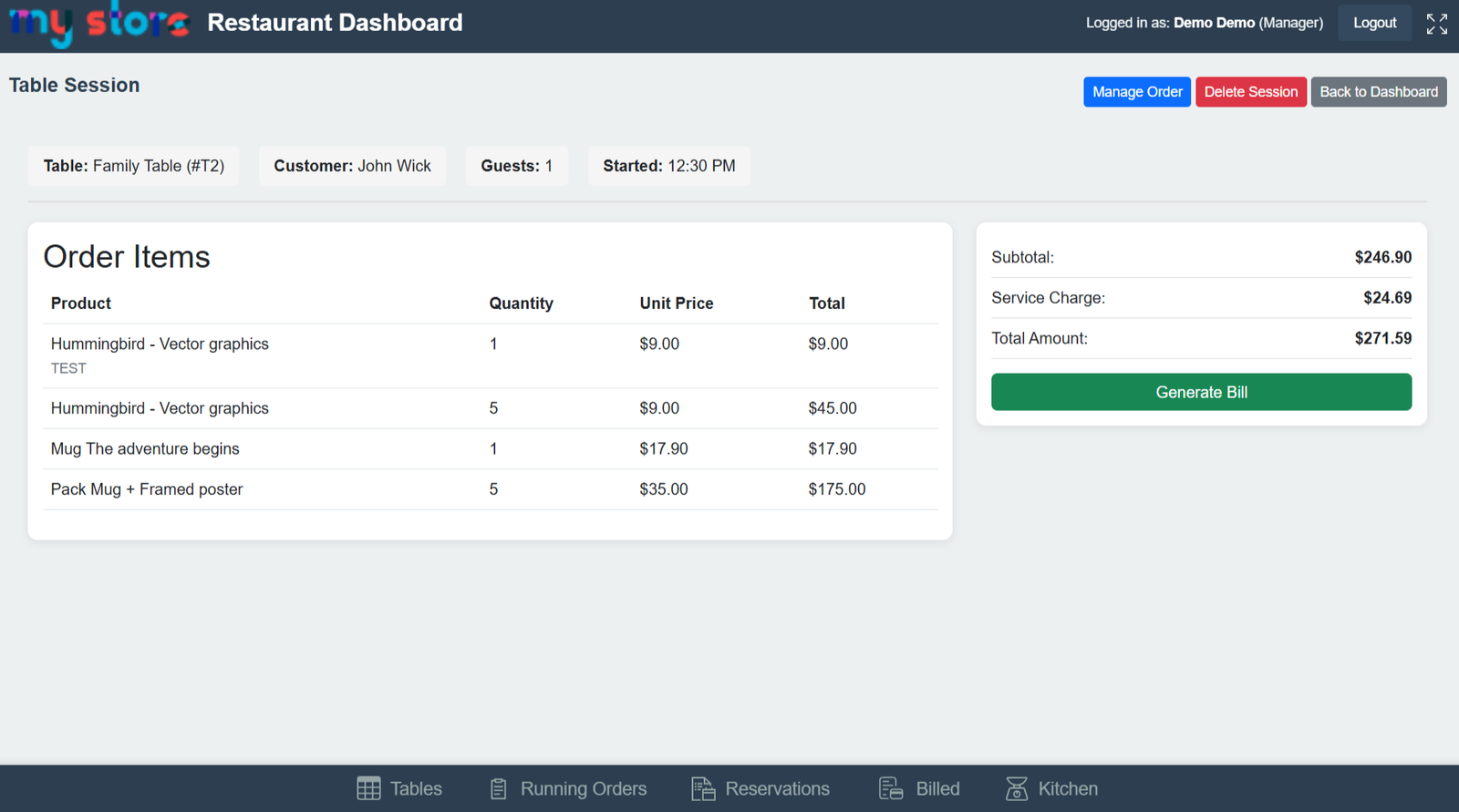
(i) Automatic Calculation of Subtotal, Service Charges & Total Amount
(ii) Easy Bill Generation with One-Click Billing Process
(iii) Reduce Manual Billing Errors with Automated Calculations
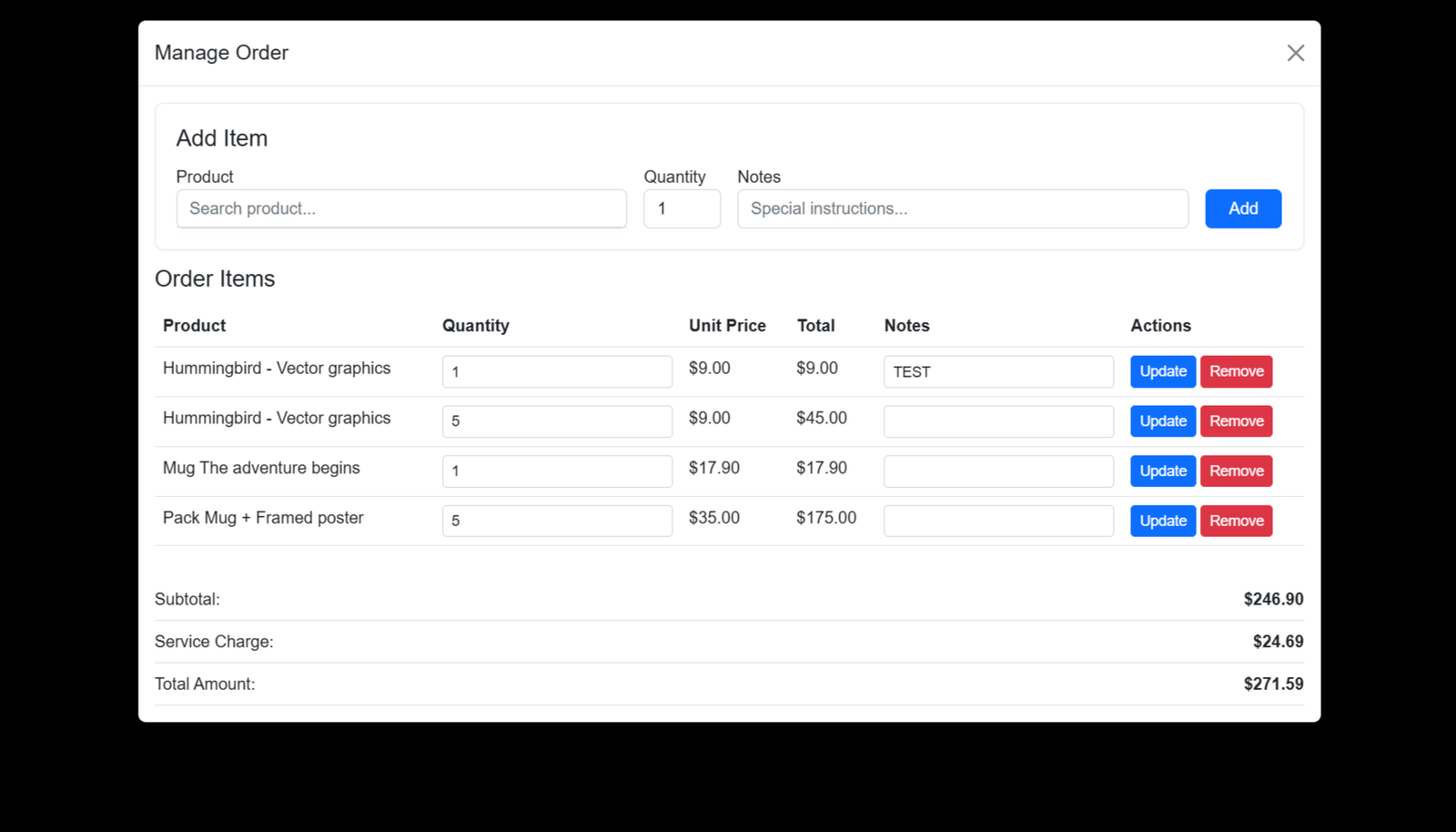
Step 6: Smart Order Management Interface Easily add, update, or remove items from a table’s running order in real time. With quick product search, quantity control, and special instructions, staff can handle orders faster and more accurately.
(A) Smart Order Management Interface
1. Import Setting :
(i) Real-Time Running Restaurant Session Tracking
(ii) Centralized Dashboard for Active Dining Sessions
(iii) Track Customer, Guests & Table Information Instantly
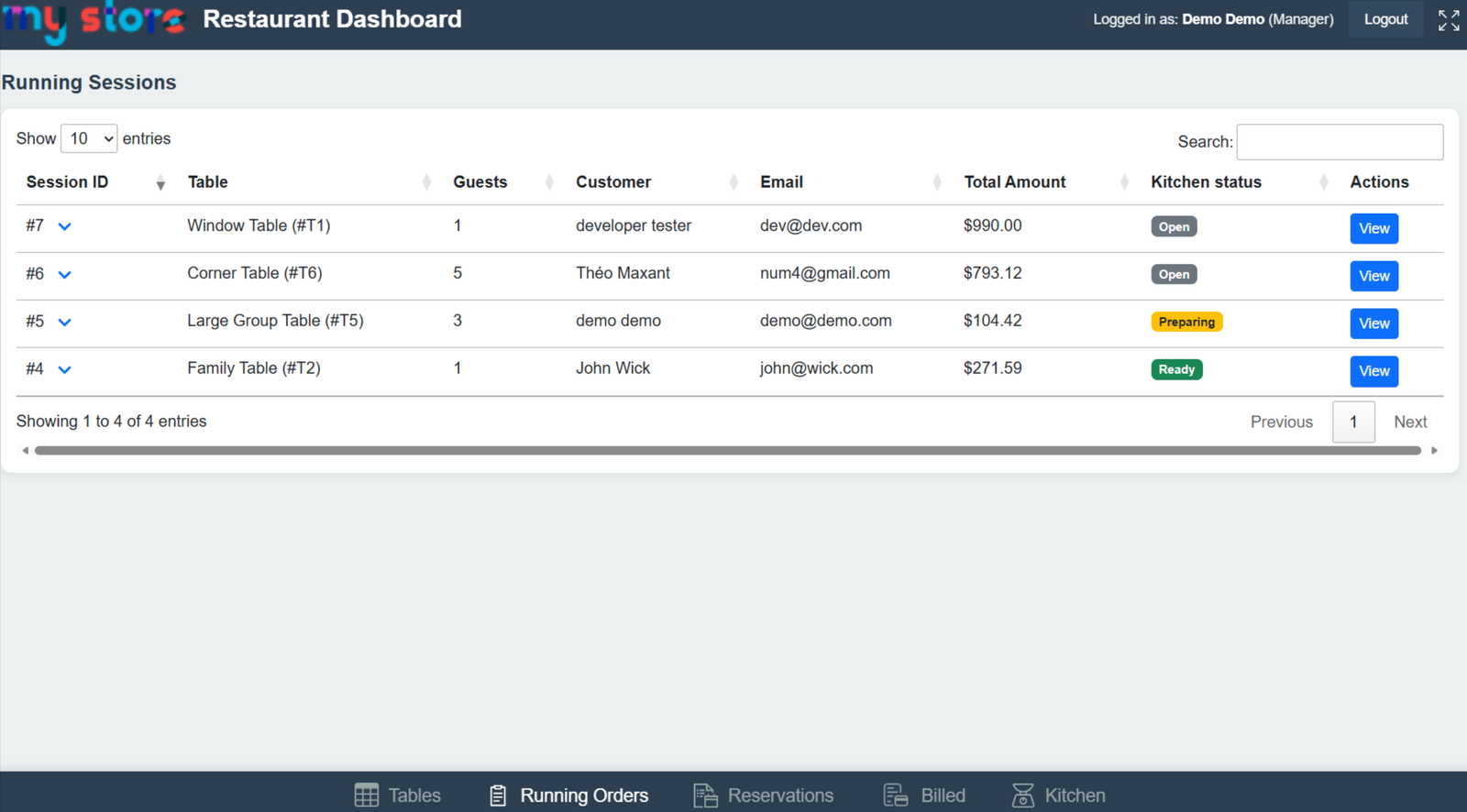
Monitor all active table sessions in one place with live updates on orders, customer details, and kitchen status. Stay in control of every table and ensure smooth coordination between staff and kitchen.
2. Export Setting:
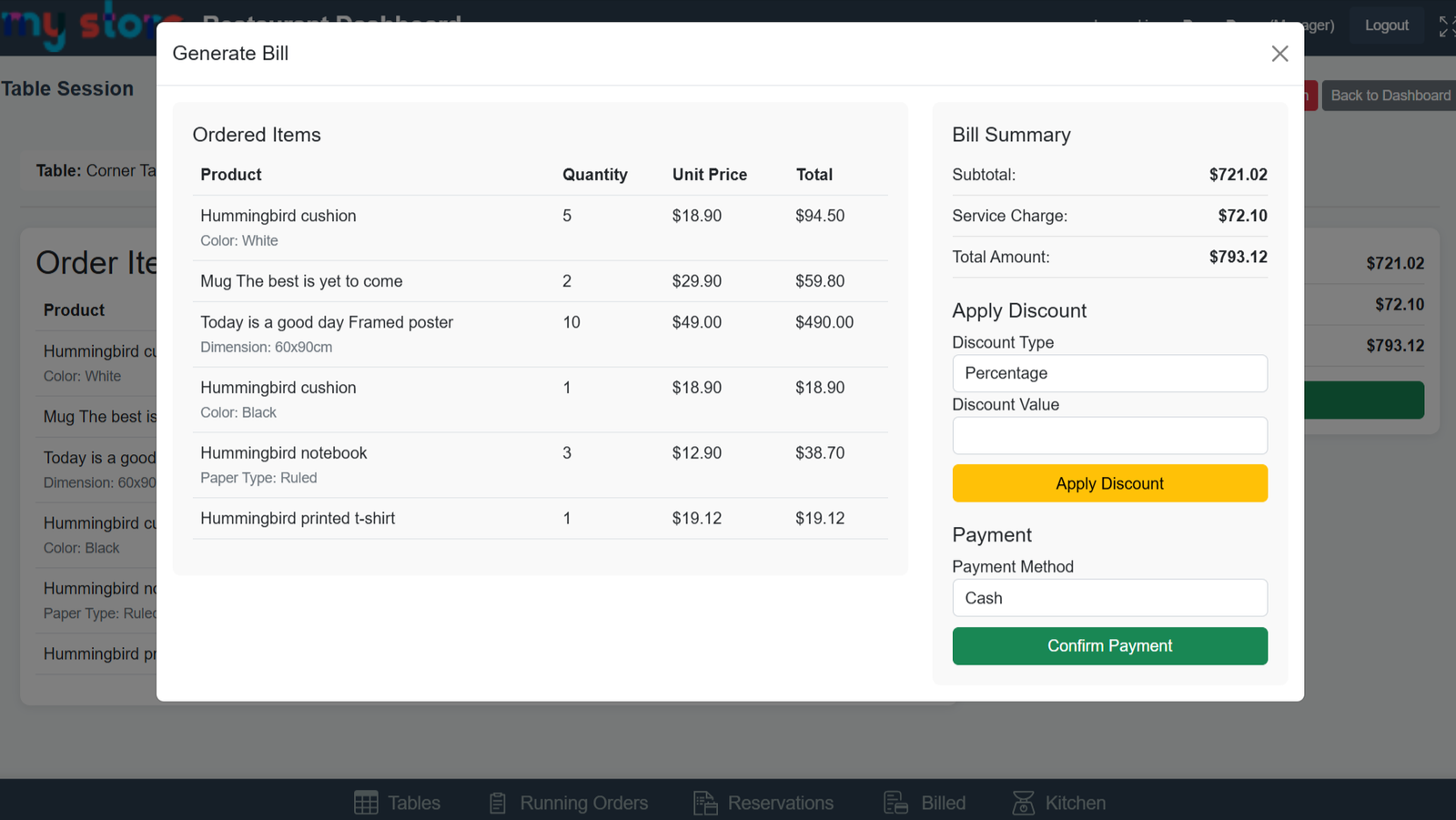
(i) Generate Restaurant Bills Instantly with Real-Time Calculations
(ii) Detailed Ordered Items Summary with Quantity & Pricing
(iii) Automatic Subtotal, Service Charge & Total Amount Calculation
Generate accurate bills instantly with automatic calculations for subtotal, taxes, and service charges. Apply discounts, select payment methods, and complete transactions seamlessly — all integrated with PrestaShop orders.
3. Real-time setting
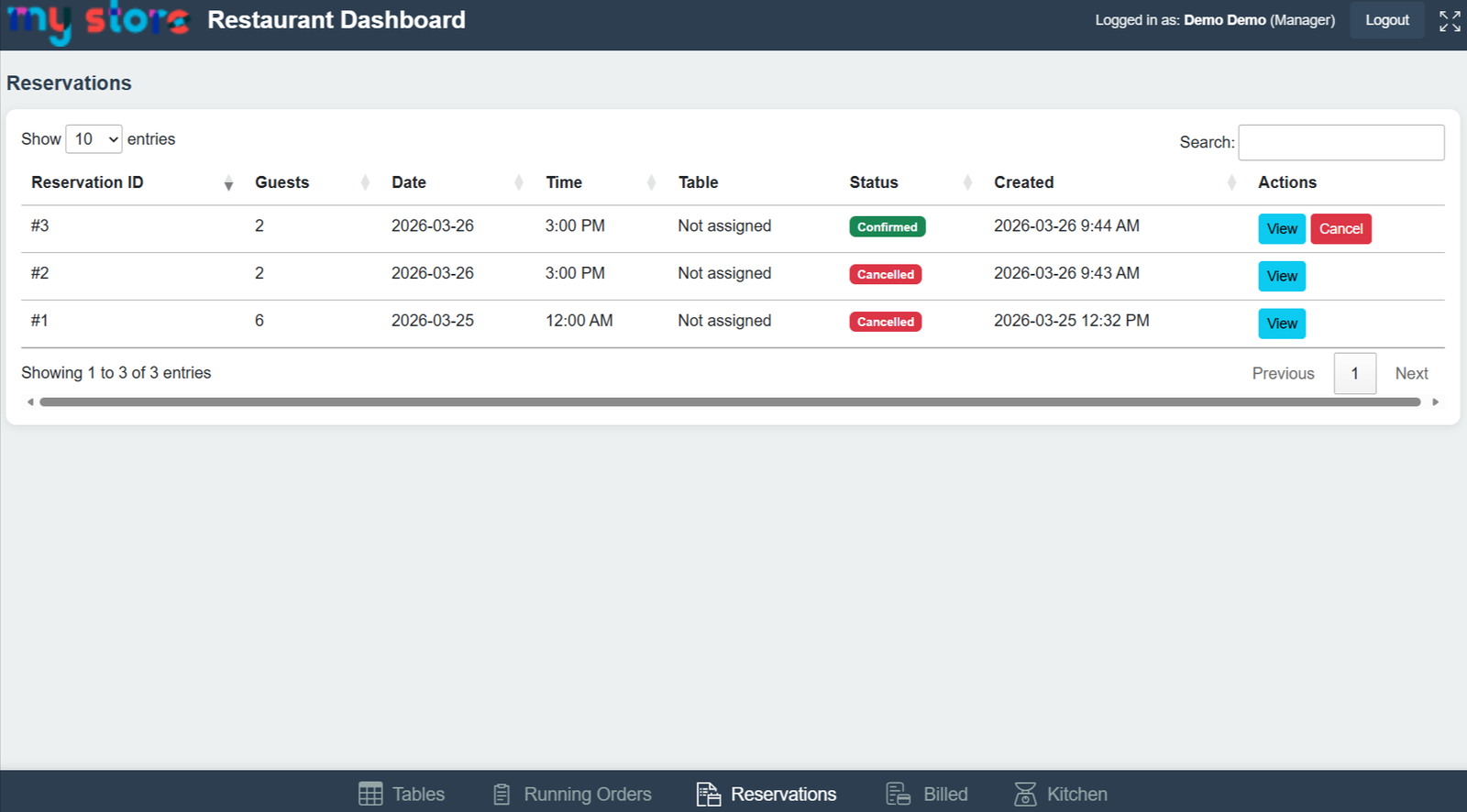
(i) Quick Access to View Reservation Details Instantly
(ii) Real-Time Reservation Updates for Better Coordination
Effortlessly manage table reservations made directly from your website. View booking details, track reservation status, and take quick actions — all from a centralized and organized interface.
Step 7: Keep track of all completed dine-in orders with detailed billing information. View payment methods, order totals, and timestamps — ensuring full transparency and easy reporting.
1. Import Setting :
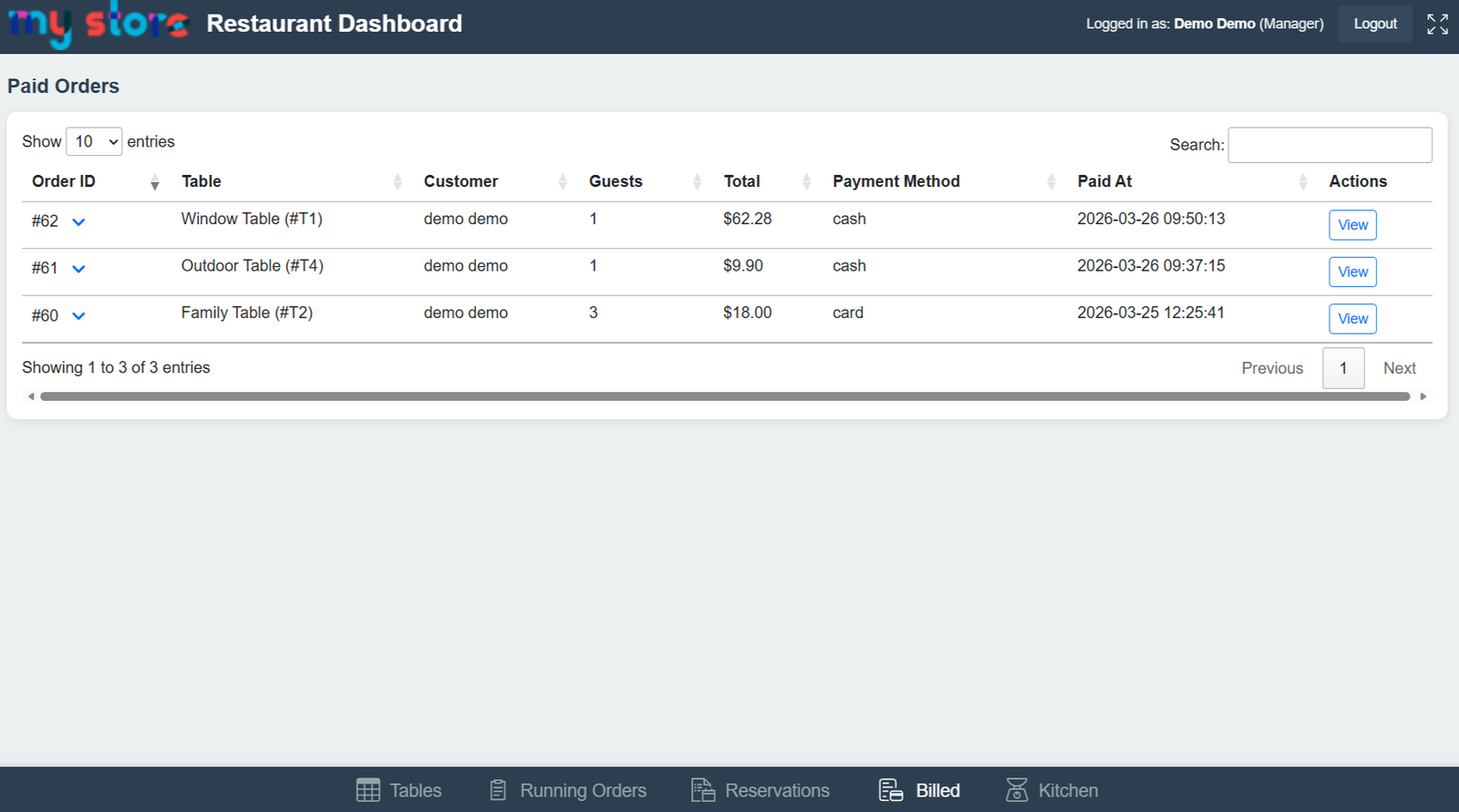
(i) Real-Time Paid Orders Management System
(ii) Centralized Dashboard for Completed Restaurant Orders
(iii) Track Paid Orders with Detailed Billing Information
View Customer, Table & Guest Details Instantly
2. Real-time setting:
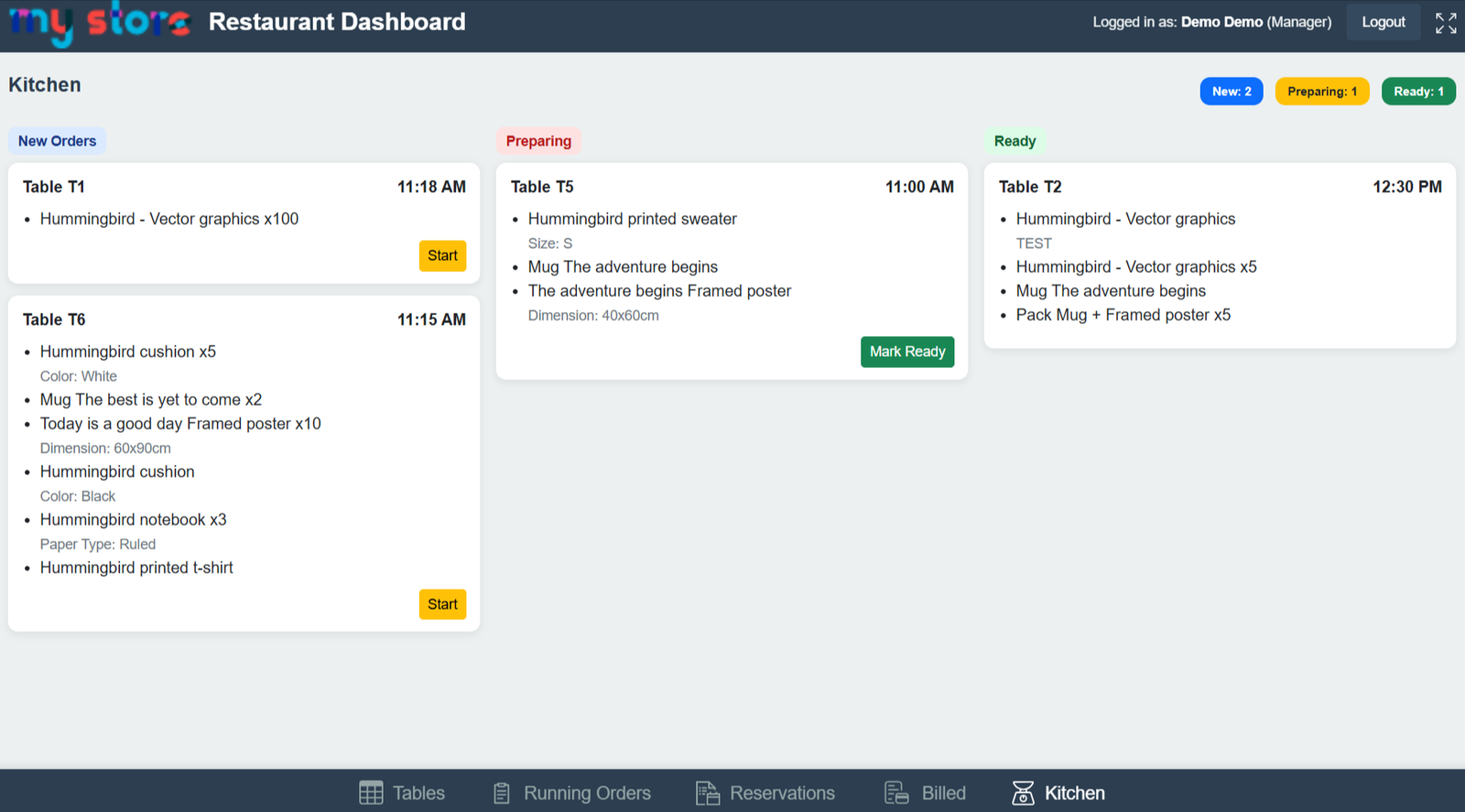
(i) Live Order Preparation Monitoring for Restaurant Managers
(ii) Improve Restaurant Efficiency with Real-Time Kitchen Visibility
Simplified Kitchen Operations with Status-Based Workflow
Step 8: Give your customers full control over their bookings. They can easily view reservation details, track status, and manage upcoming table bookings directly from their account.
1. Import Setting :
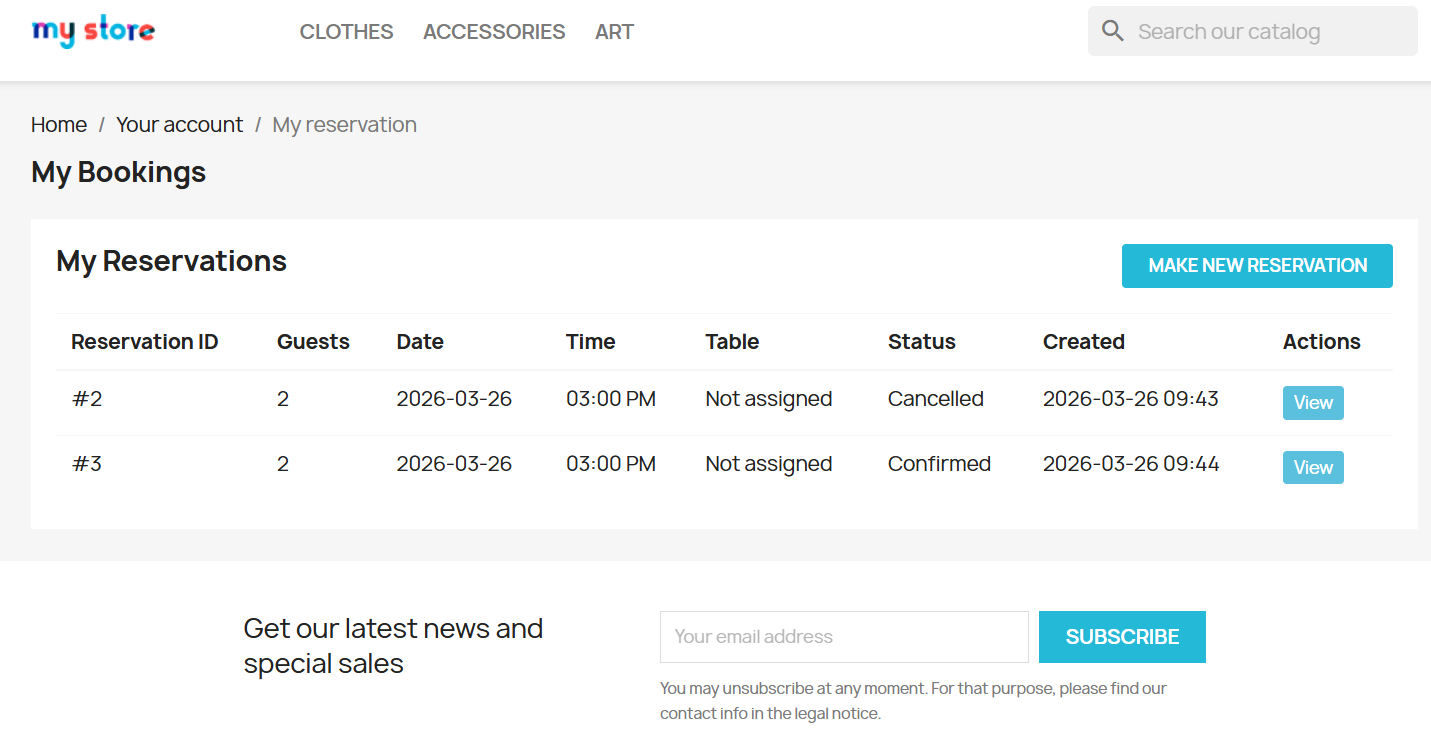
(i) Simplified Online Restaurant Booking Experience
(ii) Improve Customer Experience with Self-Service Reservation Management
(iii) Responsive Reservation Dashboard for Desktop & Mobile Devices
Faster Reservation Handling Without Manual Communication
2. Export Setting:
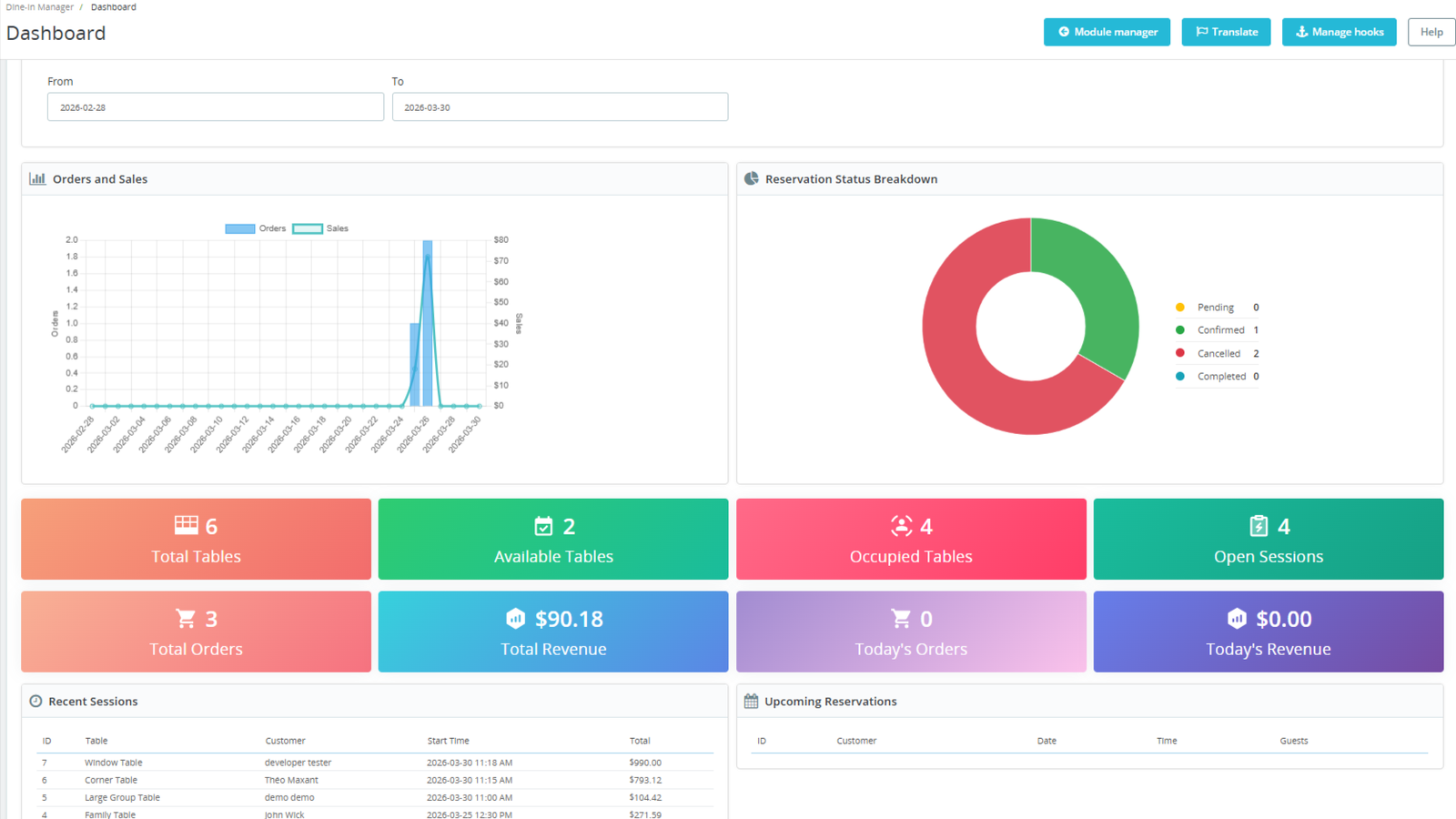
(i) Accurate Restaurant Performance Measurement Tools
(ii) Faster Access to Business-Critical Restaurant Data
Professional Restaurant Reporting & Monitoring Experience
3. Real-time setting:
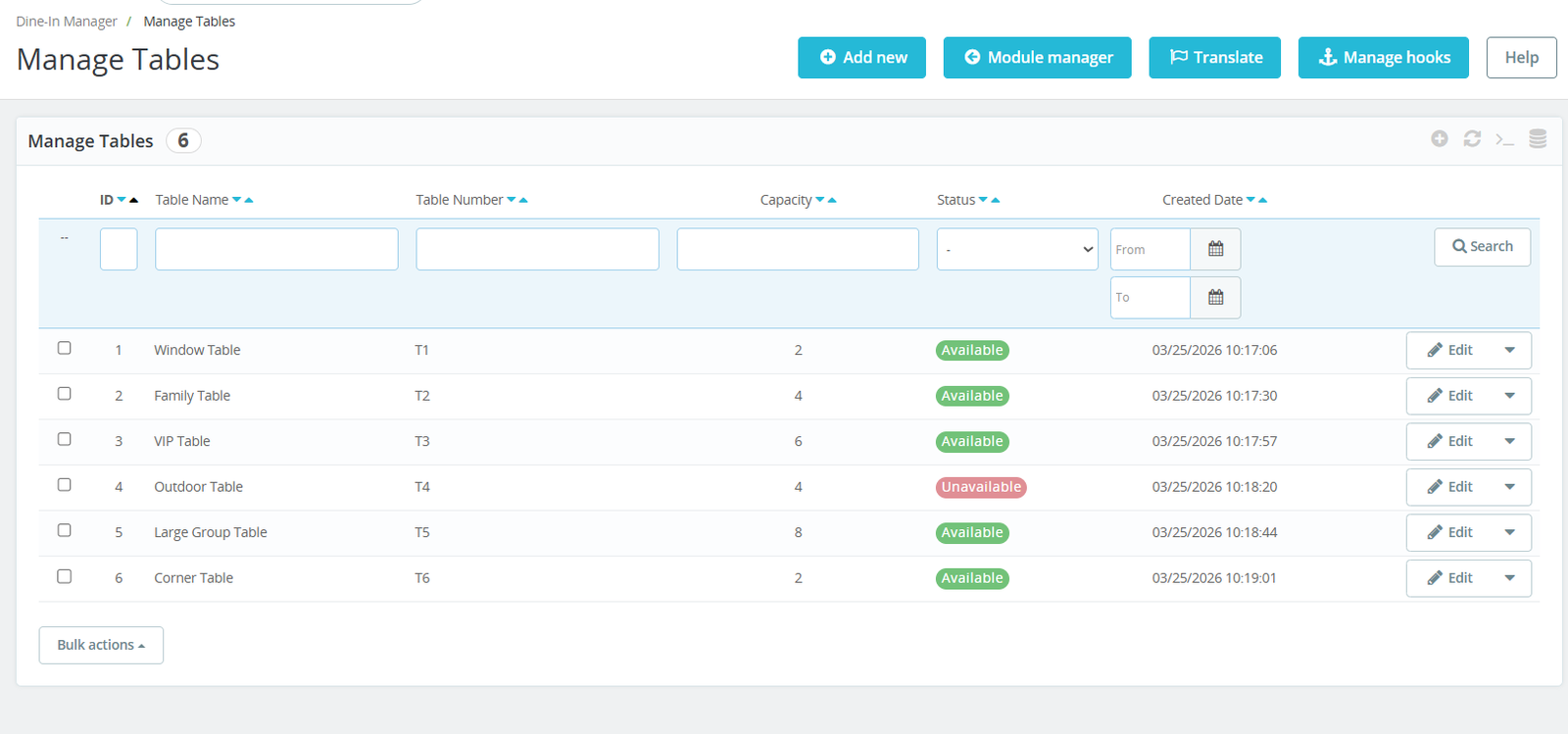
(i) User-Friendly Restaurant Table Administration Interface
(ii)Simplified Restaurant Seating Workflow Management
Better Customer Seating Planning & Coordination
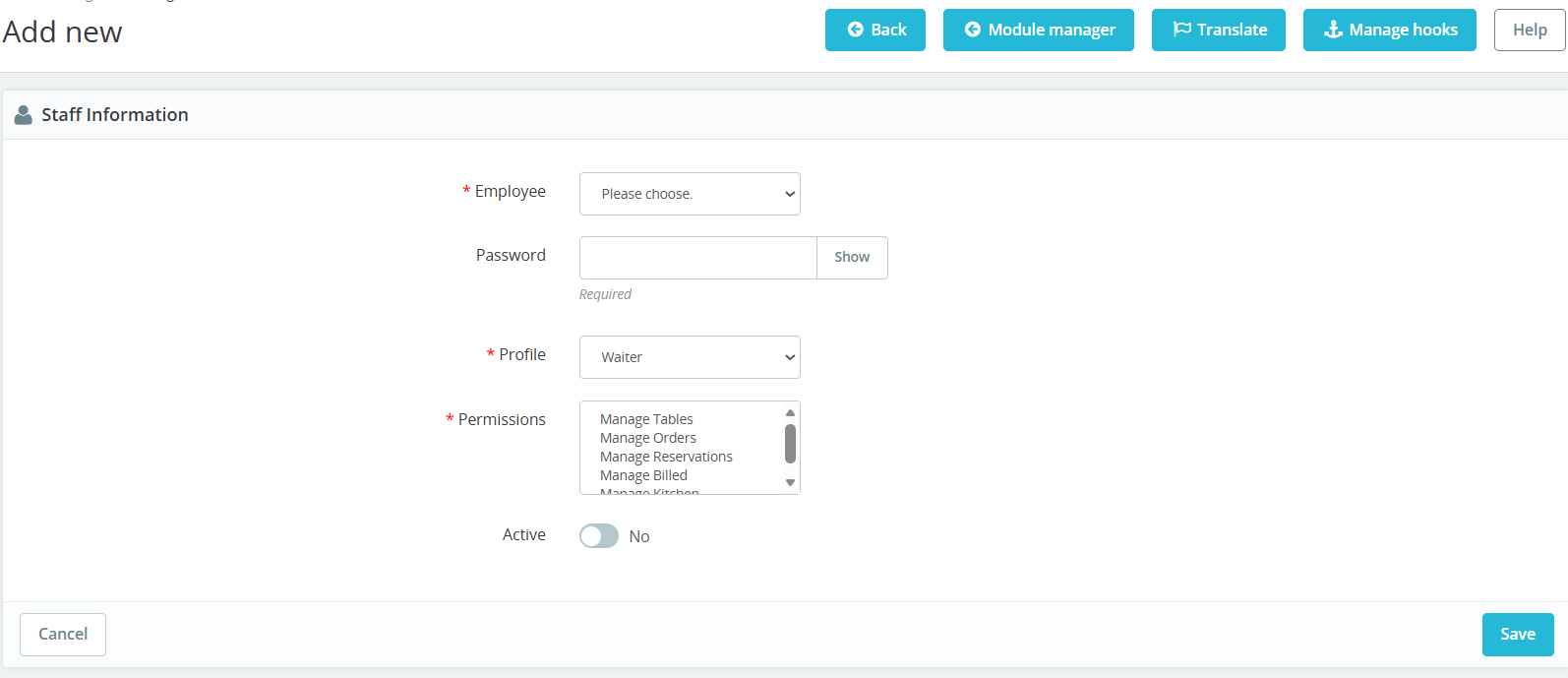
Step 9: Assign roles and control access for your restaurant staff with flexible permission settings. Define what each employee can manage — from tables and orders to reservations and billing — ensuring secure and efficient operations.
Step 10: Manage all customer reservations from one powerful admin panel. View booking details, assign tables, update statuses, and handle cancellations with complete control and efficiency.
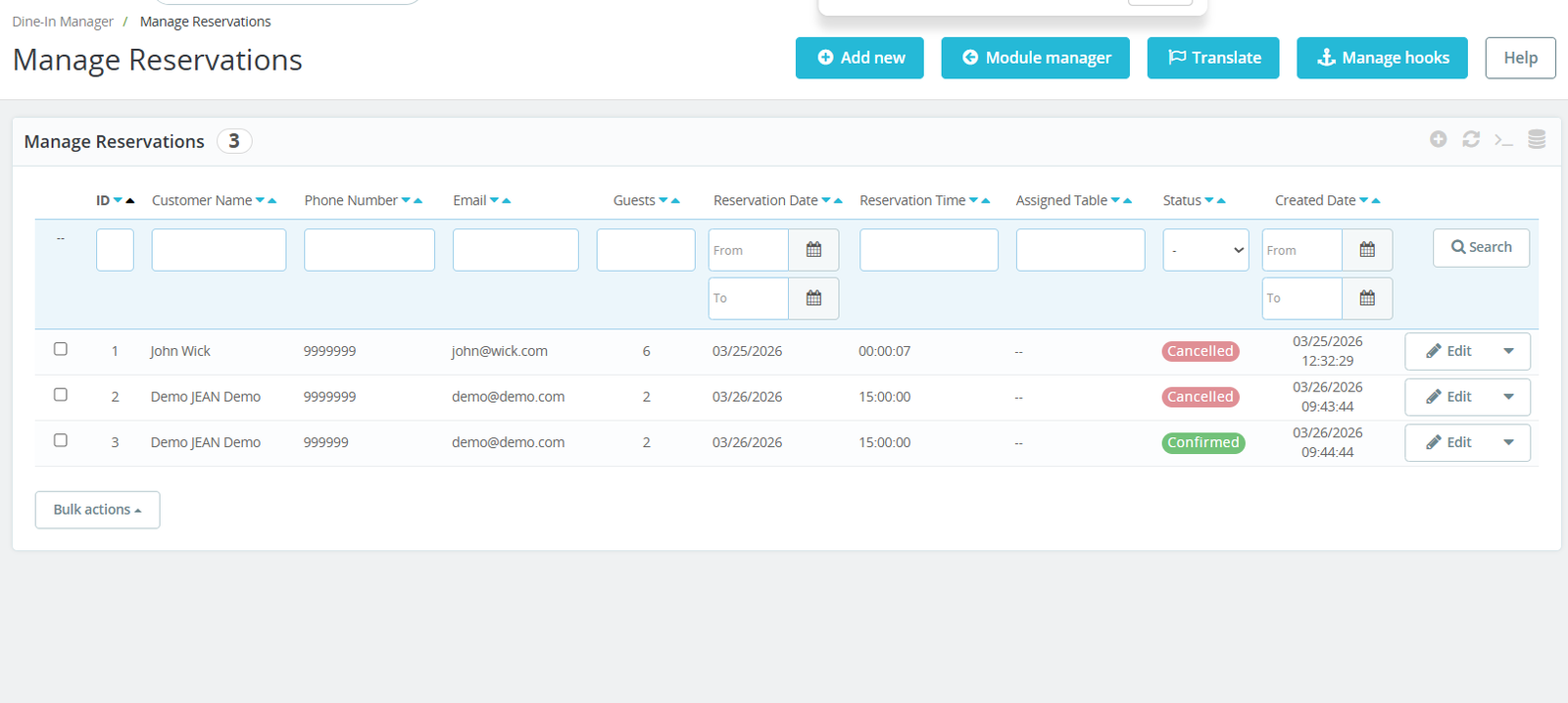
1. Import Customers:
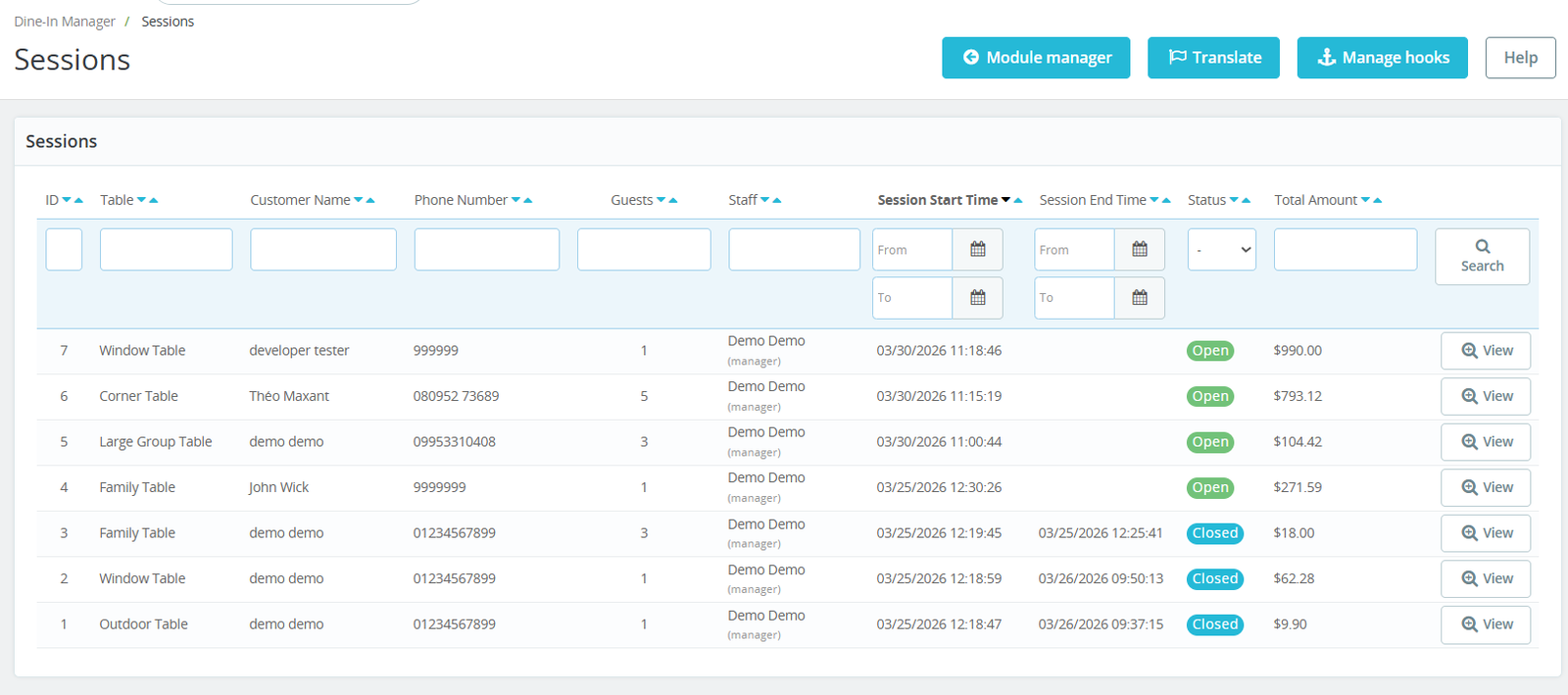
- Monitor every table session from start to finish with detailed insights. Track customer activity, assigned staff, session duration, and total billing — all in one organized view for better control and performance
2. Export Customers:
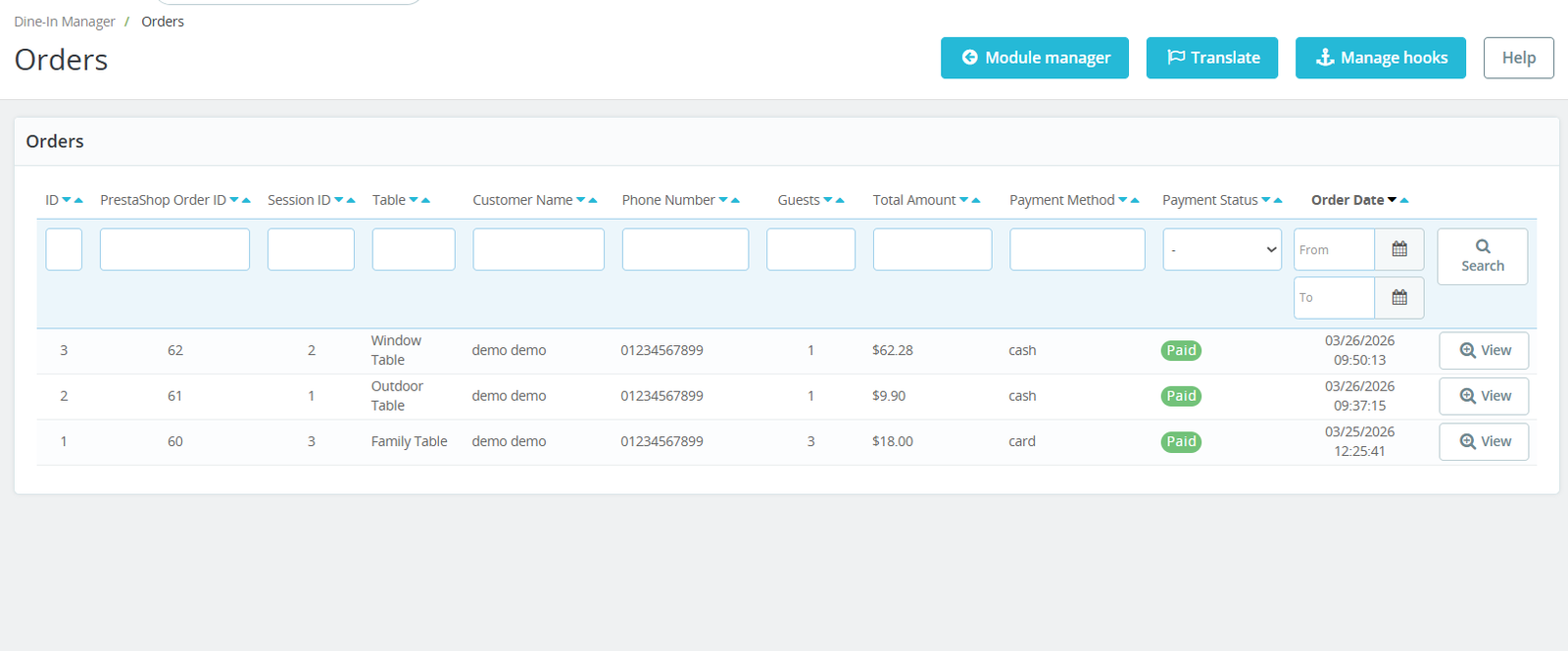
- Seamlessly manage all dine-in orders linked with PrestaShop. Track session-based orders, payment status, customer details, and order history — all synchronized for accurate reporting and inventory management.
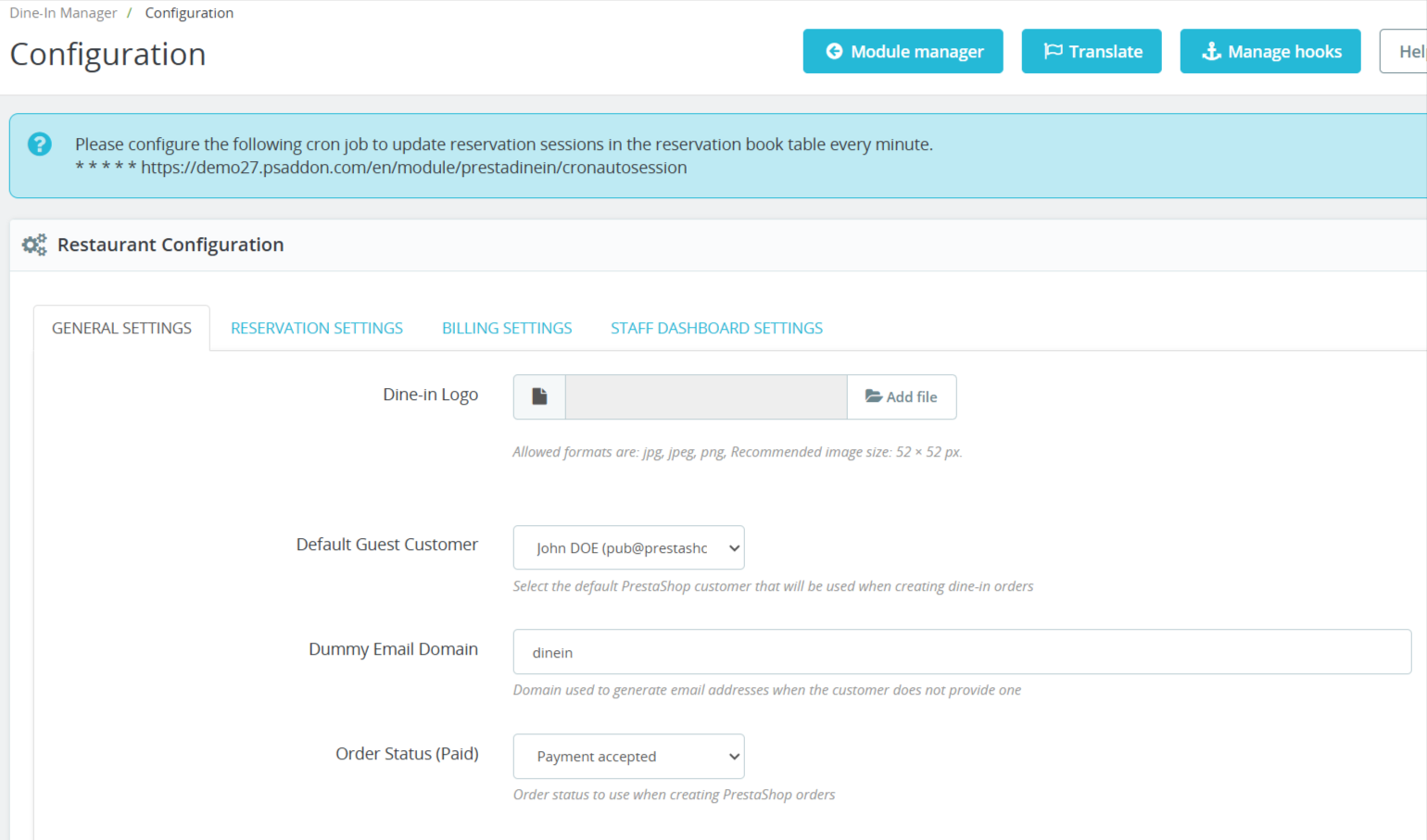
- Customize every aspect of your dine-in operations with powerful configuration settings. Control reservations, billing rules, staff access, and system behavior — all tailored to fit your restaurant’s workflow.
Step 11: Take full control of your reservation system with flexible rules and automation. Define booking limits, time slots, operating hours, and approval workflows to match your restaurant’s exact needs.
1. Import Products:
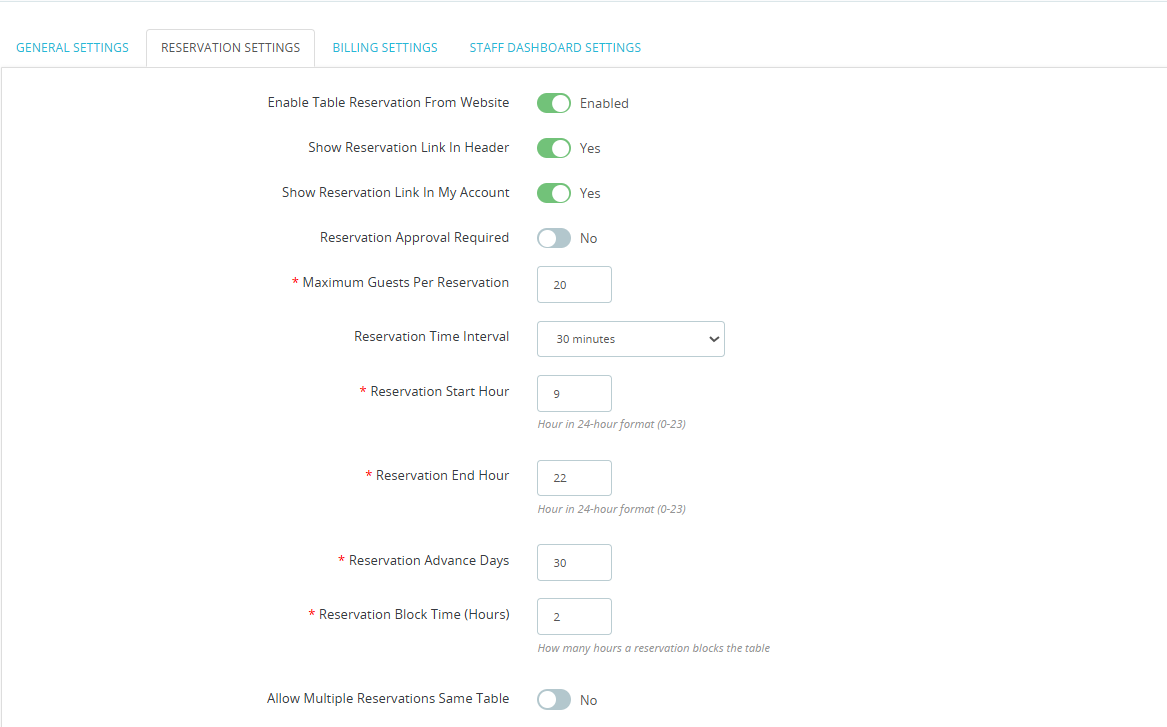
- Take full control of your reservation system with flexible rules and automation
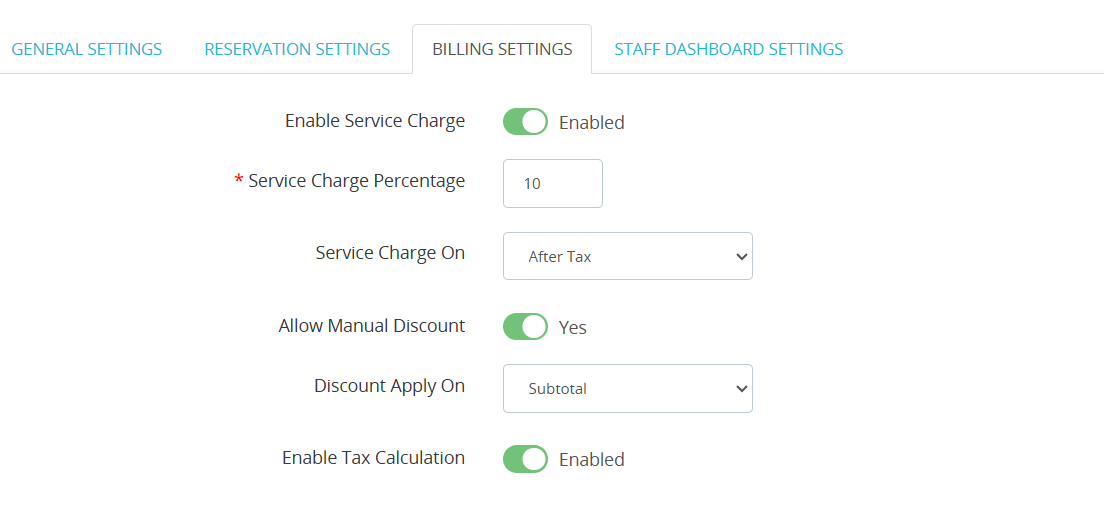
- Customize your billing process with advanced controls for service charges, taxes, and discounts.
Why Use the Restaurant Dine-In Management Module?
- Manage Reservations, Tables, Orders & Billing Efficiently
- Improve Restaurant Workflow with Real-Time Management
- Reduce Manual Errors in Restaurant Operations
- Improve Restaurant Productivity & Staff Coordination